

More AI Image Generators
Explore our collection of specialized AI image generators designed for different creative needs and styles










AI Halloween Costume Generator From Photo
Change The Outfit, Keep The Person Recognizable
Try an AI Halloween Costume Generator to transform your photo into an original spooky, cute, or stylish Halloween look. Explore witch outfits, vampire costumes, gothic fashion, and imaginative seasonal designs. Upload your photo, describe the clothes and accessories, and create a personalized still image. This AI Halloween Costume Generator from photo helps preserve your recognizable appearance while reimagining your outfit. Review facial details and garment fit before downloading.
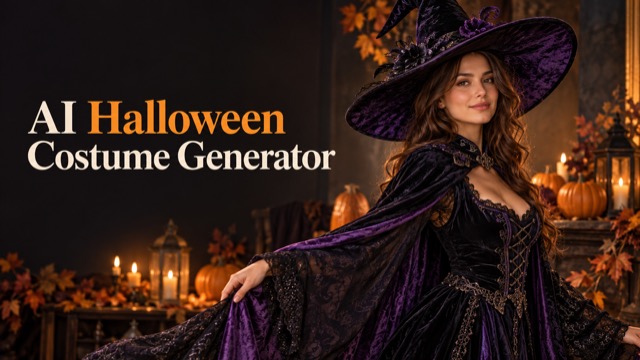
How The AI Halloween Costume Generator Works
Move from an everyday portrait to an original seasonal outfit in three steps. Start with a clear photo and use specific clothing directions to guide your costume preview.
Upload Your Photo
Choose one clear photo of yourself or an adult who has given permission. Give the AI Halloween Costume Generator from photo an unobstructed face and visible clothing. Natural light, a simple background, and a relaxed pose provide useful references for realistic editing.
Choose Your Halloween Look
Choose a Halloween Costume prompt option, then add your own garment shape, colors, fabric, hat, cape, and accessories in the Prompt box. Ask to keep the original background, expression, and hairstyle when those details matter. Your written direction guides the selected costume concept.
Generate And Download
Generate your still image and inspect the face, hands, seams, and clothing edges. Refine one detail at a time if needed. The AI Halloween Costume Generator creates a creative preview; download a result you like using the available image controls.
Best AI Image Tools for Creative Projects
Explore creative tools for image, learn tips and tricks, and see how AI can be your assistant in turning concepts into finished projects.
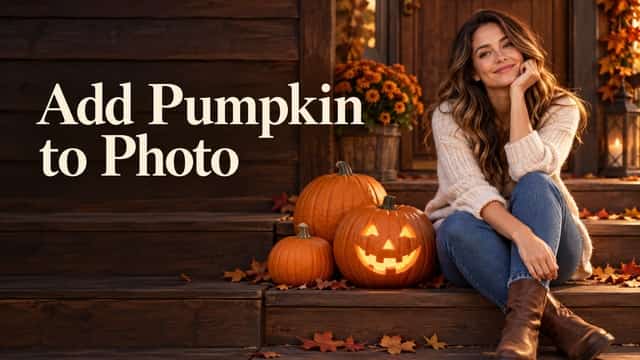
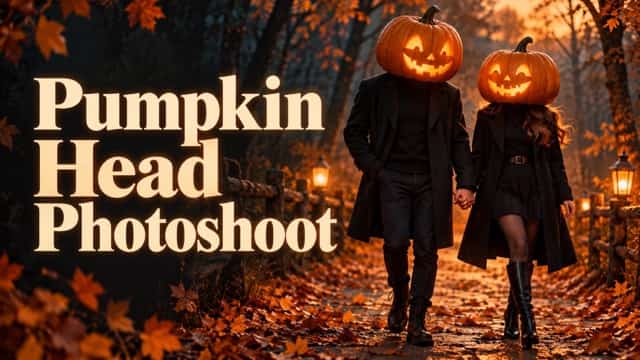
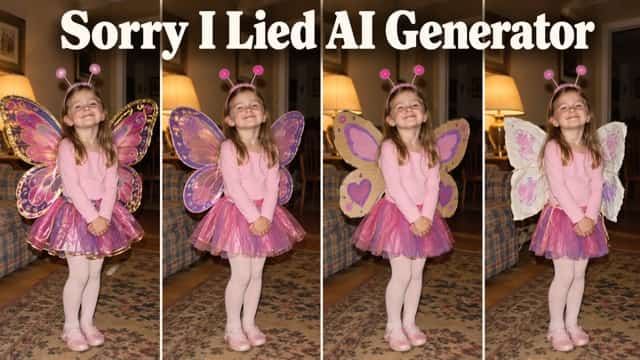


















Original Looks With The AI Halloween Costume Generator
Explore five distinct Halloween directions, from velvet witch outfits to botanical fairy designs. All artwork is original concept illustration, rather than verified output from the selected generator.
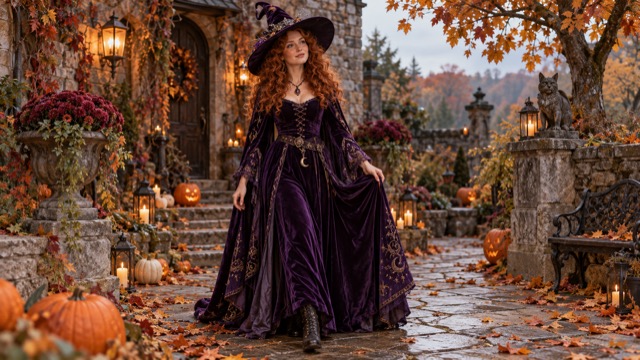
Witch Costume Generator
Build an original witch look with a deep purple velvet dress, a tailored coat, or a softly draped cape. Tell the AI Halloween Costume Generator how wide the pointed hat should be and where silver accessories belong. The AI Halloween Costume Generator from photo can interpret fabric and lighting directions together.
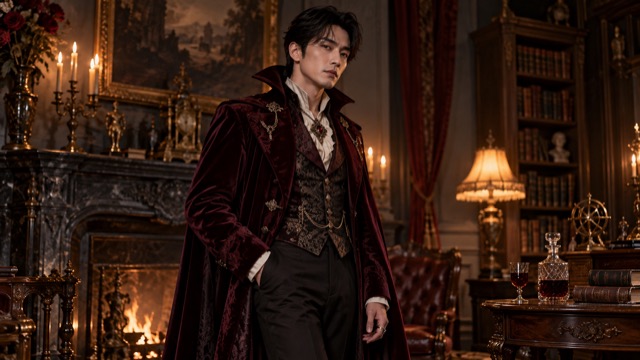
Vampire Costume Generator
Explore a burgundy waistcoat, dark cape, and structured collar without copying a film character. Ask the AI Halloween Costume Generator from photo for restrained theatrical makeup that leaves your features recognizable. The AI Halloween Costume Generator works from your photo and written direction, so specify velvet texture, collar height, and natural shadows.
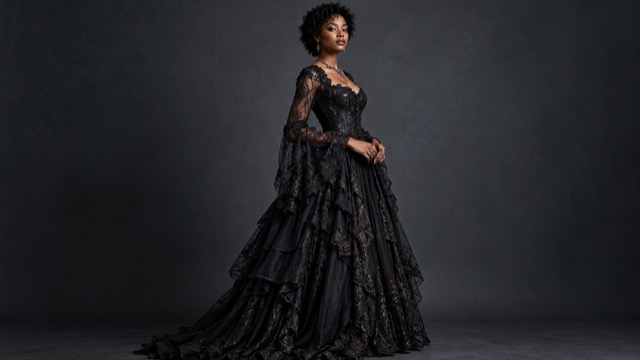
Gothic Halloween Fashion
Layer black lace over rich dark fabric and add subtle metallic jewelry for a refined seasonal portrait. Guide the AI Halloween Costume Generator with sleeve shape, hem length, and visible stitching. The AI Halloween Costume Generator from photo aims to relate new clothing to your existing pose and light. Inspect lace edges and hands before sharing your result.
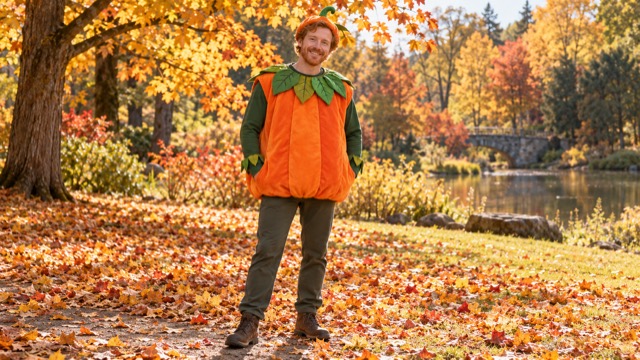
Cute Pumpkin Costume
Try orange fabric, leaf-shaped trim, and soft green accents for a cheerful pumpkin outfit. Give the AI Halloween Costume Generator from photo a comfortable garment shape instead of requesting a rigid oversized shell. An AI Halloween Costume Generator can explore seasonal accessories through your instructions, including a collar or small headpiece.
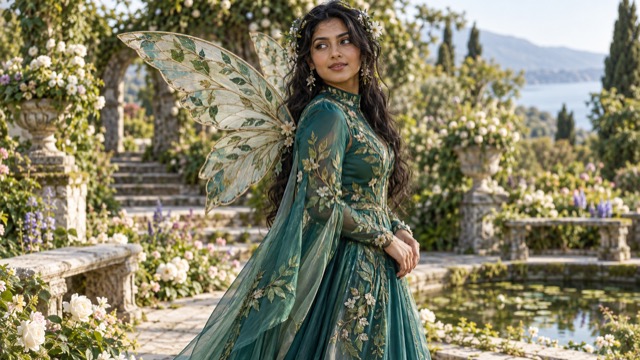
Fantasy Halloween Outfits
Imagine an emerald-and-teal fairy costume with botanical embroidery and delicate translucent wings. Use the AI Halloween Costume Generator to explore an original fantasy aesthetic, then describe how accessories attach to the outfit. An AI Halloween Costume Generator from photo benefits from clear shoulder and torso references when wings are requested. Review wing placement after generation.
AI Halloween Costume Generator Ideas
Explore these personal costume concepts with an AI Halloween Costume Generator from photo. Each starts with one authorized portrait and your own creative direction.
Halloween Party Costume Preview
Use the AI Halloween Costume Generator to compare a cape, hat, and color palette before your party. Describe sleeve length and comfortable layers. Save your preferred portrait to guide real clothing and accessory choices.
Witch Costume Photo
An photo-based editor can shape a witch-inspired portrait. Try deep purple velvet, a soft cape, and a hat that leaves your eyes visible. Ask the AI Halloween Costume Generator for believable shadows and folds for an outfit connected to your photograph.
Vampire Outfit Generator
Give the AI Halloween Costume Generator a precise collar, waistcoat, and cape description for an original vampire look. Dark burgundy fabric and understated jewelry create a clear direction. Use a half-body photo to emphasize tailoring, expression, and neckline details.
Gothic Fashion Portrait
Explore black lace, dark tailoring, and subtle silver accents with the AI Halloween Costume Generator. An upper-body photograph emphasizes necklines and sleeves. Request natural skin texture, coherent light, and restrained theatrical makeup, then check the finished portrait for clothing edges needing refinement.
Cute Pumpkin Outfit
Try the AI Halloween Costume Generator for a cheerful orange-and-green outfit concept. Request a soft tunic, leaf-shaped trim, and a small seasonal accessory rather than an oversized costume shell. The photo-based editor helps compare autumn styling against your familiar appearance.
Fantasy Fairy Costume
Explore embroidered fabrics, delicate wings, and botanical accessories through the image editor. Describe where the wings attach and how the layers should fall around your shoulders. Use an AI Halloween Costume Generator from photo with a clear torso reference. Inspect accessory placement and proportions.
Halloween Profile Picture
Use an image editor from photo to explore seasonal hats and collars for a recognizable profile image. Keep your face prominent, avoid accessories across the eyes, and choose a simple background. The AI Halloween Costume Generator helps develop a Halloween direction readable at smaller sizes.
Last-Minute Costume Inspiration
Ask the AI Halloween Costume Generator for an original outfit built around a coat, belt, cape, and a small accessory. Start with garments you might already own. Compare colors and shapes before choosing practical costume details to recreate.
Seasonal Social Media Photo
Create a festive portrait with the AI Halloween Costume Generator for an autumn post or party announcement. Coordinate clothing and background colors, and leave space for your layout. Inspect faces, hands, and seams before sharing, and describe the image honestly as AI-edited content.
Creative Costume Planning
Use the AI Halloween Costume Generator from photo to compare one change at a time: a shorter cape, a different fabric, or simpler jewelry. Keep the source consistent to assess differences. Save useful versions and choose an original costume direction for your portrait.
Creative Perspectives On Halloween Portraits
Demonstration content only: the names, roles, avatars, and reactions below are illustrative placeholders, not verified customer testimonials or actual usage claims.
I like a costume concept that keeps the face recognizable and lets velvet, a hat, and a cape carry the mood. Clear clothing details make the portrait idea feel cohesive.
A defined collar and rich burgundy fabric give the vampire direction a strong visual identity. I value restrained accessories that complement the face instead of overwhelming the entire portrait.
The gothic direction feels most appealing when lace, seams, and soft shadows work together. I prefer an original outfit with natural skin texture and enough detail to study the styling.
A pumpkin-inspired palette feels cheerful and easy to understand at a glance. Soft fabric and a simple leaf collar make the costume concept useful for discussing a relaxed autumn party theme.
The botanical fairy direction appeals to me because embroidery and delicate wings can tell a complete visual story. Balanced colors and believable attachment points help the fantasy styling feel thoughtfully composed.
Comparing a few focused costume ideas feels more useful than changing every detail at once. I appreciate original designs that leave room to explore different materials, accessories, and personal expression.




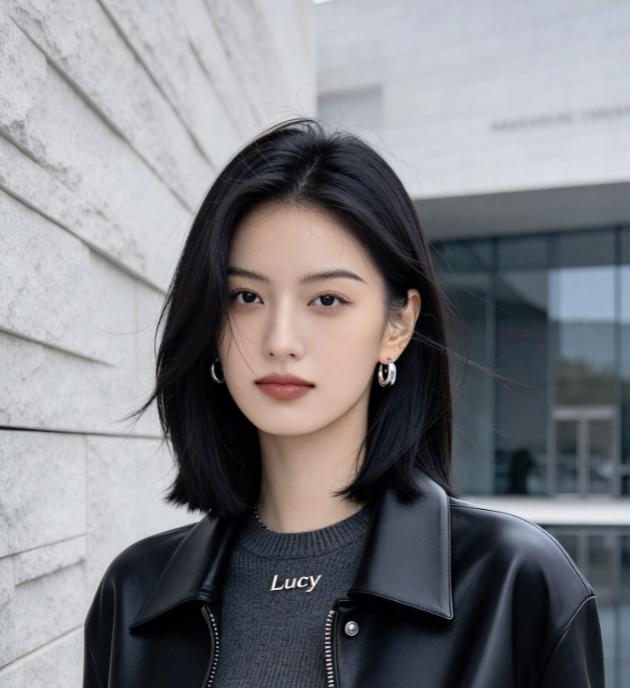

AI Halloween Costume Generator FAQ
Answers about source photos, outfit direction, realistic details, credits, downloads, and original costume design.
An AI Halloween Costume Generator from photo changes portrait clothing into an original seasonal outfit. This page uses GPT Image 2 for still-image editing. Upload an authorized adult portrait and describe your costume. Explore the AI Image Maker for broader creation.
Give the AI Halloween Costume Generator from photo a sharp single-person photograph with an uncovered face, visible clothing, and natural light. Full-body photos guide hems; selfies guide hats and collars. The AI Halloween Costume Generator cannot reliably reconstruct accurate body details absent from your source.
The AI Halloween Costume Generator aims to preserve recognizable facial features, hairstyle, skin tone, and pose while replacing clothing. Ask to retain your background and lighting too. Identity and garment fit can vary. Inspect faces, hands, and seams before downloading.
Choose a witch, vampire, gothic, pumpkin, or fairy direction, then describe your preferred colors, materials, and accessories. The AI Halloween Costume Generator from photo combines your instructions with the selected costume prompt. Specify velvet, cape length, or jewelry, then refine one change at a time.
The AI Halloween Costume Generator accepts one reference photo through its image uploader. Follow the current format and size requirements shown there. Choose square, portrait, or landscape framing and a resolution. Inspect the downloaded file for its dimensions and format.
Generation uses credits; costs depend on settings and current offers. Check the amount beside Generate before proceeding. The AI Halloween Costume Generator from photo does not promise unlimited free use. Preview results and use their download controls; additional attempts consume credits.
Describe a new setting or retain the original scene. The AI Halloween Costume Generator produces static images. For movement after planning your outfit, explore the separate Halloween Costume Transformation video page.
Prefer original costumes inspired by general Halloween and fantasy aesthetics. This independent tool is not affiliated with, endorsed by, or sponsored by any movie, television, game, or entertainment franchise. Avoid exact protected character replicas and official logos. Check SuperMaker terms, source-photo permissions, and relevant design rights before commercial use.
Create Your AI Halloween Costume Photo
Upload your photo, describe an original Halloween look, and explore a personalized outfit with the AI Halloween Costume Generator from photo. Review your face, fabric details, and accessories, then download a version you like. Bring your own seasonal idea to the AI Halloween Costume Generator and start creating.
