
More AI Image Generators
Explore our collection of specialized AI image generators designed for different creative needs and styles




MiniMax H3 Image
Turn Detailed Ideas Into Images And Focused Edits
Explore MiniMax H3 Image for detailed visual concepts, reference-led compositions, and image editing. Bring a scene description or a clear creative brief, then shape product visuals, imagined characters, and campaign artwork around the details that matter.
How To Prepare Your MiniMax H3 Image Brief
A useful MiniMax H3 Image workflow starts with a specific visual goal. Decide what the image must communicate before choosing a style. These four steps help you generate images from text, prepare references, and evaluate image editing with the same clear criteria. Treat every AI image generator request as a short creative brief: define the subject, arrange the frame, and identify the details you will inspect. Keep a copy of the original instructions so later changes have a reliable starting point.

Define The Image You Need
Start your MiniMax H3 Image brief with the deliverable: a product campaign, an illustrated scene, or character concept art. Name the main subject, its action, and its location before describing atmosphere. To generate images from text, explain the camera angle and where empty space belongs. MiniMax H3 Image supports detailed instructions, so use concrete visual relationships instead of a long list of style adjectives. An AI image generator has a clearer target when you describe one scene with a deliberate hierarchy. For product photography, identify the surface, light direction, and product proportions.

Give Each Reference A Clear Role
For MiniMax H3 Image, multiple reference images can guide different parts of a composition. Decide which image provides the subject, which supplies the palette, and which establishes the layout. MiniMax H3 Image officially supports up to sixteen references; use the upload allowance shown in your current generator. Start image editing with clear source material and an explicit preservation instruction. An AI image generator should receive references that resolve uncertainty rather than introduce competing subjects. If the composition only needs one source, leave unrelated images out of the request.

Set A Direction And Generate
Use your MiniMax H3 Image plan to choose the available canvas shape and frame the first attempt. Check the current settings and displayed cost before submitting. MiniMax H3 Image creative briefs can combine lighting, materials, perspective, and object placement, but the most important requirements should come first. When you generate images from text, keep the opening sentence focused on the result you want. For image editing, name one main change and the features to preserve. An AI image generator is easier to evaluate when each attempt tests a deliberate decision.

Review And Refine The Important Details
Compare your MiniMax H3 Image concept against the original goal, first at normal viewing size and then close up. Look at subject identity, edges, reflections, and relationships between objects. MiniMax H3 Image supports generation and editing within one model family, making both kinds of task relevant to your planning. If you edit images with text, change one instruction per round so you can tell what helped. Use image editing to address a specific mismatch rather than rewriting the entire brief. Keep the strongest version and record the correction beside it. An AI image generator comparison is most useful when the source and the goal stay fixed.
Best AI Image Tools for Creative Projects
Explore creative tools for image, learn tips and tricks, and see how AI can be your assistant in turning concepts into finished projects.










What To Create With MiniMax H3 Image
MiniMax H3 Image brings image generation and image editing into a shared creative workflow. Its official capabilities include detailed instructions, high-resolution output, and reference-based composition. Build your first AI image generator brief around a visible outcome you can judge: the texture of a product, the arrangement of a room, or the exact detail changed in a portrait. The feature illustrations suggest creative directions for your project.
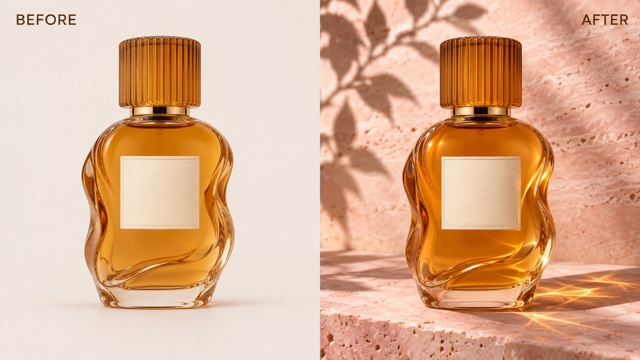
Develop Rich Product Scenes With MiniMax H3 Image
MiniMax H3 Image is designed to translate detailed descriptions into coherent visual scenes. For product photography, describe the shape, surface finish, background, and source of light. A amber glass bottle on pink stone gives you several useful checks: the silhouette should remain readable, reflections should match the light, and shadows should connect the object to its surface. MiniMax H3 Image officially generates around sixteen megapixels directly, giving creators room to inspect fine textures. Use the output options available in your interface. This AI image generator approach also helps with campaign concepts that need space for separate typography. When you generate images from text, explain the final crop before adding decorative details. Reserve image editing for targeted corrections after the composition works.
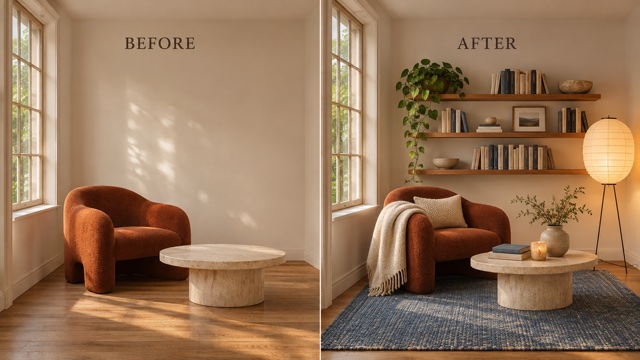
Bring Visual References Into One Composition
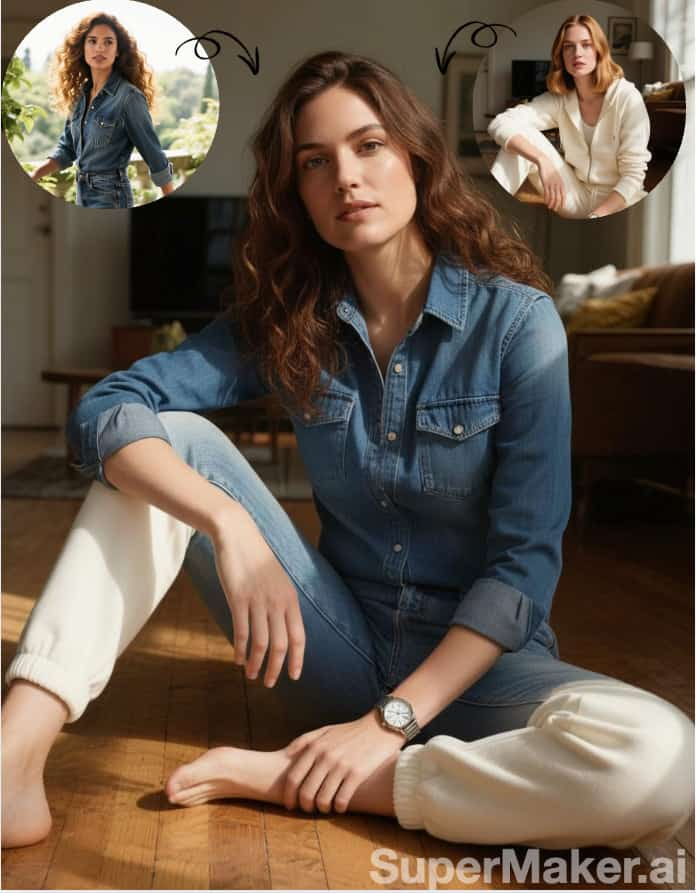
MiniMax H3 Image can interpret multiple reference images within one request. That makes the relationship between sources part of the brief: preserve the chair from one image, take the palette from another, and use a third for spatial arrangement. MiniMax H3 Image supports reference-led compositions, with a clear role assigned to each source image. For a reading corner, specify the furniture scale, camera height, and light direction. An AI image generator needs those relationships as much as it needs individual object details. Treat image editing as a composition task, then inspect where each object meets the floor. Multiple reference images are most useful when their roles are distinct. A similar plan can organize character concept art around a defined silhouette and costume. Keep your AI image generator brief explicit about scale.
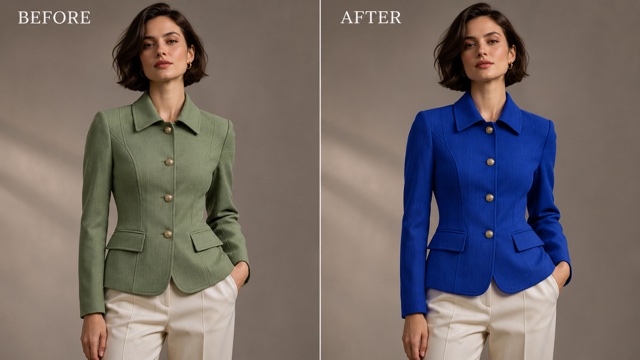
Direct A Specific Change With MiniMax H3 Image
MiniMax H3 Image supports instruction-based image editing for existing pictures. Point to the object you want to change and state what must stay fixed. A jacket recolor is a clear example: change sage green to cobalt blue while keeping the cut, seams, pose, and room lighting. MiniMax H3 Image briefs work better when replacement and preservation instructions are equally clear. To edit images with text, describe the intended result in a short, unambiguous sentence before adding constraints. An AI image generator can still introduce unwanted changes, so compare faces, proportions, and surrounding objects with the source. Use image editing to refine a selected direction and review each version before making another request. Keep the original source available for the next comparison.
MiniMax H3 Image Ideas For Real Creative Briefs
Choose a project with a clear destination for the image. MiniMax H3 Image supports a range of visual styles, but a useful brief connects appearance to purpose. Your AI image generator request might explore a storefront scene, a game character, an editorial layout, or a room arrangement. Keep image editing focused on the details that change the viewer’s understanding of the subject. The following ideas show how to make each request concrete.

Product Photography And Storefront Concepts
Use MiniMax H3 Image planning to explore how a product could appear in a campaign setting. For product photography, identify the actual object details that must remain recognizable: bottle shape, cap height, fabric weave, or distinctive edges. MiniMax H3 Image references can support those constraints while the brief describes a new surface and lighting direction. Give your AI image generator a single hero object before testing a larger arrangement. For image editing, compare the generated details with the source product. Keep pricing, claims, and final packaging text in your normal design review.

Character Concept Art For Games
MiniMax H3 Image can help develop imagined subjects, environments, and visual atmosphere. For character concept art, describe a memorable silhouette, costume construction, color accents, and the role the character plays. MiniMax H3 Image briefs can separate a subject reference from a style reference when those sources serve different purposes. Your AI image generator instructions should also specify the view: front, profile, or a single action pose. Use image editing to revise one costume detail before expanding the set. Review proportions and recurring motifs across every image you intend to keep.

Campaign Artwork And Editorial Directions
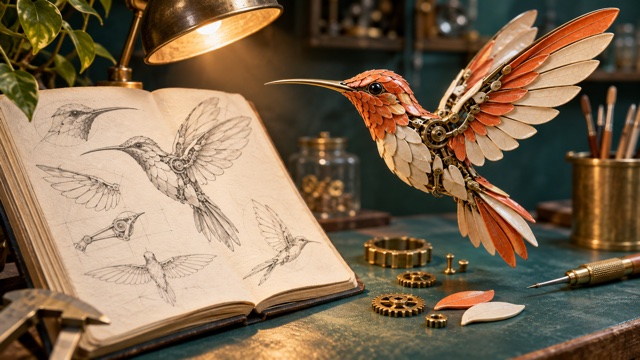
Build a MiniMax H3 Image brief around one message and one visual metaphor. A mechanical hummingbird beside pencil studies could communicate the transition from an idea to a designed object. MiniMax H3 Image can follow layered scene instructions, so describe the relationship between the foreground subject and its supporting details. Use your AI image generator to explore the image foundation, then set final headlines in a layout tool. If you edit images with text, specify the element that changes the message. Keep image editing decisions tied to composition, emphasis, or the intended audience.

Interior Styling And Spatial Concepts
Plan a MiniMax H3 Image scene with a fixed camera position, a readable room layout, and furniture references that share a sensible scale. Multiple reference images can provide separate objects and material cues. MiniMax H3 Image instructions should explain where each object belongs and how the room is lit. Treat the AI image generator result as a visual concept to discuss, then compare perspective, object contacts, and the path through the space. For image editing, request a specific furniture or color change. Keep dimensions and purchasing decisions grounded in the actual room and product information. Give the AI image generator a consistent viewpoint across revisions.
Creative Perspectives On MiniMax H3 Image
These fictional names and illustrative perspectives describe what creators might value in a MiniMax H3 Image workflow; they are not verified customer endorsements. Each perspective focuses on a practical way to evaluate an AI image generator brief.
I like a MiniMax H3 Image brief that names the material and the light before adding styling. For product photography, a convincing reflection matters more to me than extra props. I would judge the AI image generator result against the actual bottle and keep image editing focused on one correction.
A clear silhouette makes character concept art easier to discuss. My MiniMax H3 Image plan would define the costume and camera view first. I would then give the AI image generator one specific change rather than asking for a completely different character every round.
For MiniMax H3 Image, I would start with the final crop and leave breathing room around the main subject. That makes the AI image generator concept easier to place in a real layout. A strong visual hierarchy would be my first decision, with typography handled after the image direction is settled.
The useful part of a MiniMax H3 Image reference plan is knowing what each source contributes. I would keep the viewpoint fixed and compare furniture scale before adding accessories. When I edit images with text, I want one precise instruction I can evaluate against the original room.
MiniMax H3 Image Questions Answered
Understand MiniMax H3 Image capabilities, prepare a useful prompt, and plan your references before you begin. These answers cover image resolution, reference images, editing instructions, and practical ways to review the details of your finished concept.
MiniMax H3 Image is an open-weight model for image generation and image editing. It can create new scenes from descriptions or use reference images to guide a result. MiniMax H3 Image combines these tasks in one checkpoint, with an emphasis on detailed instructions, realistic visual texture, and creative control.
MiniMax H3 Image officially supports direct generation at roughly sixteen megapixels, including 4096 by 4096 for a square image. Other aspect ratios use different dimensions. When planning a MiniMax H3 Image project, choose a size and crop suited to the final layout, then inspect fine textures, edges, and small lettering at the intended viewing size.
MiniMax H3 Image officially supports up to sixteen reference images. Assign each one a purpose, such as subject identity, visual style, or layout. For image editing on this page, follow the upload limit displayed by the current form. Start with only the sources needed to explain your intended result.
Give MiniMax H3 Image a subject, action, setting, and composition, then add lighting and material details. For an existing picture, say what changes and what stays. When you edit images with text, use a specific object or location. To generate images from text, establish the overall scene before describing smaller decorative details.
Compare your MiniMax H3 Image result with the original brief. Check subject identity, proportions, lighting, edges, and object relationships before focusing on smaller details. For edits, compare the source and result side by side. Refine your MiniMax H3 Image instructions around one clear correction, then review the next version against the same goal.
The official MiniMax H3 Image API currently does not support transparent backgrounds or masked edits. It offers image editing through text instructions and reference images. If your MiniMax H3 Image project needs a cutout or a precise mask, plan a separate finishing step and inspect the resulting edges before placing the asset in a design.
Shape Your Next MiniMax H3 Image Concept
Choose one image worth making and define what success looks like. Build a MiniMax H3 Image brief around a recognizable subject, a deliberate composition, and the details that matter to your project. Bring that plan to the current AI image generator form, check its available settings, and review the first result before iterating. Keep your MiniMax H3 Image reference plan and original instructions together so the next decision stays connected to your creative goal. Use your AI image generator brief to keep image editing specific, with one clear change per attempt. Save the image editing instructions alongside the source.