


More AI Image Generators
Explore our collection of specialized AI image generators designed for different creative needs and styles











Rainbow PFP TikTok: Add a Rainbow Circle to Any PFP
Create a Trending Rainbow Profile Picture in One Click
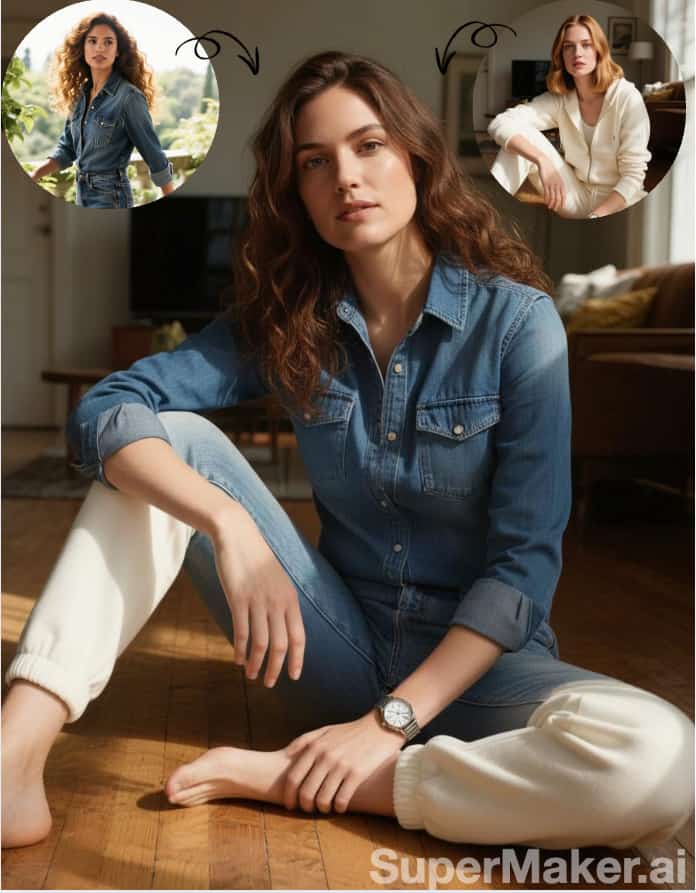
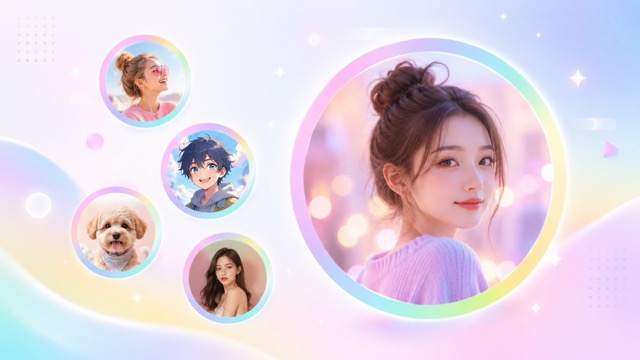
Create a rainbow pfp TikTok look without changing the photo you already use. Pixomi AI keeps your face, character, pet, outfit, pose, and original profile image recognizable, then adds a soft multicolor circle around the outside. Use this rainbow pfp TikTok generator for selfies, anime avatars, gaming icons, creator portraits, or community PFPs. A smooth pastel ring gives your image a clean social-ready finish inspired by current rainbow pfp trend posts. Upload one image, click generate, and get a polished result with no prompt writing or manual design work. A rainbow pfp TikTok frame keeps the center familiar, while rainbow pfp trend color stays around the border.
How to Create a Rainbow PFP TikTok Look
Making a rainbow pfp TikTok avatar takes three simple actions. Upload your current profile picture, click generate, and save the finished image. Pixomi AI follows the visual style seen across rainbow pfp trend posts by placing one clean rainbow circle around your existing PFP. The tool does not require layers, masking, brushes, templates, or a written prompt. This rainbow pfp TikTok workflow is built for fast profile updates and consistent rainbow pfp trend output.

Upload Your Current PFP
Choose a clear selfie, portrait, anime icon, game character, pet photo, illustration, logo, or creator avatar. For a stronger rainbow pfp TikTok result, upload a square image with one centered subject and enough open space around the edge. The generator reads your original composition so the rainbow circle can sit outside the main profile content. A clear upload also helps preserve details while matching current rainbow pfp trend style.

Click Generate
Click generate and let AI create a rainbow pfp TikTok effect automatically. Pixomi AI keeps the center image stable and places a smooth pastel rainbow ring around the outer edge. There is no need to select colors, draw a circle, remove a background, or explain the desired design. One click turns an ordinary avatar into a rainbow pfp trend profile image.

Get Your New Profile Picture
Preview your rainbow pfp TikTok image and use it across TikTok, Instagram, Discord, YouTube, X, Twitch, Reddit, or another social platform. The finished image keeps your original PFP in the center while the rainbow ring adds visible color around it. Generate another version when you want a softer, brighter, or more balanced rainbow pfp trend result.
Best AI Image Tools for Creative Projects
Explore creative tools for image, learn tips and tricks, and see how AI can be your assistant in turning concepts into finished projects.





















Make Rainbow PFP TikTok Avatars From Any Image
Pixomi AI gives you a focused rainbow pfp TikTok effect instead of completely restyling your photo. Your original avatar remains at the center, and one pastel rainbow circle appears around the outside like a clean profile frame. This approach reflects the simple visual identity used in rainbow pfp trend content and makes the result easy to recognize at small profile-picture sizes. A rainbow pfp TikTok border can update an account quickly, and rainbow pfp trend styling stays clean rather than overwhelming.
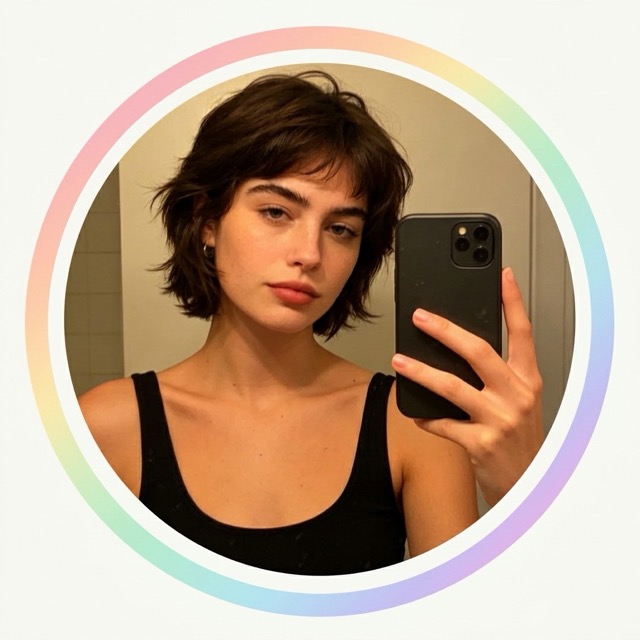
Add a Soft Rainbow Circle Without Redesigning Your PFP
A good rainbow pfp TikTok edit should look like your existing avatar with one new detail, not a completely different picture. Pixomi AI preserves facial features, skin tone, hairstyle, expression, clothing, pose, character design, pet markings, or logo details. It then adds a thin-to-medium rainbow circle with softly blended pink, purple, blue, green, and yellow tones. This restrained edit gives rainbow pfp TikTok profiles a recognizable finish while keeping personal identity intact. It also matches the minimal framing seen in rainbow pfp trend examples, where color stays around the outside instead of covering the subject. Choose rainbow pfp TikTok output when you want subtle color, and use rainbow pfp trend framing when identity preservation matters.
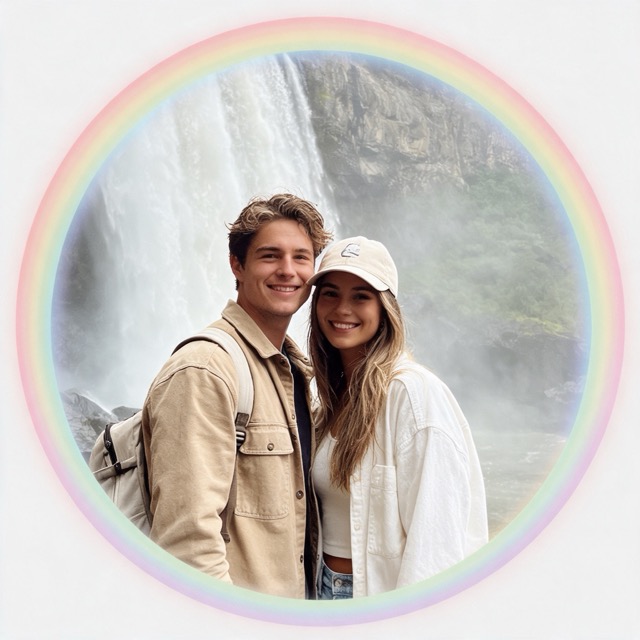
Create a Clear PFP for TikTok Comments and Profiles
Profile pictures often appear as small circles, so complex effects can make faces and characters hard to read. A rainbow pfp TikTok image uses a simple outer ring to add color without crowding the center. Pixomi AI balances ring thickness, spacing, and pastel contrast so your subject remains visible in TikTok comments, follower lists, creator pages, and mutual-support posts. Use rainbow pfp TikTok styling when you want an avatar that feels current but still looks familiar. The result follows rainbow pfp trend aesthetics without adding distracting stickers, text, logos, or heavy glow. This rainbow pfp TikTok approach gives the frame a clear purpose while maintaining a balanced rainbow pfp trend appearance.
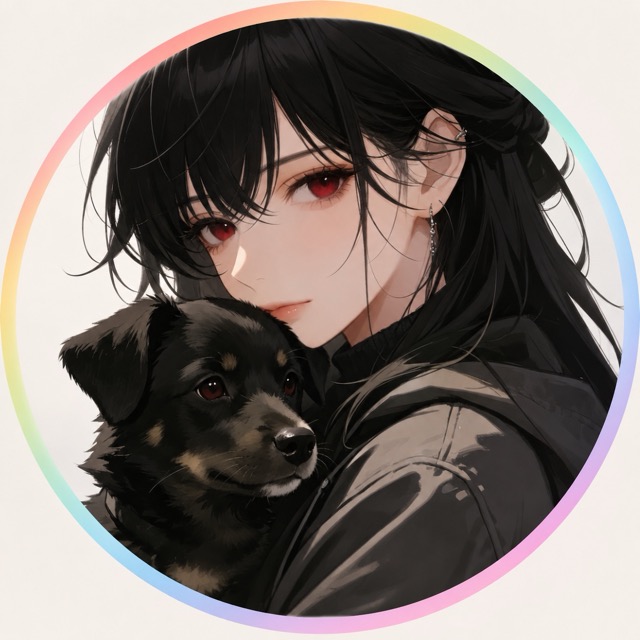
Use Selfies, Anime Icons, Pets, or Gaming Avatars
Rainbow pfp TikTok styling works with more than real-person portraits. Upload anime art, game characters, pet photos, illustrated mascots, couple icons, fandom avatars, creator logos, or digital artwork. Pixomi AI keeps the uploaded subject central and surrounds it with a smooth rainbow circle. This makes rainbow pfp TikTok useful for personal accounts, fan communities, friend groups, gaming teams, and creator networks. Each person can keep a different image while sharing the same rainbow pfp trend visual language.
Popular Rainbow PFP TikTok Use Cases
Use Pixomi AI when you want a fast rainbow pfp TikTok update for a personal profile, creator account, fandom page, friend group, or online community. A consistent pastel circle can connect several accounts visually while every member keeps an individual PFP. This is one reason rainbow pfp trend posts are easy to spot across comments and profile pages. Rainbow pfp TikTok profiles can also support coordinated launches, while rainbow pfp trend circles help viewers recognize connected accounts.

TikTok Creator Avatars
Create a rainbow pfp TikTok avatar that stays recognizable in comments and on creator pages. The outer circle adds visible color while leaving your face or personal branding clear. Use it for trend participation, creator support, mutual discovery, or a quick profile refresh.

Matching Friend and Couple PFPs
Give different photos the same rainbow pfp TikTok frame to create matching icons for friends or couples. Each avatar can preserve a unique face, pose, or character while the shared circle connects every image to a rainbow pfp trend theme.

Anime and Fandom Profiles
Apply rainbow pfp TikTok styling to anime characters, fan art, idols, game personas, or illustrated icons. The generator adds a clean rainbow ring without repainting important character details, making it suitable for rainbow pfp trend activity across fan communities.

Community and Team Icons
Create coordinated rainbow pfp TikTok images for Discord groups, gaming teams, online clubs, or creator communities. A repeated pastel circle makes members easier to associate with one campaign or rainbow pfp trend moment.
What Users Say About Rainbow PFP TikTok
Creators, artists, gamers, community organizers, and everyday users choose Pixomi AI for a rainbow pfp TikTok result that keeps their existing image recognizable. They can join rainbow pfp trend activity without opening design software or rebuilding a profile icon from scratch. Their rainbow pfp TikTok edits stay easy to identify, and rainbow pfp trend framing remains consistent across different uploads.
I wanted a rainbow pfp TikTok look but did not want AI to change my face. Pixomi AI kept my selfie almost exactly the same and added one soft circle around it. The result matched current rainbow pfp trend style I kept seeing in comments.
My avatar is hand-drawn, so preserving the line work mattered. This rainbow pfp TikTok generator kept my character design clear and added a smooth pastel frame. It was a fast way to participate in rainbow pfp trend posts.
I made matching rainbow pfp TikTok icons for six friends. Everyone kept a different photo, but the outer circles made the profiles feel connected. The shared look worked perfectly for our rainbow pfp trend video.
The one-click workflow is exactly what I needed. I uploaded my gaming avatar, clicked generate, and got a clean rainbow pfp TikTok result. The circle was visible at small size and still fit rainbow pfp trend aesthetics.
I use Pixomi AI for quick client profile concepts. Rainbow pfp TikTok output looked simple and current, and it did not bury the original branding under too many effects. Its connection to rainbow pfp trend visuals was clear immediately.
Our fan page wanted a coordinated rainbow pfp TikTok campaign. The generator handled portraits and anime icons equally well. We joined rainbow pfp trend activity while keeping every account easy to identify.
Rainbow PFP TikTok FAQ
Find clear answers about rainbow pfp TikTok styling, rainbow circle frames, image requirements, identity preservation, and common rainbow pfp trend uses. Use these answers to prepare a clearer rainbow pfp TikTok image.
Rainbow pfp TikTok refers to a profile-picture style where an existing selfie, character, pet, logo, or avatar stays in the center and a pastel rainbow circle appears around the outside. People use rainbow pfp TikTok images for trend participation, coordinated community profiles, mutual discovery, creator support, or a colorful account refresh. Many rainbow pfp trend examples use a thin, softly blended ring instead of changing the full image.
Upload your current PFP, click generate, and wait for the result. Pixomi AI analyzes the existing image, preserves the central subject, and creates a smooth outer circle inspired by rainbow pfp TikTok visuals. No written prompt is needed. The process gives you a rainbow pfp trend result without manual masking, border design, or color blending.
Pixomi AI is designed to keep your face, expression, hairstyle, pose, clothing, and other major details recognizable. Rainbow pfp TikTok generation focuses on adding an outer rainbow ring rather than repainting the whole portrait. A clear, well-lit source image usually gives a more consistent rainbow pfp trend result.
Yes. Rainbow pfp TikTok effects can be created from selfies, anime avatars, game characters, pets, mascots, couple icons, illustrations, logos, and creator images. For better results, use one clear central subject with enough room near the outer edge. This helps the circle match rainbow pfp trend styling without covering key details.
Use your rainbow pfp TikTok result on TikTok, Instagram, Discord, YouTube, Twitch, X, Reddit, forums, gaming profiles, or community accounts. The square output can be cropped into a circular platform avatar while preserving the colorful frame. Rainbow pfp trend visuals are especially useful when several accounts want coordinated profile images.
Upload a sharp square image with one centered subject, visible facial or character details, and a clean edge area. Avoid busy collages, tiny subjects, strong blur, or heavy cropping. These choices give Pixomi AI more space to create an even rainbow circle and help your rainbow pfp TikTok result remain clear. You can generate again to compare ring thickness and find a rainbow pfp trend version that fits your profile.
Create a Rainbow PFP TikTok Avatar Now
Turn your current profile photo into a rainbow pfp TikTok image without redesigning the original subject. Upload a selfie, anime avatar, pet picture, game icon, logo, or illustration, click generate, and get a clean pastel circle around the outside. Pixomi AI makes rainbow pfp TikTok creation fast for personal accounts, creator profiles, fandoms, and communities. Try rainbow pfp trend styling with no prompt, masking, or editing experience. Generate one more rainbow pfp TikTok version whenever you want to compare circle spacing or softness.
