
More AI Image Generators
Explore our collection of specialized AI image generators designed for different creative needs and styles


Selfie With Santa: Meet Him In Your Christmas Photo
An AI Santa Selfie With Your Face And Santa Beside You
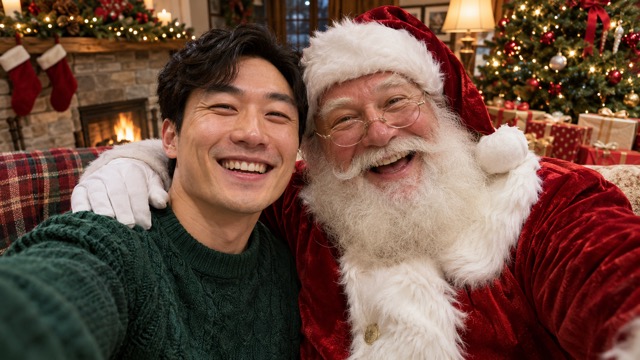
Create your own Selfie With Santa from a clear portrait and bring a familiar Christmas character into a cheerful shared frame. This AI Santa selfie effect aims for the close, casual feel of a phone photo: your face in the foreground, Santa leaning beside you, and festive detail behind you. Upload one picture and let the Santa selfie generator handle the scene direction. Selfie With Santa focuses on a friendly meeting rather than dressing you as Santa. Keep the personal feeling of your original expression while building a seasonal picture for a greeting, a profile update, or a message to friends. Make a selfie with Santa from a photo you already like, then review the details before you download. A warm smile and a clearly visible face give your Christmas idea a useful starting point. Selfie With Santa starts with the portrait you choose.
How To Create Your Selfie With Santa
This Santa selfie generator uses one uploaded portrait and a preset festive direction. Make a Santa selfie without writing prompts in four short steps.

Upload Your Portrait
Upload one clear photo with your face visible. Use an image in which you are the main subject.

Check The Source
Confirm that the correct photo is selected. Replace it if your face is blurred or cut off.

Generate Your Selfie
Select Generate to create your Selfie With Santa. The festive direction is already prepared.

Review And Download
Check your face, Santa, and the shared framing. Download the result you want to keep.
Best AI Image Tools for Creative Projects
Explore creative tools for image, learn tips and tricks, and see how AI can be your assistant in turning concepts into finished projects.





A Santa Selfie Generator Built Around Your Portrait
Selfie With Santa brings together portrait input, a recognizable Christmas companion, and shared selfie composition. The AI Santa selfie direction is prepared for you, so the Santa selfie generator can focus on one clear visual idea. These examples suggest what to look for in your own result: recognizable features, comfortable spacing, and light that makes the two people feel present in one frame.
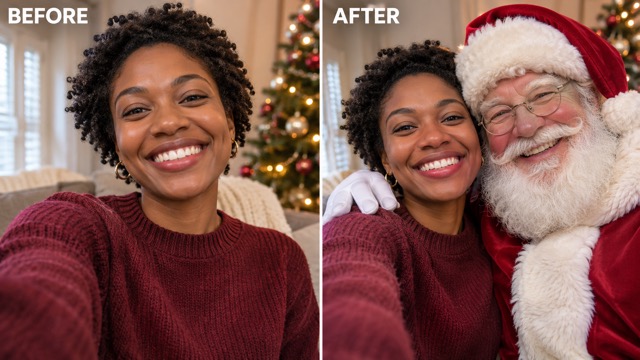
Selfie With Santa Keeps Your Expression Central
A good Selfie With Santa starts with the person in your upload. Your expression, hairstyle, and visible facial details provide the reference for a new festive composition. The AI Santa selfie direction asks for those recognizable features to remain central while Santa joins the shot. Choose a portrait you would already feel happy sending to someone; clear eyes and a relaxed smile matter more than a complicated background.
When you make a selfie with Santa from a photo, think about how much of your face the source actually shows. A distant subject or a heavy beauty filter leaves less reliable detail to work with. Selfie With Santa is intended to feel personal, and the Santa selfie generator has a stronger reference when the original is sharp. For a selfie with Santa Claus, check the final eyes, glasses, and hairline against your upload before choosing a favorite.
Your AI Santa selfie is also a useful starting point for a Santa selfie for Christmas cards. A simple, readable expression can survive a smaller crop better than a busy pose. Selfie With Santa gives the holiday idea a human center; your choice of source photo supplies its personality.
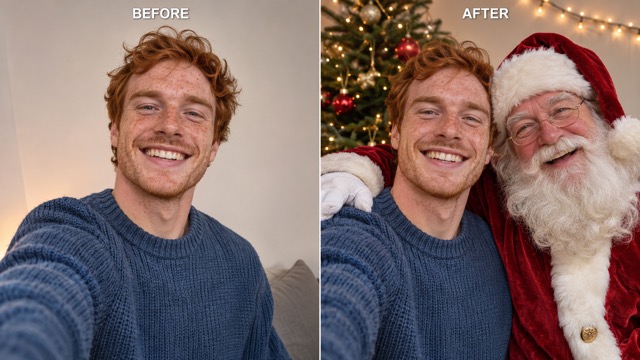
Selfie With Santa In One Shared Frame
Selfie With Santa is composed around a close encounter with a classic Santa character. The intended look includes a red suit, white beard, friendly expression, and the relaxed perspective of a shared phone camera. An AI Santa selfie feels more convincing when both faces have room, neither person blocks the other, and the lighting belongs to the same scene.
The Santa selfie generator uses a prepared direction for a cozy Christmas setting rather than asking you to arrange layers. You can create a Santa selfie without writing prompts, drawing a mask, or finding a separate Santa cutout. Selfie With Santa handles that creative setup through its fixed effect, leaving you to choose the source and assess the result. Look for believable head sizes, clear shoulders, and a background that supports the picture rather than competing with it.
A selfie with Santa Claus should still feel like a selfie. Selfie With Santa favors an informal shared frame over a formal portrait session. If you want to make a selfie with Santa from a photo, start with a similar eye-level angle. Review your AI Santa selfie at normal viewing size and zoom in once to check the important details.
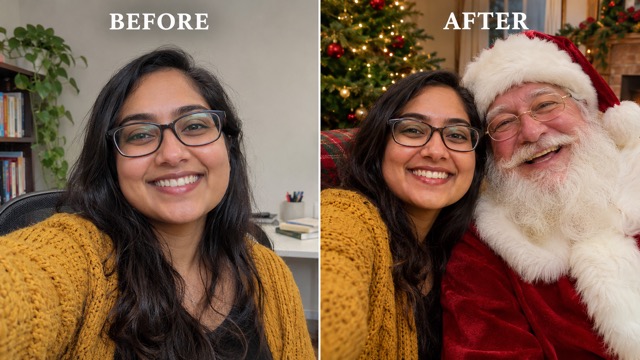
Put Your Selfie With Santa To Use
Selfie With Santa can become the visual part of a festive message without requiring you to plan a full photo shoot. A cheerful face beside Santa immediately communicates the occasion. The AI Santa selfie gives you a starting image for personal greetings, while the Santa selfie generator keeps the creation process centered on a single uploaded picture.
For a Santa selfie for Christmas cards, leave the final greeting to your card layout so the photograph stays uncluttered. Check where the crop falls, keep both faces comfortably inside it, and preview the design at the size you plan to send. Selfie With Santa does not need extra lettering inside the picture to make the Christmas theme clear. Tree lights, Santa's familiar outfit, and your expression already tell the story.
For a social post, use Selfie With Santa as the picture and add your message in the caption. You can make a Santa selfie without writing prompts and still give the finished post your own voice. The AI Santa selfie remains an image you choose and review, rather than a substitute for deciding what you want to say. Save your preferred AI Santa selfie before you compare another result. A Santa selfie for a profile picture benefits from a close crop, while a larger greeting can show more of the festive scene.
Ways To Share Your Selfie With Santa
Selfie With Santa works best when the finished picture has a clear destination. An AI Santa selfie can be playful, warm, or simply seasonal depending on the portrait you choose and the message you add afterward. Use the Santa selfie generator for the photograph, then adapt the surrounding layout to your audience.

Selfie With Santa For Personal Christmas Cards
Build a Santa selfie for Christmas cards around a portrait with a friendly, open expression. This Santa selfie generator supplies the festive image; your card design can carry the greeting and signature. Keep your AI Santa selfie large enough for both faces to read clearly. A selfie with Santa Claus can be a cheerful focal point without filling every corner with decoration. Preview the card at its intended size before sharing or arranging a print.

Selfie With Santa For Seasonal Profile Updates
Use Selfie With Santa to create a Santa selfie for a profile picture that makes the season immediately visible. The AI Santa selfie should remain readable inside a small circle or square, so check that Santa and your face both survive the crop. A Santa selfie generator can provide the starting frame, but the final crop still deserves a moment of attention. Choose a result with simple spacing rather than squeezing in every background ornament. Preview your Santa selfie for a profile picture at thumbnail size before choosing the final crop.

Selfie With Santa For Messages To Friends
Send Selfie With Santa with a short Christmas greeting to make a familiar conversation feel festive. You can create a Santa selfie without writing prompts, then add the words that suit your friendship in the message itself. Our Santa selfie generator provides a personal picture for a simple seasonal greeting. A selfie with Santa Claus is especially easy to understand when the faces remain clear on a phone screen.

Selfie With Santa For A Personal Holiday Album
Keep Selfie With Santa alongside other seasonal pictures as a creative holiday addition. Make a selfie with Santa from a photo with an expression you want to remember, and select the result that feels closest to that personality. The Santa selfie generator offers a new composition rather than documenting a visit. If you also prepare a Santa selfie for Christmas cards, save your AI Santa selfie separately from the cropped card design for future layouts.
Creative Reactions To Selfie With Santa
Illustrative reactions describe preferences for this Christmas effect; names and comments are fictional examples.
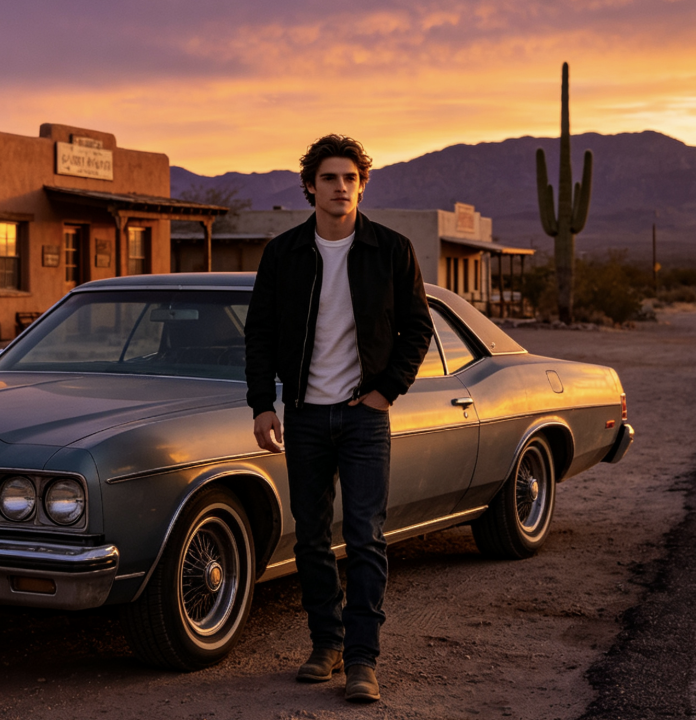
Selfie With Santa feels most appealing to me when the picture stays simple and the smile does the work. I like an AI Santa selfie with room for both faces, especially when I am imagining a greeting card. The Santa selfie generator concept makes sense for a small personal project without a full design session.
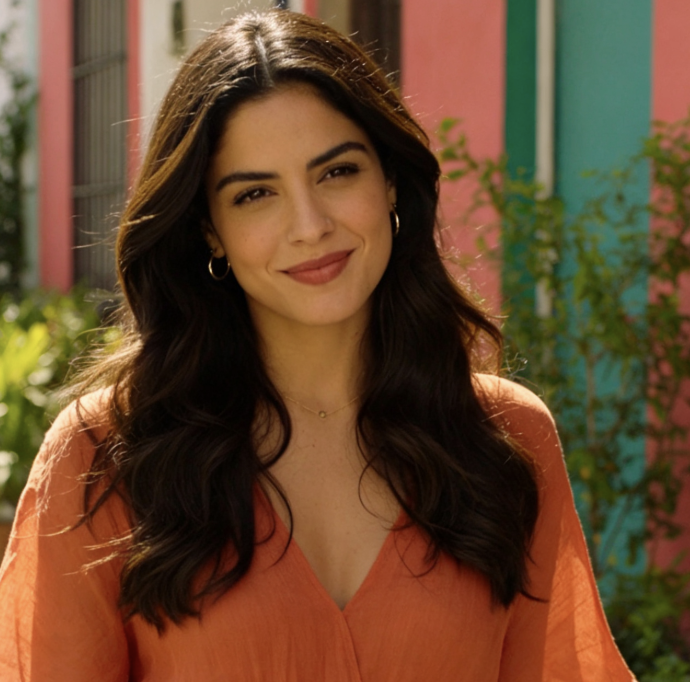
The close framing is what I like about Selfie With Santa. A selfie with Santa Claus feels warmer to me than a crowded scene with lots of tiny decorations. I would choose an AI Santa selfie that still looks like my everyday expression and check it inside the profile crop before posting.
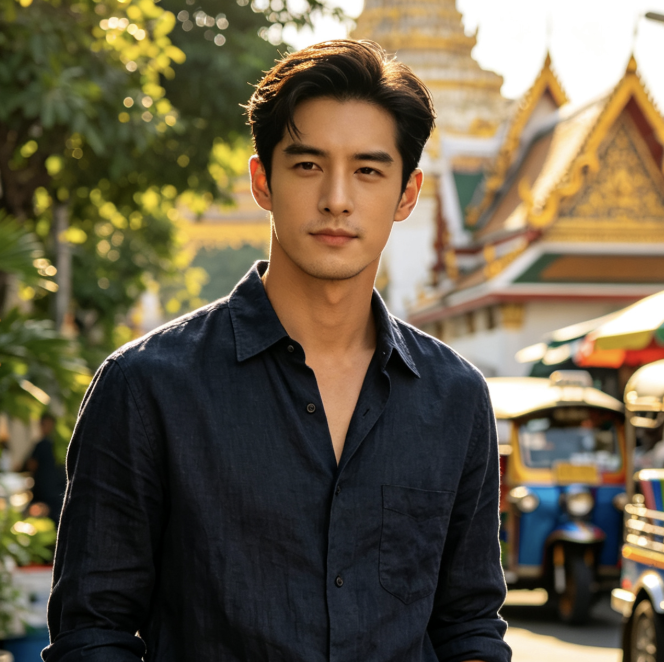
I like the idea of making a Santa selfie without writing prompts. Selfie With Santa keeps my attention on choosing a friendly portrait and a message for the person receiving it. A Santa selfie generator is most useful to me when the result can stand on its own without elaborate lettering.
This Santa selfie generator gives a familiar Christmas idea a personal angle. I prefer an AI Santa selfie with natural spacing and an unforced expression. For a Santa selfie for Christmas cards, I would keep the greeting outside the picture so the faces remain the main point of the design.
Selfie With Santa Questions
Answers about your AI Santa selfie: plan your portrait, understand the fixed effect, and choose how to use your finished Christmas image.
Selfie With Santa is an image effect that uses an uploaded portrait to create a festive shared selfie with Santa. The AI Santa selfie direction asks for a classic Santa companion and a cozy Christmas setting while aiming to keep your appearance recognizable. The Santa selfie generator creates a still picture for you to review and download. It focuses on meeting Santa in the frame, with your face remaining the personal reference.
Upload one clear portrait and generate with the prepared effect. Our Santa selfie generator uses your picture as the identity reference, so choose one where your face is sharp and easy to see. When you make a selfie with Santa from a photo, a relaxed, eye-level source is a sensible match for the intended camera angle. Review the finished picture before downloading, including facial details and Santa's placement.
Yes. Selfie With Santa has its festive direction prepared, so you can create a Santa selfie without writing prompts. The Santa selfie generator is configured for photo upload and a fixed look rather than open-ended scene instructions. Your source portrait is the main creative input. Choose a different portrait if you want to explore another expression or starting angle; the page does not ask you to write a new Christmas scene.
Choose a clear face, comfortable framing, and light that shows both eyes. For a selfie with Santa Claus, a close portrait usually offers more useful facial detail than a distant full-body picture. This Santa selfie generator aims for a friendly shared camera moment, and the AI Santa selfie should be checked for face similarity, glasses, hands, and spacing. Avoid picking a result solely because the background looks decorative. When choosing a Santa selfie for a profile picture, make sure both faces fit the intended shape.
You can use the downloaded picture as the image in your personal card design. For a Santa selfie for Christmas cards, check the final crop and the available image size against your chosen layout before printing. Selfie With Santa creates the picture; card lettering and layout are separate choices. The Santa selfie generator does not turn a photograph into a finished, addressed card. Keep a full-size copy of your AI Santa selfie for later adjustments. Selfie With Santa keeps the creative starting point personal.
This Santa selfie generator prioritizes a newly composed shared selfie, including the close camera perspective and festive setting. Adding Santa to a photo starts from the existing picture and its scene. Choose Selfie With Santa when a shared selfie is the goal, and use the related Add Santa To Photo page when you want Santa beside people in an image you already have. The two approaches serve different starting intentions.
Create Your Selfie With Santa Today
Choose a portrait with a smile you like and bring it into a festive shared frame. Selfie With Santa prepares the Christmas direction so you can focus on the picture. Start your AI Santa selfie with one upload, use the Santa selfie generator to build the scene, and review the version you want to share.