
More AI Video Generators
Explore our collection of specialized AI video generators designed for different creative needs and styles

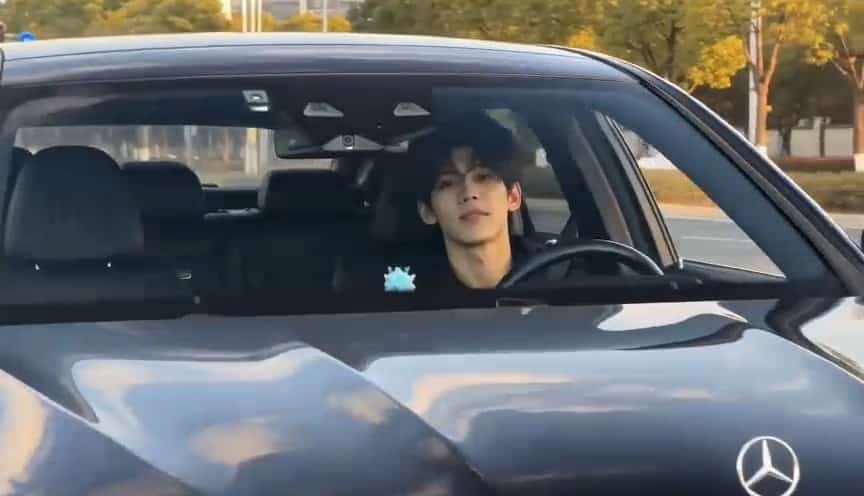
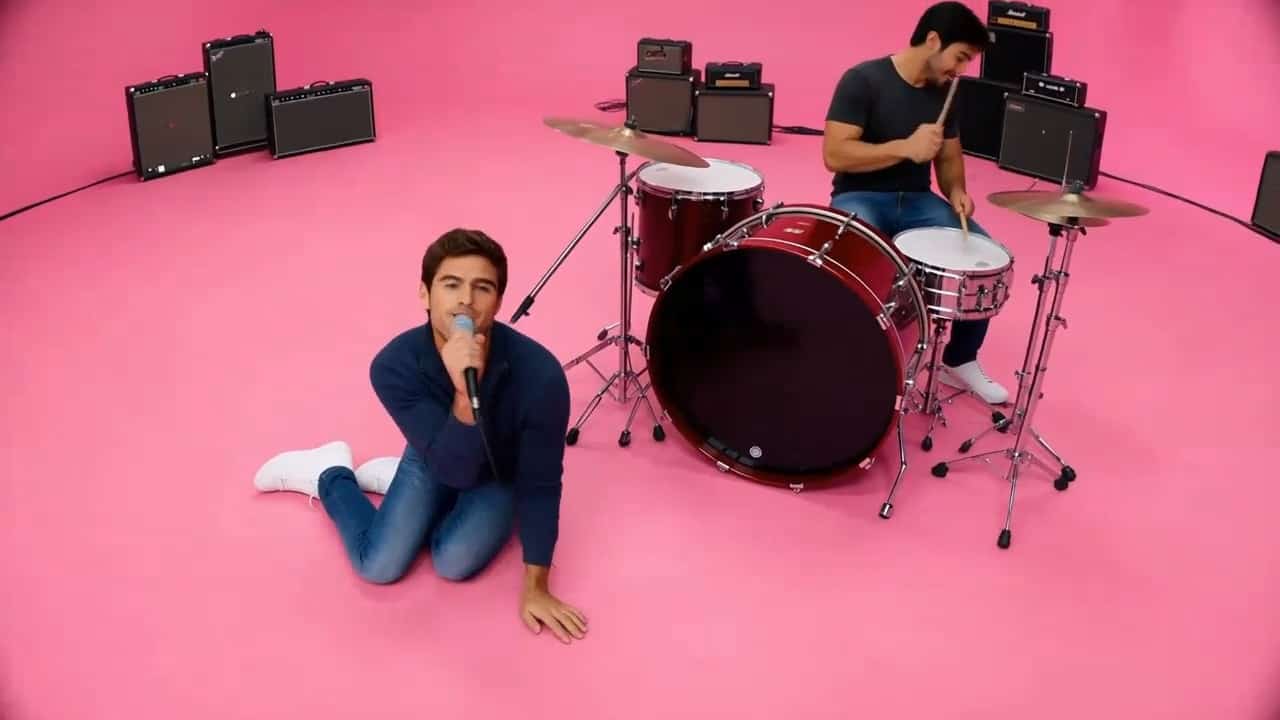



Make the My Ride Is Here Broom Trend with Broom Riding AI Video
Make My Ride Is Here A Flying Broom Moment
Create an AI Broom Riding Video that puts you on a wooden broom beside a car, catches a knowing smile, and sends you gliding down the road. My Ride Is Here turns an ordinary pickup into a fantasy joke. Upload a clear photo, use the prepared direction, and add a setting or mood if you like. Keep your AI Broom Riding Video focused on a familiar face, one impossible ride, and a clean departure.
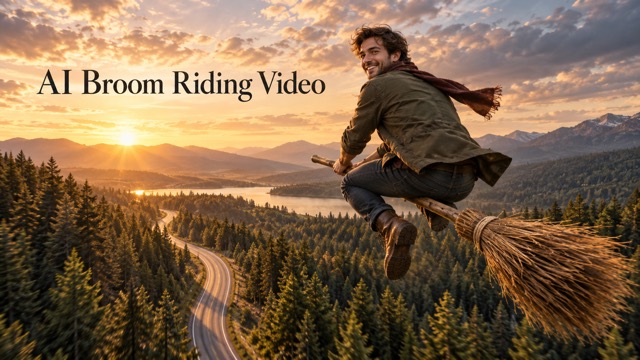
How To Create An AI Broom Riding Video
Make My Ride Is Here your own in four steps. This AI Broom Riding Video workflow combines one uploaded photo with a prepared flying-broom direction and your optional scene idea.

Upload A Clear Photo
Start your AI Broom Riding Video with one person whose face is sharp and well lit. A waist-up or full-body photo provides clothing and posture details. For My Ride Is Here, leave room around the body and avoid heavy filters or covered eyes. A cleaner source is often more useful than a longer instruction.

Direct Your AI Broom Riding Video
The prepared AI Broom Riding Video direction uses a car-window view: approach, smile, and fly away. Keep that sequence for My Ride Is Here, or add a short setting request such as a quiet forest road at sunset. Use one viewpoint and one location so the scene stays easy to follow.

Generate Your AI Broom Riding Video
Review your settings and start your AI Broom Riding Video. The prompt asks for a connected rider and broom, a brief smile, and a smooth departure. My Ride Is Here should feel like a short story. Facial details, poses, and motion can vary between attempts, so inspect the generated clip.

Review And Refine The Moment
Watch your AI Broom Riding Video from beginning to end. Check the face, hand placement, broom shape, and seated contact. If My Ride Is Here loses its punch, simplify the action to arrive, glance, leave. Once you like the clip, prepare captions, music, and framing in your usual editor if needed.
Best AI Video Tools for Creative Projects
Explore creative tools for video, learn tips and tricks, and see how AI can be your assistant in turning concepts into finished projects.
























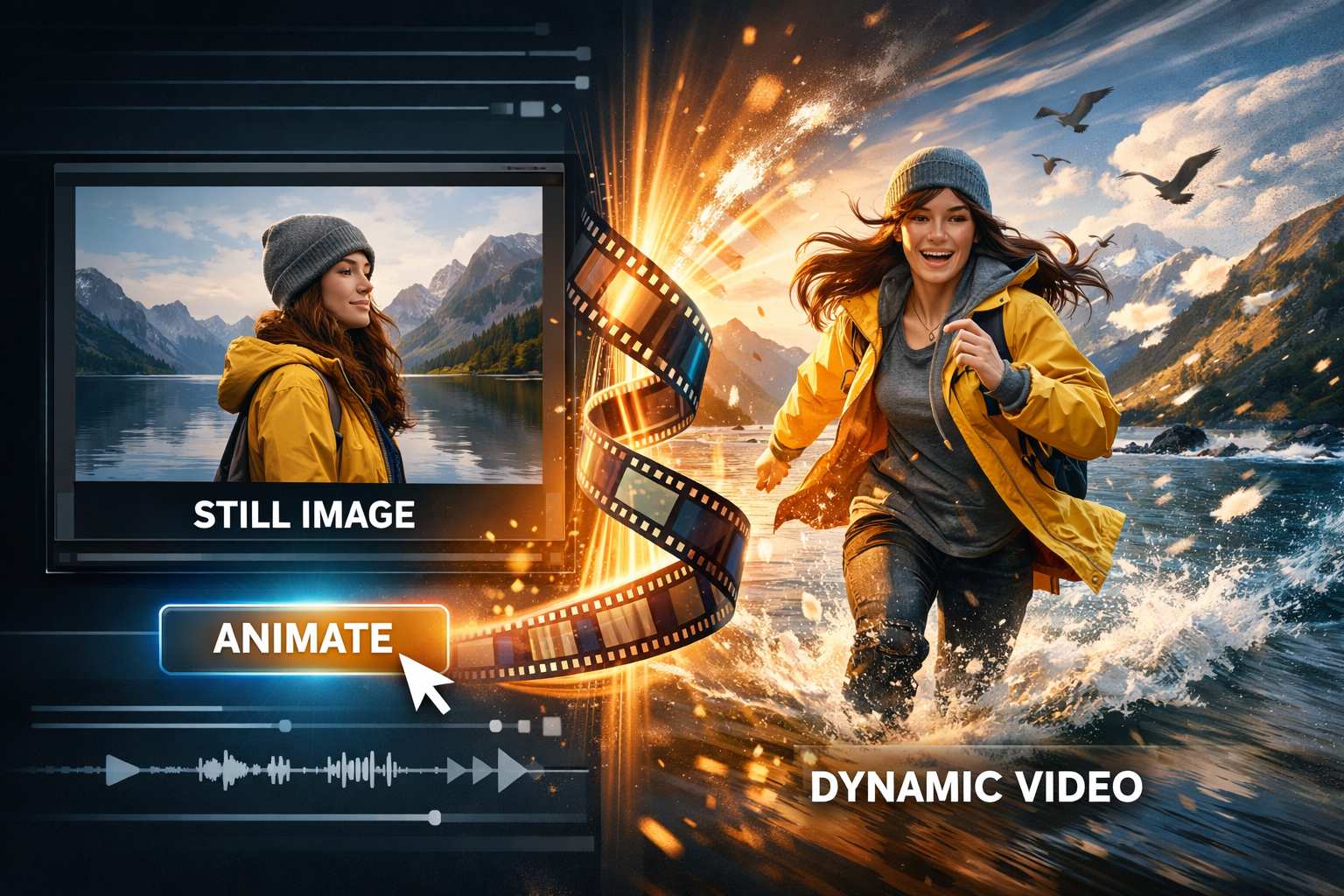
Give Your AI Broom Riding Video A Clear Story
Set your AI Broom Riding Video in a familiar world so My Ride Is Here feels unexpected. These four scene ideas use illustrative artwork, not verified video-model outputs.
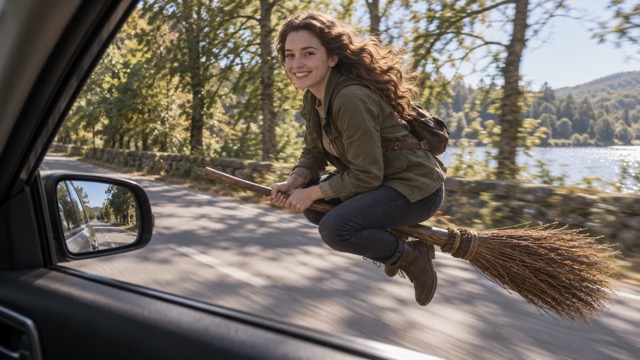
AI Broom Riding Video From The Car Window
A passenger-window viewpoint anchors an AI Broom Riding Video in an everyday scene. The broom rider travels beside the car, close enough for a glance toward the camera. My Ride Is Here feels like a normal pickup until viewers notice the straw bristles and the gap above the road. Request a quiet lane, natural daylight, and an easy smile. Keep the broom visible beneath the rider on smaller screens. In your AI Broom Riding Video, let the glance finish before the departure so viewers have time to recognize the person and catch the joke.
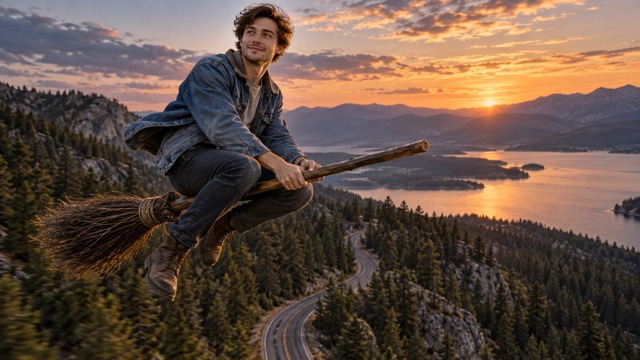
AI Broom Riding Video With A Forest Departure
Set your AI Broom Riding Video on a winding road bordered by pines for a cinematic departure. My Ride Is Here can begin close to the ground and end with a gentle climb toward open sky. Ask for one continuous motion and a camera that keeps the rider visible. Trees provide scale without needing extra effects. For this AI Broom Riding Video direction, a steady lean forward communicates the fantasy clearly. Avoid combining flips, costume changes, and a camera orbit in one shot; a simple flight path gives the ending room to breathe.

AI Broom Riding Video For An Autumn Evening
Bring porch lights, fallen leaves, and a dusky neighborhood into your AI Broom Riding Video. My Ride Is Here suits a Halloween post, but everyday clothes can make the scene funnier than a full witch costume. A broom establishes the fantasy; a few seasonal details establish the mood. Keep the rider bright enough to recognize. Your AI Broom Riding Video can stay playful with a small smile and a smooth glide past familiar houses. My Ride Is Here lands best when the street still looks like somewhere a friend might wait for a lift.
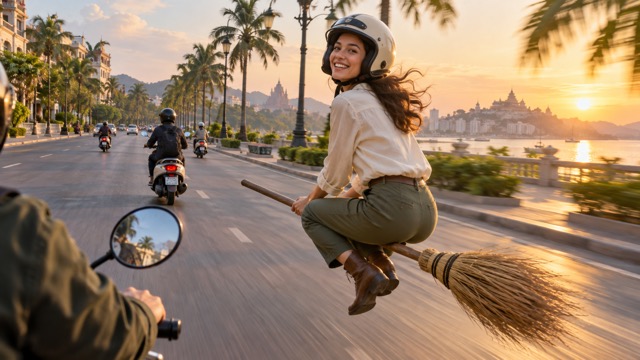
AI Broom Riding Video Beside Everyday Traffic
Place your AI Broom Riding Video beside ordinary scooters on a broad city street. My Ride Is Here becomes a transport joke: everyone else has wheels, while your rider has straw and a wooden handle. Keep traffic light and the subject separate from other riders. A nearby scooter-camera angle suggests movement without a complicated crossing. If your AI Broom Riding Video loses clear hand placement or broom contact, simplify the background and slow the action. A readable silhouette, a quick smile, and a clean exit carry My Ride Is Here more effectively than visual chaos.
Where Your AI Broom Riding Video Idea Fits
Try My Ride Is Here as a social punchline, seasonal greeting, or fantasy introduction. Match your AI Broom Riding Video to the photo and keep the departure easy to follow.

My Ride Is Here Social Posts
Make an AI Broom Riding Video for a playful update about leaving work, meeting friends, or finally escaping a long day. My Ride Is Here supplies the caption idea; the broom supplies the surprise. Keep the opening readable so the face and unusual ride are visible before the final acceleration. Add any caption or platform-specific sound after generation if needed, then check that cropping has not removed the broom bristles or the rider's smile.

Halloween Greetings With Personality
An AI Broom Riding Video can turn a familiar portrait into a lighthearted seasonal greeting. Keep your usual outfit or suggest a restrained autumn setting with pumpkins and porch lights. My Ride Is Here works as a friendly Halloween invitation without requiring a frightening character. Give the scene one focal point and leave room for the movement.

Fantasy Character Introductions
Use an AI Broom Riding Video to introduce an original character who treats magical transport as completely normal. My Ride Is Here can be the first beat in a story about a traveler, a modern witch, or a commuter with an unusual shortcut. Describe the character's expression and destination simply. Review the result for visual consistency before placing it beside other scenes, especially if an outfit or hairstyle needs to remain recognizable across the sequence.

A Funny Goodbye Or Travel Reveal
Replace an ordinary leaving announcement with an AI Broom Riding Video that glides out of frame. My Ride Is Here gives the goodbye a visual setup without a long explanation. A country road suggests a weekend escape; a city street suggests the end of a commute. Choose one of those settings rather than combining them. Watch the ending carefully, because a clean departure makes a short joke feel complete and gives your final edit a natural stopping point.
Creative Reactions To The Flying Broom Idea
These fictional names and sample reactions illustrate creative preferences, not verified customer endorsements. Each highlights what can make an AI Broom Riding Video feel personal and My Ride Is Here fun to watch.
I like an AI Broom Riding Video most when the clothes and street feel ordinary. My Ride Is Here gets funnier when the broom is the only impossible detail. The glance toward the car gives the moment a little personality before the rider leaves.
The smile is what makes an AI Broom Riding Video idea work for me. My Ride Is Here needs a second for the viewer to catch the joke. I prefer a quiet road and a gentle departure over a scene packed with lightning and smoke.
An autumn AI Broom Riding Video feels like a warm Halloween greeting. My Ride Is Here does not need a dramatic costume to be memorable. A familiar face, porch lights, and a broom would be enough for the kind of post I enjoy.
I want an AI Broom Riding Video to keep the broom clearly connected to the rider. My Ride Is Here depends on that believable seated pose. A slower movement is more satisfying to watch than a fast takeoff that hides the details.
A forest AI Broom Riding Video is my favorite direction because the trees give the flight a sense of scale. My Ride Is Here becomes a tiny story when the rider looks back, leans forward, and heads toward open sky.
I would keep an AI Broom Riding Video focused on one visual punchline. My Ride Is Here already gives it a beginning and an ending. A clear face and a simple camera angle leave me room to add my own caption afterward.






AI Broom Riding Video Questions Answered
Find practical answers about source photos, scene direction, and reviewing your AI Broom Riding Video. Keep My Ride Is Here simple and recognizable.
An AI Broom Riding Video uses an uploaded image and a scene direction to create the illusion of a person traveling on a flying broom. My Ride Is Here is a popular way to frame the joke: the unusual transport arrives like an everyday lift, then carries the rider away. This page provides a prepared prompt for the car-window version, with optional room for your own setting. The animation is generated, so inspect the finished clip rather than assuming every pose or detail will match the request exactly.
Upload one clear photo, review the available settings, and generate with the prepared direction. The AI Broom Riding Video prompt asks for a recognizable rider, a wooden broom, a smile toward the camera, and a smooth departure. You can add a short scene preference without supplying a separate reference clip. My Ride Is Here is an inspiration for the sequence, not a promise to reproduce another creator's video shot for shot. If the result is too busy, simplify the scene and try changing one instruction at a time.
For an AI Broom Riding Video, choose a sharp picture of one person with visible eyes, clear clothing, and some space around the body. A full-body or waist-up image can help communicate posture, although generated details may still vary. My Ride Is Here often relies on a sideways pose and a look toward the camera, so an extreme close-up can leave less information for the scene. Avoid group photos and strong face filters. If the person becomes hard to recognize, use a cleaner source before adding extra prompt detail.
Yes. Add a concise direction alongside the prepared AI Broom Riding Video prompt. You might ask for a tree-lined country road, a warm autumn evening, or a calmer camera follow. Keep the central My Ride Is Here action intact so the scene has a clear shape. One setting, one rider, and one departure are easier to evaluate than several simultaneous events. A new request guides generation rather than guaranteeing precise execution, so compare the result with your intention and refine the most noticeable mismatch first.
Simplify your AI Broom Riding Video request and describe the connection between the person and the prop: seated astride one broom, hands gripping the handle, rider and broom moving together. Slow the departure and reduce background traffic if the motion is difficult to read. For My Ride Is Here, the arrival and smile matter more than elaborate aerial tricks. A clearer input photo may also help. Examine the face, fingers, legs, and handle across the whole clip; an attractive first frame does not establish that the animation remains consistent.
This AI Broom Riding Video page does not promise an exact trend soundtrack, a fixed caption, or a particular creator's original audio. My Ride Is Here can be your caption idea, but add and position text in your preferred editor or social app if necessary. Audio, duration, and other output settings depend on the selected model and the options shown before generation. Check the completed clip and its framing before sharing. If you are adapting it to a vertical post, make sure the crop still shows both the rider and the broom.
Create An AI Broom Riding Video From Your Photo
Upload your photo and create an AI Broom Riding Video with a familiar face, a wooden broom, and a playful goodbye. Use the car-window direction or add your own setting to My Ride Is Here. Review the motion and prepare your favorite AI Broom Riding Video for your next post.
