
More AI Video Generators
Explore our collection of specialized AI video generators designed for different creative needs and styles








AI Car Video Generator: Turn Your Photo Into a Cinematic Car Video
Create a Cinematic Car Video From Your Portrait
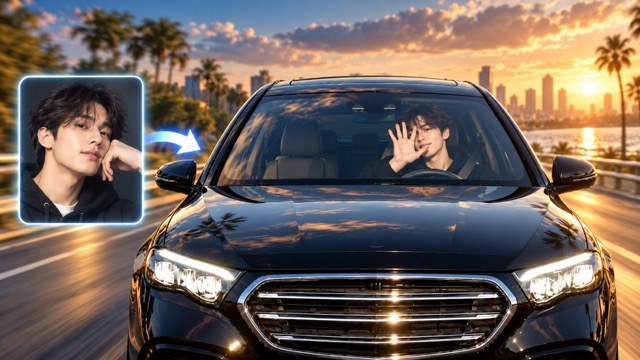
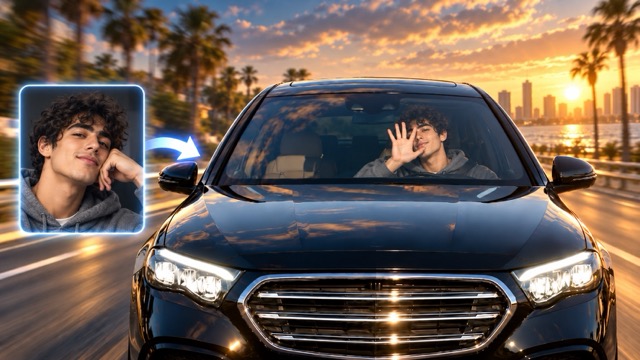
Transform a portrait into a cinematic driving scene with our AI Car Video Generator. Simply upload a person photo and click Generate. AI automatically places the person into a dynamic car scene with realistic motion, camera movement, reflections, and driving atmosphere. No filming, prompts, templates, or video editing experience is required. Once your Car Photo to Video AI result is ready, download the finished video and share it anywhere.
How to Use the AI Car Video Generator
Create a cinematic car video in three simple steps. Upload a clear portrait, click Generate, and let the AI Car Video Generator automatically transform the person into a dynamic driving scene. When the video is ready, download it directly.

Upload a Person Photo
Upload a clear portrait with visible facial features. The AI Car Video Generator uses the person as the visual reference for the generated car scene.

Click Generate
Click Generate and let AI automatically create the car video effect, including character motion, camera movement, driving scenery, and realistic lighting.

Download Your Video
Preview the finished Car Photo to Video AI result, then download the video for social media, personal projects, or creative content.
Best AI Video Tools for Creative Projects
Explore creative tools for video, learn tips and tricks, and see how AI can be your assistant in turning concepts into finished projects.























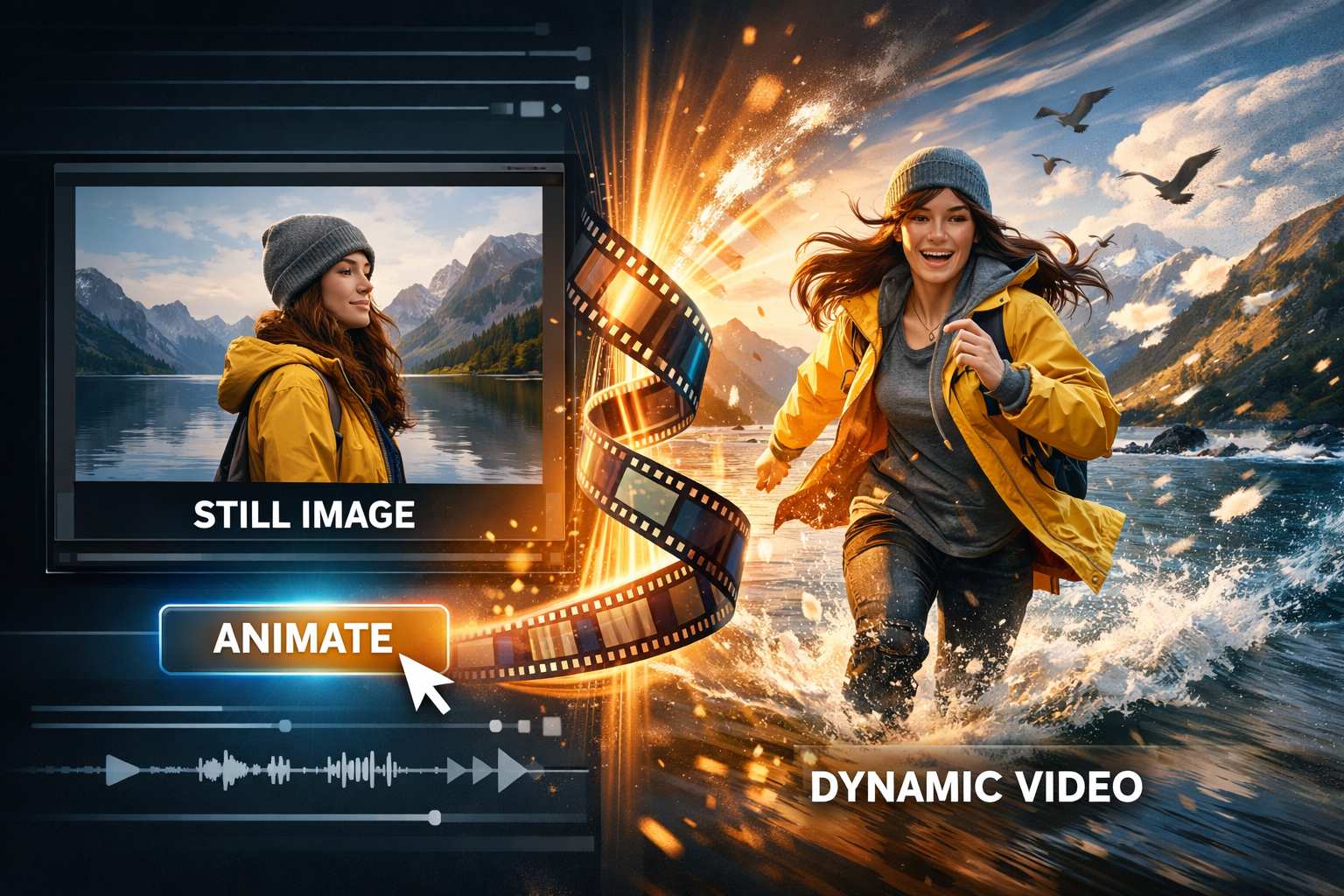
Create More Than a Simple Moving Photo
The AI Car Video Generator turns a single portrait into a complete automotive video without manual editing. Upload your photo and click Generate, and AI automatically builds the car, road, camera movement, lighting, reflections, and character motion around the uploaded person. The Car Photo to Video AI workflow keeps the person recognizable while creating a polished cinematic driving scene.
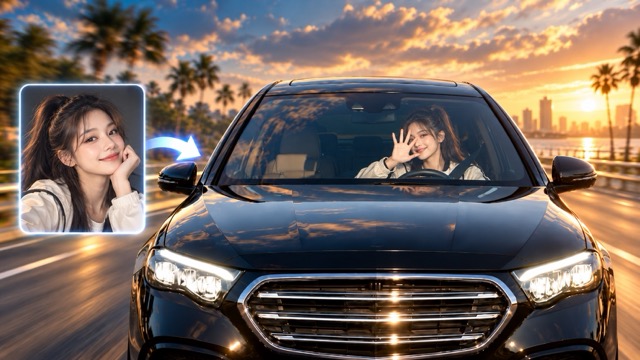
Turn a Portrait Into a Car Scene
Upload a portrait and let the AI Car Video Generator automatically place the person into a cinematic automotive scene. The uploaded face remains the main visual reference while AI creates the vehicle, driving environment, camera movement, and natural character motion. One click is enough to turn a static portrait into a personalized Car Photo to Video AI result.
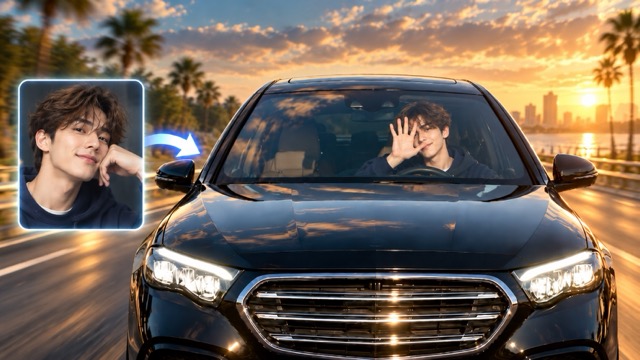
Automatic Cinematic Camera Motion
The AI Car Video Generator automatically adds cinematic camera movement to the scene, such as smooth windshield push-ins, tracking motion, close-ups, and dynamic driving perspectives. You do not need to configure camera settings or write prompts. The motion is generated automatically after you upload your portrait and click Generate.
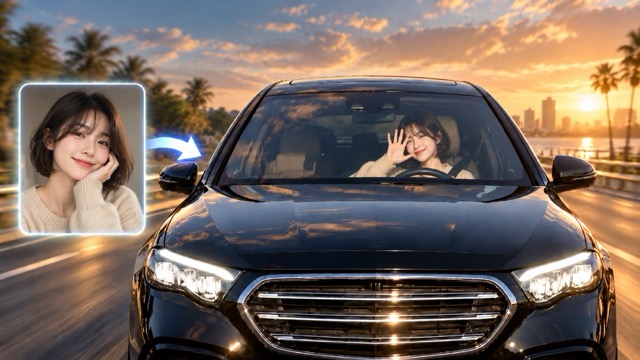
Realistic Driving Atmosphere
AI automatically combines road motion, windshield reflections, passing scenery, vehicle movement, and natural lighting to create a believable driving atmosphere. The AI Car Video Generator coordinates the person and environment so the final video feels like one complete scene rather than a static portrait placed over a moving background.
Social-Ready Car Video Effects
Turn one portrait into a polished automotive clip for TikTok, Instagram Reels, YouTube Shorts, and other social platforms. Upload your person photo, click Generate, and the AI Car Video Generator automatically creates a dynamic car video that is ready to preview, download, and share.
What Can You Make With an AI Car Video Generator?
The AI Car Video Generator gives creators, influencers, marketers, and everyday users a simple way to turn a portrait into an automotive video. Upload a person photo, click Generate, and let Car Photo to Video AI automatically create the driving scene.

Personalized Car Effect Videos
Create a personalized automotive video from your own portrait. Upload a person photo and let the AI Car Video Generator automatically transform the subject into the star of a cinematic driving scene. No car footage, prompts, or manual animation is required.

Car Reels and Short Videos
Create eye-catching automotive content for TikTok, Reels, Shorts, and other social platforms. The AI Car Video Generator turns one portrait into a dynamic driving clip that can be downloaded and shared once generation is complete.

Automotive Marketing Content
Creators and marketing teams can quickly turn portrait photos into polished automotive visuals. Car Photo to Video AI provides a simple way to produce attention-grabbing car-themed content without organizing a physical car shoot.

Creative and Music-Inspired Videos
Use the AI Car Video Generator for music-inspired clips, lifestyle content, profile videos, and creative social posts. Upload a portrait, click Generate, and AI automatically turns the person into a cinematic automotive scene.
Why Creators Choose AI Car Video Generator Workflows
From social content to personalized driving effects, the AI Car Video Generator makes it easy to turn a single portrait into a finished automotive clip. Car Photo to Video AI reduces the need for filming, manual animation, and complicated editing.
I wanted a cinematic driving-style reel without filming inside a real car. The AI Car Video Generator made it simple. I uploaded my portrait, clicked Generate, and the finished clip already had camera movement, lighting, and driving energy.
The Car Photo to Video AI workflow is incredibly simple. I upload a portrait, click Generate, and the AI Car Video Generator automatically creates the complete driving scene. I can preview the result and download it without doing any manual video editing.
What I like most is that I only need one person photo. The AI Car Video Generator keeps the subject recognizable while building the vehicle, camera motion, reflections, and driving environment around them.
Car Photo to Video AI is useful when I need fast social visuals. There is no prompt writing or manual scene setup. I upload the portrait, generate the video, and download the finished result when it is ready.
The AI Car Video Generator gives me a quick way to make automotive-themed content from ordinary portraits. The workflow is straightforward, and the final result feels much more dynamic than a simple animated photo.




AI Car Video Generator FAQ
Learn how the AI Car Video Generator works, what kind of portrait to upload, and how Car Photo to Video AI turns one photo into a finished automotive video.
An AI Car Video Generator is a tool that transforms a portrait into an automotive video using artificial intelligence. The AI automatically builds the vehicle scene, camera movement, road motion, reflections, lighting, and character animation around the uploaded person. With Car Photo to Video AI, you only need to upload a person photo, click Generate, and download the finished result.
Yes. Upload one clear portrait and click Generate. The AI Car Video Generator automatically creates the automotive scene, character movement, camera motion, driving environment, and lighting. Once the video is finished, you can preview and download it.
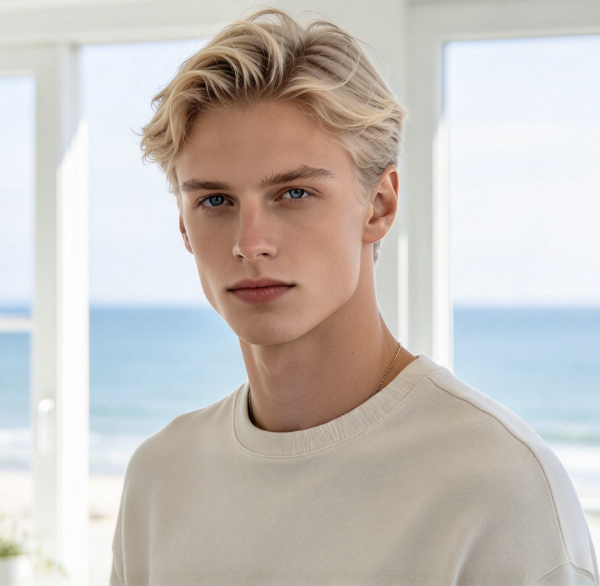
Upload a clear person photo with visible facial features and natural proportions. A front-facing or slightly angled portrait usually gives the AI Car Video Generator a stronger reference for maintaining the person's appearance in the generated car video.
The AI Car Video Generator automatically transforms your portrait into a cinematic automotive scene. The result can include a person seated inside a car, natural character movement, dynamic camera motion, windshield reflections, road movement, lighting changes, and a polished driving atmosphere.
No. Simply upload your person photo and click Generate. The AI Car Video Generator automatically handles the animation, camera movement, vehicle scene, and visual effects. When generation is complete, download the finished video.
Use a clear, high-quality portrait where the face is easy to see. Avoid heavy blur, extreme cropping, covered facial features, or confusing backgrounds when possible. A clean portrait gives the AI Car Video Generator a stronger visual reference for keeping the person recognizable throughout the generated scene.
Create Your Video With AI Car Video Generator
Upload a person photo, click Generate, and let the AI Car Video Generator automatically turn it into a cinematic driving video. Preview the result, download your finished Car Photo to Video AI clip, and share it anywhere.
