



More AI Video Generators
Explore our collection of specialized AI video generators designed for different creative needs and styles
Flamingo Floatie AI: Your Rooftop Pool Moment
Turn One Portrait Into A Poolside Plot Twist
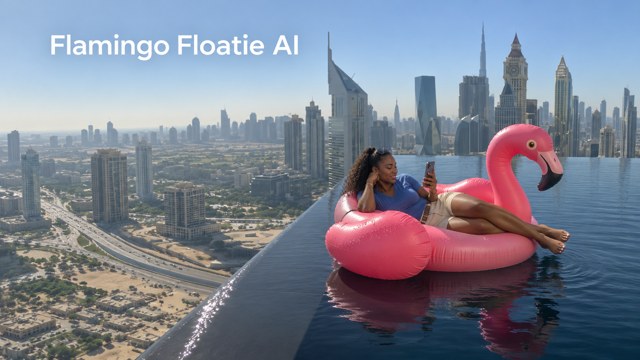
Flamingo Floatie AI puts your portrait into a pink floatie scene high above the city. Start with a clear photo and build a thank you bro flamingo moment around a relaxed rider, a drifting inflatable, and a helping hand. The infinity pool flamingo AI setting gives the joke its striking backdrop. With Flamingo Floatie AI, your everyday photo becomes the starting point for a playful poolside video.
How To Use Flamingo Floatie AI
Start Flamingo Floatie AI with one clear portrait. The prepared reference supplies the poolside sequence, so you can focus on choosing a recognizable face and reviewing the finished result before sharing.

Upload Your Photo
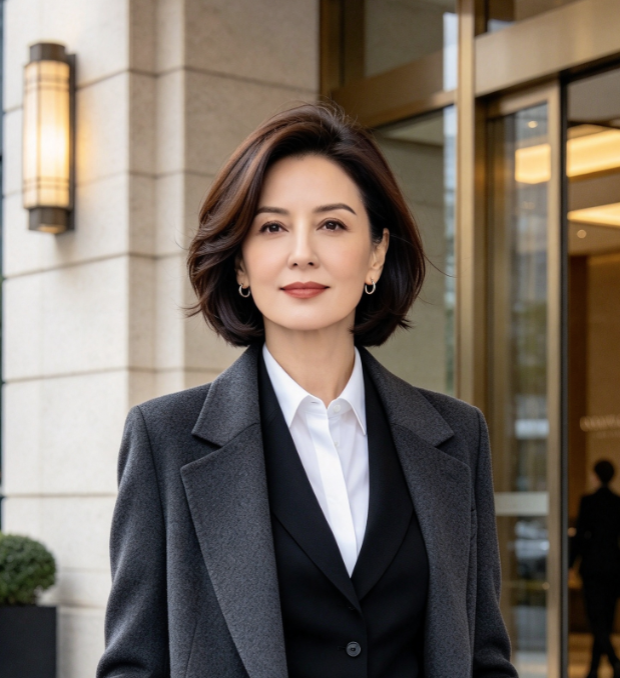
Choose a sharp portrait with one adult face clearly visible. Flamingo Floatie AI uses that person as the rider. For your thank you bro flamingo scene, avoid busy group photos, heavy filters, or anything that hides the eyes and facial outline.

Click Generate
Check the available settings and displayed credit requirement, then start Flamingo Floatie AI. The built-in reference guides the infinity pool flamingo AI sequence. You do not need to write a prompt or describe the skyline, float, helping hand, and camera movement yourself.

Download Your Video
Watch your Flamingo Floatie AI result from beginning to end before downloading. Check the rider's face, the hand contact, and the final drift. Keep the complete thank you bro flamingo setup and payoff when trimming a shorter version for a social post.
Best AI Video Tools for Creative Projects
Explore creative tools for video, learn tips and tricks, and see how AI can be your assistant in turning concepts into finished projects.








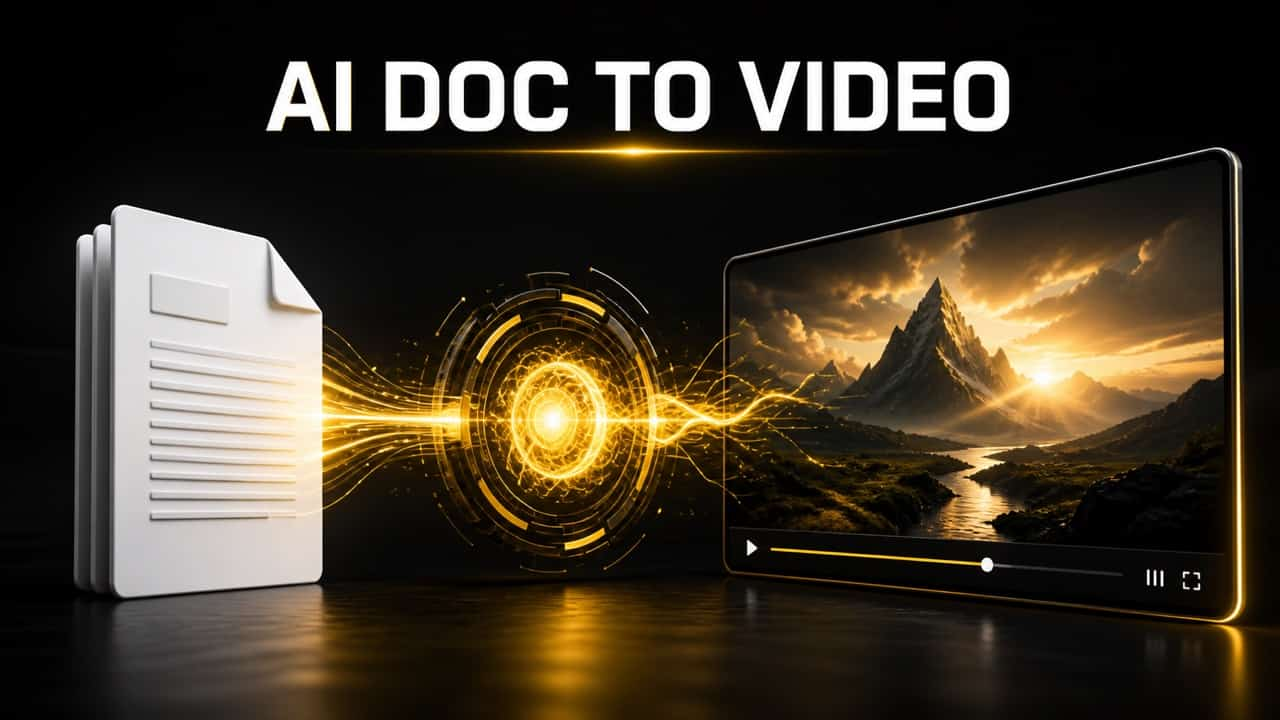
What Makes Flamingo Floatie AI Recognizable
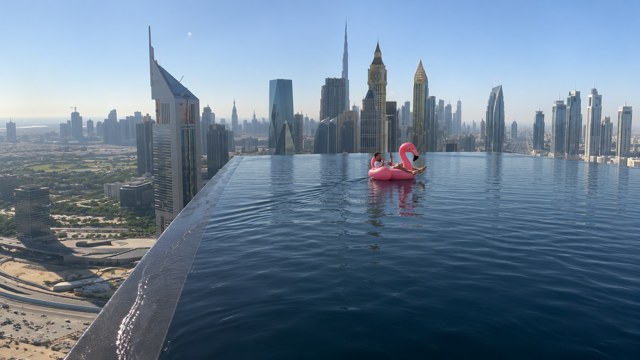
Flamingo Floatie AI combines a personal portrait with a very specific visual joke. The thank you bro flamingo reaction and infinity pool flamingo AI backdrop work together: an ordinary distracted moment feels much bigger when the city stretches out below.
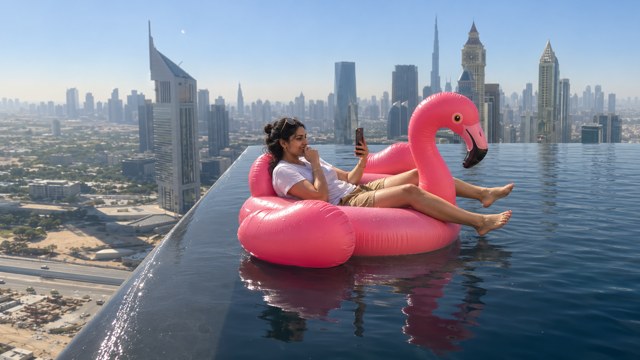
Your Portrait In The Flamingo Floatie AI Scene
A familiar face makes the scene personal before the float even moves. Flamingo Floatie AI uses your photo for the rider while the reference supplies the rooftop surroundings. That keeps the thank you bro flamingo idea centered on your character instead of your original photo background. For infinity pool flamingo AI, choose a clear portrait with enough facial detail to remain readable as the camera view becomes wider.
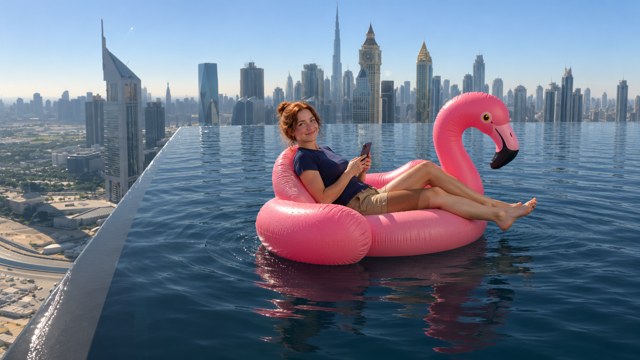
A Rooftop View With Flamingo Floatie AI
Dark pool water, bright pink vinyl, and a skyline beyond the edge give the scene its contrast. Flamingo Floatie AI builds around that recognizable arrangement instead of asking you to invent a location. The infinity pool flamingo AI setting provides the visual tension, while the thank you bro flamingo beat keeps the mood playful. Watch the pool edge and float position together when reviewing the result; their relationship makes the setup understandable.
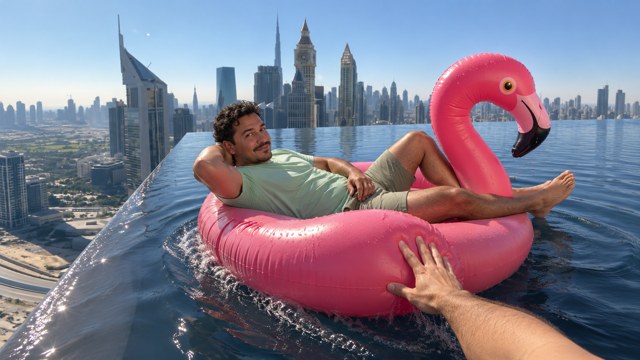
The Helping-Hand Beat In Flamingo Floatie AI
The key moment is small: a hand reaches into frame and guides the float away from the near edge. Flamingo Floatie AI follows this push-back version of the sequence. The thank you bro flamingo reaction comes from the rider noticing the help and looking toward the camera. Within the infinity pool flamingo AI setting, that brief interaction gives the clip a clear turning point without needing extra characters or a complicated story.
A Complete Ending With Flamingo Floatie AI
Give the ending room to breathe. Flamingo Floatie AI follows the rider drifting farther into the pool, leaving the skyline and water visible around the shrinking float. An infinity pool flamingo AI clip feels more complete when you keep that final wide view. For a thank you bro flamingo post, avoid cutting immediately after the hand reaches in; a little space afterward lets viewers register the reaction and understand the joke.
Where To Share Flamingo Floatie AI
Use Flamingo Floatie AI for a personal joke, a casual social post, or a creative editing exercise. Match the thank you bro flamingo setup to your audience, and let the infinity pool flamingo AI setting do the visual storytelling.
A Familiar Face For The Group Chat
For friends who already know your sense of humor, Flamingo Floatie AI makes a visual reply to weekend plans or holiday daydreams. Use your own portrait, or a friend's with permission. The thank you bro flamingo moment supplies the punchline, and the infinity pool flamingo AI backdrop makes a simple chat message feel like a miniature scene.
A Playful Travel-Themed Social Post
Travel and lifestyle creators can use Flamingo Floatie AI for a playful break between ordinary updates. Pair the thank you bro flamingo sequence with a short caption about switching off or missing an obvious cue. The infinity pool flamingo AI view gives the post a vacation mood without needing to organize a poolside shoot or stage the action yourself.

A Personal Thank-You With A Joke
Turn a small favor into a lighthearted thank-you message with Flamingo Floatie AI. The helping hand makes the thank you bro flamingo idea relevant to someone who recently rescued your plans, reminded you about a deadline, or helped with a task. Keep the infinity pool flamingo AI clip intact, then add your own message when you share it.

A Timing Exercise For Video Editors
Short-form editors can use Flamingo Floatie AI to practice how much setup a visual joke needs. Compare a full sequence with a tighter cut, keeping the thank you bro flamingo reaction readable in both. The infinity pool flamingo AI scene offers clear beats: distracted rider, approaching edge, helping hand, and final drift. Review each cut before choosing the version to post.
Creative Reactions To Flamingo Floatie AI
These fictional examples illustrate audience perspectives, not verified customer reviews. Explore Flamingo Floatie AI ideas for personal sharing, editing, and an infinity pool flamingo AI travel joke.
I like how Flamingo Floatie AI turns a quiet phone-scrolling moment into a visual joke. The pink float and distant skyline give my imagined weekend escape a wonderfully silly setting.
The thank you bro flamingo idea feels like the kind of reply I would send after a friend saves my plans. I prefer a complete little scene to a static reaction image.
What appeals to me about infinity pool flamingo AI is the contrast between the relaxed rider and the dramatic view. I would keep the framing wide enough for both to read.
Flamingo Floatie AI gives me a clear setup to think about: a distracted rider, a helping hand, and a calm ending. That simple sequence is easier to caption without overexplaining.
A thank you bro flamingo clip would make a fun personal message after a small favor. I like the thankful reaction most when the edit leaves a moment for it to land.
The infinity pool flamingo AI scene is an entertaining starting point for a holiday-themed post. I would use a clear portrait and keep the final drift instead of rushing the ending.
Flamingo Floatie AI Questions Answered
Before you start Flamingo Floatie AI, check the source photo, the prepared sequence, and the generation settings. These answers explain the thank you bro flamingo version used here and what to review in an infinity pool flamingo AI result.
Flamingo Floatie AI is a portrait-based video effect built around a rider on a pink inflatable in a rooftop pool. This page uses the thank you bro flamingo push-back sequence: the rider approaches the near edge, receives help from a hand behind the camera, then drifts farther into the pool.
Upload one clear portrait of an adult, with the face visible and enough detail to recognize the person. Flamingo Floatie AI uses that image for the rider. A front-facing or slightly angled photo is a useful starting point for infinity pool flamingo AI; avoid obscured faces and multiple people in the same source.
This Flamingo Floatie AI page follows the push-back version, rather than a falling ending. The hand redirects the float into the pool before it moves away. Keep that sequence in mind when reviewing your infinity pool flamingo AI result, especially the direction of travel after the hand makes contact.
No separate prompt is needed for the prepared Flamingo Floatie AI workflow. Your portrait supplies the rider, and the built-in reference guides the scene and movement. This keeps the thank you bro flamingo setup focused. Review the available generation settings before starting, then inspect the complete output rather than only its opening frame.
The thank you bro flamingo name describes the meme and its thankful reaction; it does not promise the original recording or an exact spoken phrase. Flamingo Floatie AI focuses on the visual sequence. Check any generated audio during review and add your preferred permitted sound in your editing app if needed.
Review the face, hands, float shape, pool edge, and final movement in your Flamingo Floatie AI clip. The infinity pool flamingo AI setting should remain coherent throughout the sequence. Also check the displayed credit requirement before generating again, since another submission may incur a separate charge. Keep the setup and payoff together.
Make Your Flamingo Floatie AI Moment
Pick a clear portrait and give your next message a poolside twist. Flamingo Floatie AI brings your face into the thank you bro flamingo setup, while the infinity pool flamingo AI view supplies the backdrop. Create your clip, review the full sequence, and share your favorite cut.