
More AI Video Generators
Explore our collection of specialized AI video generators designed for different creative needs and styles
Christmas Photobooth AI Video Generator
Turn Two Portraits Into A Moving Holiday Photo Strip
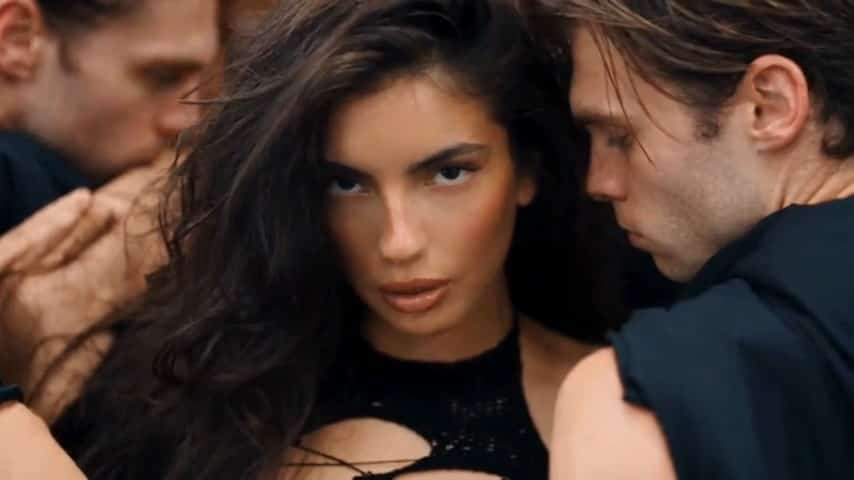
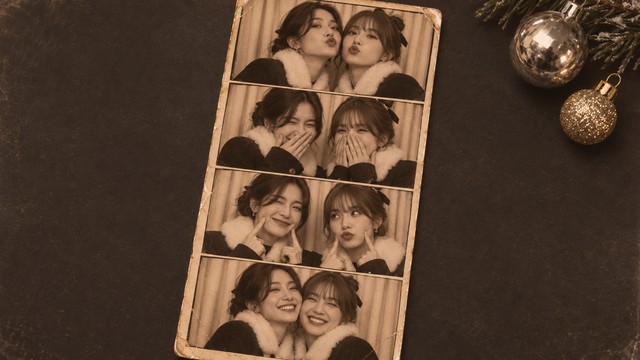
Bring your favorite pairing into a nostalgic Christmas photo strip. Christmas Photobooth AI video generator uses two portrait photos to create a short video built around four shared poses, vintage tones, and a camera journey across the print. Choose a partner, a best friend, or an adult family member, then let the familiar booth setting frame your holiday moment. Christmas Photobooth AI template gives the sequence its visual direction, so you can focus on the people who belong together. With Christmas Photobooth AI, you can make a moving Christmas photo strip without finding a physical booth or planning a new shoot.
How To Use Christmas Photobooth AI
Start with two separate portraits and finish by reviewing a 15-second vertical clip. Christmas Photobooth AI video generator supplies the prepared visual direction; your photographs supply the people. Follow these steps to make a Christmas photobooth video from two photos, keeping the upload order clear before you generate. Christmas Photobooth AI template already defines the shared setting and sequence.

Enable Video Editing Mode And Choose Your First Portrait
Upload a clear photograph of the adult you want in the first role. Christmas Photobooth AI video generator works from the visual information you provide, so a sharp everyday portrait is more useful than a distant or heavily filtered picture. In Christmas Photobooth AI template, the first upload belongs to the person on the left in the first shared frame. That assignment should stay with the same identity throughout the sequence. For a Christmas photobooth video for friends, agree on the pairing and choose photographs both people like.

Add A Separate Second Portrait
Add a different portrait for the second role. Christmas Photobooth AI video generator takes a separate identity reference for each person. Check that both portraits show one face clearly and that neither image hides the eyes behind sunglasses, a hand, or a large foreground object. Christmas Photobooth AI template assigns this second photograph to the other person in the shared booth frames. A Christmas photobooth video for couples can begin with two ordinary photos taken in different places. Use originals with similar clarity, rather than trying to match their backgrounds.

Generate The Prepared Video
Once both portraits are added, check the settings and credit cost shown in the generator, then start your video. Christmas Photobooth AI video generator uses a prepared effect instruction, so there is no prompt to write or pose sequence to invent. Christmas Photobooth AI template supplies the paper strip, close portraits, and moving view across the scene. The clip is configured for 15 seconds in a vertical 9:16 frame. To make a moving Christmas photo strip, concentrate on selecting clear faces and the correct upload order. Leave space for generation to complete before deciding which version you want to share.

Watch The Whole Result
Review every panel rather than judging only the opening frame. Look for two distinct faces, consistent hair, natural hands, and a photo strip that remains readable as the camera moves. Christmas Photobooth AI video generator creates a new interpretation, so details can vary between runs. If one person looks unclear, try a sharper source portrait before making another version. Christmas Photobooth AI template gives you a common visual sequence to assess, from the first close pose to the final shared expression. For a Christmas photobooth video from two photos, the most useful check is that each uploaded identity remains recognizable across the complete clip.
Best AI Video Tools for Creative Projects
Explore creative tools for video, learn tips and tricks, and see how AI can be your assistant in turning concepts into finished projects.








What Makes Christmas Photobooth AI Feel Personal
The appeal comes from familiar people inside a familiar keepsake format. Christmas Photobooth AI video generator combines a two-person cast with the texture and rhythm of a vintage photo strip. These three elements explain how Christmas Photobooth AI template turns your portraits into a compact seasonal video with a clear visual theme.
Two People In One Shared Scene
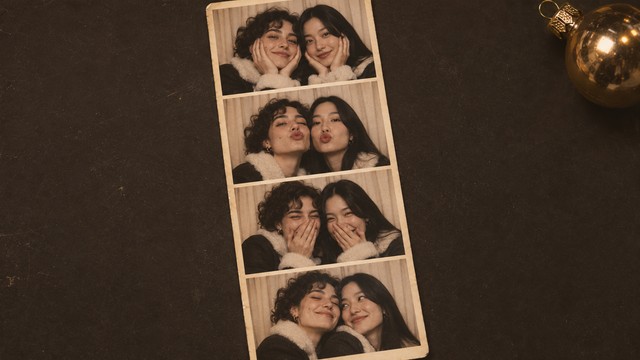
Christmas Photobooth AI video generator lets you bring two separate portraits into the same booth sequence, making the pairing the center of the idea. Christmas Photobooth AI template uses the first and second uploads as distinct roles instead of treating both photographs as one blended identity. That makes a Christmas photobooth video for friends an easy starting point for an inside joke or a seasonal message. A Christmas photobooth video for couples can feel more intimate, especially when both people choose photographs they are happy to share. Clear faces matter more than elaborate source backgrounds.
Four Poses With A Vintage Photo Strip
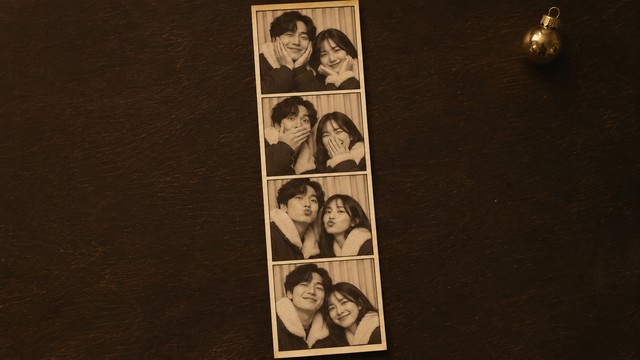
The strip is more than a border around a single portrait. Christmas Photobooth AI template organizes the pair into four close poses, giving the clip several small expressions to reveal as the view travels over the print. Pale booth curtains, dark clothing, soft winter details, and a warm monochrome treatment establish the nostalgic holiday mood. Christmas Photobooth AI video generator uses the prepared reference to guide that composition rather than asking you to assemble a collage. If you want to make a moving Christmas photo strip, this relationship between the paper layout and camera movement is central: the result is a short video of the strip, with each panel contributing to the shared moment. Christmas Photobooth AI is a useful idea when a single greeting photo feels too static.
A Vertical Clip Without Prompt Writing
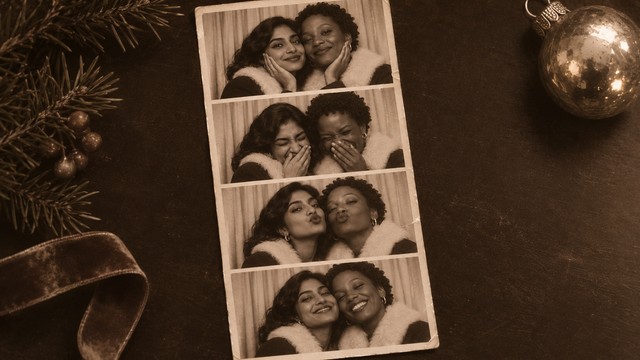
You do not need to describe a lens, plan a camera path, or build a four-panel layout yourself. Christmas Photobooth AI video generator starts from a fixed visual sequence and two identity photos. Christmas Photobooth AI template keeps the creative task focused: pick the people, check the upload order, generate, and watch the finished clip. The configured 9:16 format suits a vertical viewing experience, while the 15-second duration gives the camera time to reveal the paper strip. A Christmas photobooth video from two photos can become the visual part of a greeting, a personal story, or a seasonal duo post. With Christmas Photobooth AI, write your caption after you have reviewed the result, keeping text outside the picture when you want unobstructed faces. If you add music in a social editor, select audio you can use there; no particular song is promised as part of this effect.
Ways To Share Christmas Photobooth AI
Choose a use that already means something to the two people involved. Christmas Photobooth AI video generator provides the same booth sequence for each pairing, while your relationship supplies the context. Christmas Photobooth AI template can support a warm greeting, a playful friendship post, or a simple reminder of who you want beside you this season.
A Holiday Moment For Couples
Make a Christmas photobooth video for couples when you want a shared seasonal post without organizing a matching photo shoot. Christmas Photobooth AI video generator can start from portraits taken separately, leaving the booth scene to connect the pair visually. Choose images that feel like your everyday selves, then add a short greeting or date in your posting caption. Christmas Photobooth AI template keeps the close portrait format consistent while your faces make it personal.
A Best Friend Holiday Post
A Christmas photobooth video for friends can turn a familiar pairing into a lighthearted seasonal keepsake. Christmas Photobooth AI video generator supplies the booth setting without requiring you to travel to the same place. Christmas Photobooth AI template lets the four poses carry that sense of connection. For a Christmas photobooth video for friends, choose a caption that sounds like the two of you, then review the whole result together.

An Adult Family Greeting
Pair adult siblings, cousins, or parents for a greeting built around recognizable faces. Christmas Photobooth AI video generator offers a compact way to picture two adults together when their favorite portraits come from different occasions. Christmas Photobooth AI template gives the greeting a shared visual setting, so there is no need to match the original rooms or lighting exactly.

A Seasonal Creator Duo Introduction
Introduce a two-person holiday collaboration with a familiar photo-booth format. Christmas Photobooth AI video generator can give the announcement a personal visual starting point without requiring a separate filmed introduction. Christmas Photobooth AI template works best when the two faces are easy to recognize and the caption explains the collaboration directly. Preview how the vertical crop appears in the place you plan to share it, leaving captions and platform overlays clear of the faces.
Creative Reactions To Christmas Photobooth AI
These illustrative names and reactions describe possible creative preferences, rather than verified customer endorsements. Christmas Photobooth AI video generator centers two people and a nostalgic format; Christmas Photobooth AI template keeps the idea focused on a shared holiday moment.
I like how Christmas Photobooth AI puts the pair first. The vintage strip feels warm and personal, and the moving view makes each little expression worth noticing.
The charm of Christmas Photobooth AI is the familiar booth feeling. Four close poses give the friendship a playful visual rhythm without needing a long explanation in the caption.
I prefer holiday clips with a clear idea. Christmas Photobooth AI has one: two recognizable people, a nostalgic print, and enough movement to make the keepsake feel alive.
The appeal of Christmas Photobooth AI is choosing who belongs in the frame with you. The close portraits feel more personal than a greeting built around scenery alone.
Christmas Photobooth AI Questions
Check the source photographs, video format, and prepared workflow before you begin. Christmas Photobooth AI video generator is designed around a shared holiday photo strip, and Christmas Photobooth AI template supplies its core visual direction.
Christmas Photobooth AI video generator creates a video. The photobooth strip is the subject inside the clip, and the view moves across its four portrait panels. Christmas Photobooth AI video generator is configured for a 15-second vertical result, rather than a printable collage workflow. If you want to make a moving Christmas photo strip, use two portrait references and review the full clip after generation.
Add one clear adult portrait for each role, keeping the first and second uploads in the order you want. Christmas Photobooth AI video generator uses the prepared effect instruction, so you do not need to write a prompt. Christmas Photobooth AI template supplies the scene and four-pose structure. A Christmas photobooth video from two photos works best when both faces are visible, detailed, and unobstructed. Check the generator's displayed cost and settings before starting, then watch every panel once the result is ready.
Yes. Choose a separate adult portrait for each partner. Christmas Photobooth AI template places the pair inside the same close photo-strip scene, so the originals do not need matching backgrounds. For a Christmas photobooth video for couples, agree on the photographs and intended audience first, then check that both identities remain distinct when you review the complete result.
This page uses a fixed effect with no editable prompt box. Christmas Photobooth AI template defines the photo-strip composition and sequence, while the two photographs define the people. Christmas Photobooth AI template is suited to visitors who want that prepared look without planning a different scene. To make a Christmas photobooth video for friends, focus on selecting the right pair and clear source portraits. The page does not offer a separate pose builder or a choice of custom booth layouts.
Use two separate, clear photographs with one adult in each. Christmas Photobooth AI video generator needs readable facial details, so avoid tiny faces, dark shadows, heavy filters, and objects covering the eyes. Christmas Photobooth AI template takes care of the booth setting; a festive background in your portrait is unnecessary. Choose images with permission from the people shown. Better source clarity gives the generation more useful information, though you should still review faces, hair, and hands throughout the clip.
Watch from start to finish and check both identities, the four frames, and the moving crop. Christmas Photobooth AI is generative, so individual details may vary. Confirm the clip suits your intended audience, then add any greeting or caption in your posting editor. Check the audio before publishing and choose music you are allowed to use if needed.
Create Your Christmas Photobooth AI Moment
Choose two portraits that belong together and give your seasonal greeting a nostalgic visual setting. Christmas Photobooth AI brings your pairing into a moving photo strip, with four shared poses and no prompt to write. Start with clear faces, check the upload order, and create a holiday clip you can review and make your own.