
More AI Video Generators
Explore our collection of specialized AI video generators designed for different creative needs and styles








AI Belly Inflation Video Generator
Turn One Photo Into A Playful Balloon Belly Animation
AI Belly Inflation Video Generator turns an uploaded photo into a playful short video with a rounded, balloon-like belly transformation. Start with one clear subject, add optional direction, and explore belly expansion as an imaginative visual joke. AI Belly Inflation Video Generator uses a built-in AI inflate effect instruction to guide the transformation while asking the model to retain the face, outfit, and setting. Create a belly inflation video from a photo with a recognizable beginning, a surprising expansion, and an amused final reaction. The artwork on this page illustrates creative concepts; it is not a gallery of verified generated video results.

How To Use AI Belly Inflation Video Generator
Move from a still image to a short comic scene with AI Belly Inflation Video Generator. These four steps help you plan belly expansion around one visible change. AI Belly Inflation Video Generator provides the core AI inflate effect direction, while your source image and optional instructions shape the interpretation.

Choose A Clear Source Photo
Upload one photo with the subject’s face and torso visible. Give AI Belly Inflation Video Generator enough space around the waist so the rounded silhouette can remain inside the frame. A simple background, even lighting, and hands away from the stomach give belly expansion fewer competing details. For a belly inflation video from a photo, begin with a front or three-quarter view.

Describe The Comic Moment
Add a custom belly inflation prompt when you want to guide the scene. Tell AI Belly Inflation Video Generator what should happen first, how the belly should expand, and what the character does afterward. Request a gentle balloon belly animation, a surprised glance, or a cheerful shrug. Keep belly expansion focused on one transformation instead of several unrelated events. AI Belly Inflation Video Generator combines your direction with the built-in AI inflate effect instruction; written requests guide generation rather than guaranteeing precise measurements or frame timing.

Generate Your Video
Review the visible generation settings and credit requirement, then start AI Belly Inflation Video Generator. The configured photo-to-video model interprets the source and movement instructions together. For belly expansion, a steady camera and one clear reaction are useful starting points. Ask for normal-speed action so the AI inflate effect has an observable setup and payoff. AI Belly Inflation Video Generator does not need you to draw individual animation frames, but processing time and results vary with the selected settings and service availability.
Watch And Refine The Result
Play the entire result from AI Belly Inflation Video Generator, checking the face, hands, clothing, background, and final silhouette. A convincing balloon belly animation needs continuity as well as a rounded shape. If belly expansion distracts from the character, simplify the action or use a clearer source. Refine your custom belly inflation prompt one idea at a time. AI Belly Inflation Video Generator can be used for another attempt, with each generation subject to the settings and credit requirement shown in the form. Save a result you like using its available download control.
Best AI Video Tools for Creative Projects
Explore creative tools for video, learn tips and tricks, and see how AI can be your assistant in turning concepts into finished projects.
























Give AI Belly Inflation Video Generator A Clear Creative Direction
AI Belly Inflation Video Generator brings source-image guidance, a prepared transformation instruction, and optional personal direction into one workflow. Explore belly expansion through a familiar portrait, an original mascot, or a small visual story. Each AI inflate effect concept below highlights a different creative choice. AI Belly Inflation Video Generator offers prompt-led generation, so review the actual clip rather than expecting every instruction to be followed exactly.

Keep The Subject At The Center
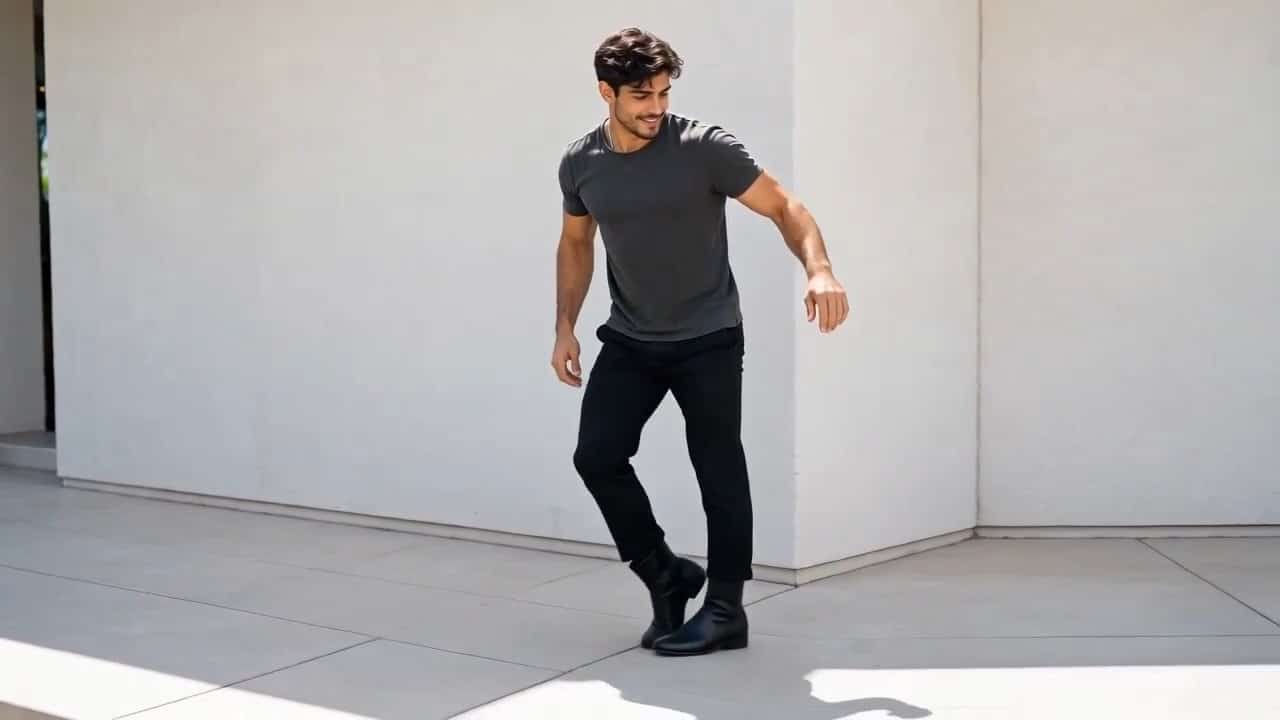
AI Belly Inflation Video Generator starts from your uploaded image, giving the scene a specific face, outfit, and environment to reference. For belly expansion, the built-in direction asks for an expanding belly while retaining the subject’s recognizable features and surrounding composition. Imagine a street performer noticing that his shirt has rounded like the balloons beside him. That belly inflation video from a photo has an immediate visual connection between the source and the joke. Keep the face unobstructed and leave room below the chest. AI Belly Inflation Video Generator aims for continuity, but facial details, hands, and fabric may still change during generation. Inspect the AI inflate effect across the full clip, especially where the outline grows or an arm crosses the body. A simple pose often makes the intended balloon belly animation easier to read.
Shape The Style With Your Own Words
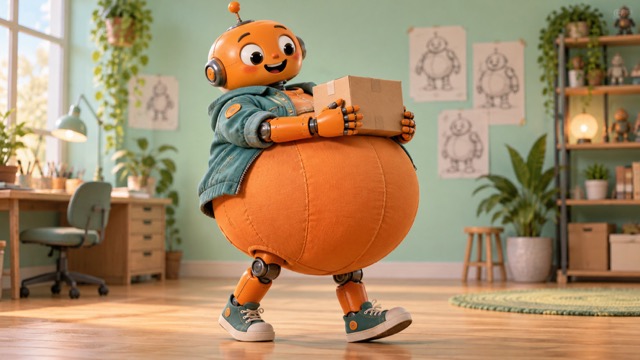
Use a custom belly inflation prompt to describe mood, visual style, and the reaction that completes your idea. AI Belly Inflation Video Generator can take direction for a restrained comic moment or an exaggerated original mascot scene. For example, an orange robot tries to carry a parcel, its fabric belly rounds outward, and it cleverly moves the box to one side. AI Belly Inflation Video Generator uses your words as guidance; it does not provide a separate calibrated slider for every requested change. Keep the AI inflate effect description short and specific. Ask for intact clothing, one continuous shot, and a clear ending. When testing a custom belly inflation prompt, change one instruction between attempts so you can understand what improved.

Build A Short Story Around The Reveal
A transformation becomes easier to follow when something happens before and after it. Give AI Belly Inflation Video Generator a simple goal: a retro astronaut wants breakfast, her suit develops a comically rounded belly, and she moves the tray aside to reach the cupboard. This turns belly expansion into a complete event with a readable payoff. A purposeful balloon belly animation can work without frantic camera moves or several locations. Plan belly inflation videos for social media with the subject and action clear in a small viewing window. AI Belly Inflation Video Generator follows the scene through the configured video model; precise timing, motion, and visual continuity remain variable. Review your AI inflate effect at normal playback speed before making any edit for a particular channel. Keep titles, subtitles, and music for your usual finishing workflow when needed.
Creative Uses For AI Belly Inflation Video Generator
Use AI Belly Inflation Video Generator to develop a small visual joke with an obvious fictional premise. Belly expansion can support character comedy, concept exploration, and short personal projects. AI Belly Inflation Video Generator works best with one readable event at a time.

Social Reaction Clips
Plan belly inflation videos for social media around a glance, a pause, and a cheerful reaction. AI Belly Inflation Video Generator helps you try an AI inflate effect without manually animating the body outline. Keep the subject near the center and the story understandable without sound. Before sharing, check the full result and adjust the framing in your usual editor for the destination channel. AI Belly Inflation Video Generator does not promise reach or engagement; a clear joke and thoughtful finishing still matter.

Original Mascot Stories
Give an original mascot a playful belly expansion moment as it carries a box or reaches for a prop. AI Belly Inflation Video Generator can use your character image as the starting point for the scene. Describe materials and the final action in a custom belly inflation prompt, keeping the AI inflate effect consistent with the character’s design.

Comedy Sketch Concepts
Use AI Belly Inflation Video Generator to explore the visual beat before developing a longer sketch. A belly inflation video from a photo can reveal if the silhouette and reaction communicate the premise. Direct belly expansion as lighthearted fantasy with intact clothing and an amused character. Try a simple balloon belly animation first, then refine the action. AI Belly Inflation Video Generator supplies a generation workflow, while your choice of staging and ending gives the concept its comic identity.

Playful Personal Greetings
Build a friendly celebration with AI Belly Inflation Video Generator: a character notices the unexpected round belly, laughs, and presents a small gift. The AI inflate effect works as a surprising middle beat rather than the entire message. For belly inflation videos for social media, keep the scene friendly and readable, and use photos you have permission to transform. AI Belly Inflation Video Generator lets you explore a personal idea; check the resulting expression and motion before sending your finished greeting.
Creative Reactions To AI Belly Inflation Video Generator
The following names and reactions are illustrative, not verified customer endorsements. They describe creative priorities for using AI Belly Inflation Video Generator, from a readable belly expansion premise to a coherent AI inflate effect ending.
I like how AI Belly Inflation Video Generator puts the source image and a simple action at the center of the idea. A belly inflation video from a photo feels easier to plan when I decide on the reaction first. The AI inflate effect is most appealing to me when the character remains cheerful and the joke reads immediately.
The appeal of AI Belly Inflation Video Generator for me is exploring an original mascot in motion. I prefer a balloon belly animation with a small problem and a clever resolution. Belly expansion gives the character a playful visual challenge, while the pose and props explain what is happening.
I find AI Belly Inflation Video Generator useful as a way to think about the setup and ending together. When planning belly inflation videos for social media, I want a complete joke rather than a character simply changing shape. A steady composition makes the AI inflate effect easier to understand.
I appreciate the room for a custom belly inflation prompt in AI Belly Inflation Video Generator. A friendly expression, intact costume, and simple setting are my priorities. For me, belly expansion is most engaging when it supports the personality of the subject rather than overwhelming the scene.




AI Belly Inflation Video Generator FAQ
Get practical answers before using AI Belly Inflation Video Generator. Learn how a source photo, optional direction, and result review fit together when creating belly expansion with a prompt-led AI inflate effect.
AI Belly Inflation Video Generator is a photo-to-video tool configured to request a playful belly expansion scene. Upload one image and use the prepared instruction, adding your own direction if you wish. AI Belly Inflation Video Generator interprets belly expansion as a balloon-like fictional transformation. It generates new motion rather than applying a fixed manual warp to every frame, so outcomes vary and should be reviewed.
Start AI Belly Inflation Video Generator with a clear image showing the face and torso, with space around the waist. Ask for a simple AI inflate effect and one reaction. For a belly inflation video from a photo, avoid adding several people, cuts, or complex prop interactions at once. AI Belly Inflation Video Generator uses the photo as visual guidance, and a straightforward composition gives the animation a clearer starting point.
Yes, add a custom belly inflation prompt to guide the expansion, mood, camera, and ending. For example, request a gradual balloon belly animation followed by an amused shrug. AI Belly Inflation Video Generator combines this direction with its built-in instruction. These are descriptive requests rather than guaranteed numerical controls. Review belly expansion in the generated clip and simplify or revise your prompt if the motion misses your intention.
AI Belly Inflation Video Generator asks the model to preserve the subject’s recognizable face, outfit, and setting while creating the AI inflate effect. Exact identity, anatomy, and fabric continuity are not guaranteed. AI Belly Inflation Video Generator results should be checked from beginning to end. A visible face, uncluttered torso, and stable framing can help make belly expansion easier to follow and evaluate.
You can plan belly inflation videos for social media with AI Belly Inflation Video Generator, then review and finish the selected result for your channel. Keep the main subject clear and confirm the available aspect ratio in the generation form. AI Belly Inflation Video Generator does not automatically guarantee platform-specific formatting, engagement, or commercial permissions. Use images you are entitled to transform and make the fictional belly expansion premise clear in your presentation.
Check the current account access, settings, and required credits shown by AI Belly Inflation Video Generator before generating. This page does not promise free access, unlimited attempts, or a fixed turnaround. Processing time depends on the selected generation settings and service conditions.
Create Your First Clip With AI Belly Inflation Video Generator
Bring one clear photo and one playful idea to AI Belly Inflation Video Generator. Build a balloon belly animation with a simple setup, a visible transformation, and a friendly ending. Use AI Belly Inflation Video Generator to explore belly expansion, refine your direction, and review the result before sharing. Start your next AI inflate effect concept with a source image you are ready to animate.
