
Deep Sea Viral Video: Float Your Portrait Underwater
Turn One Photo Into A Calm Underwater Moment
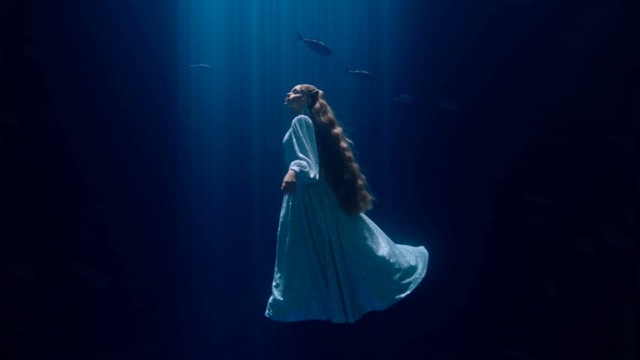
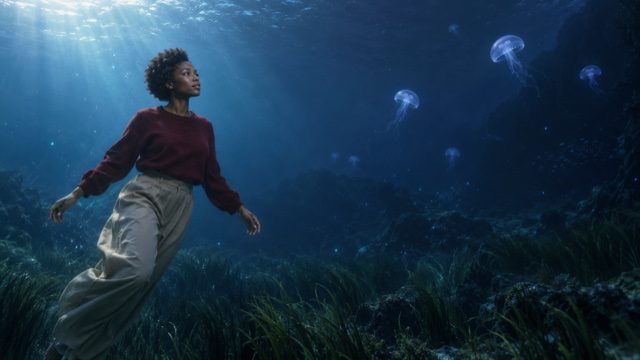
Create a Deep Sea Viral Video that places an ordinary portrait in a vast blue underwater scene. Upload a clear photo, use the prepared direction, and watch hair, sleeves, and light drift on one gentle current. The look works because everyday clothing meets an impossible setting. Keep the subject readable, the motion slow, and the mood quiet.
More AI Video Generators
Explore our collection of specialized AI video generators designed for different creative needs and styles


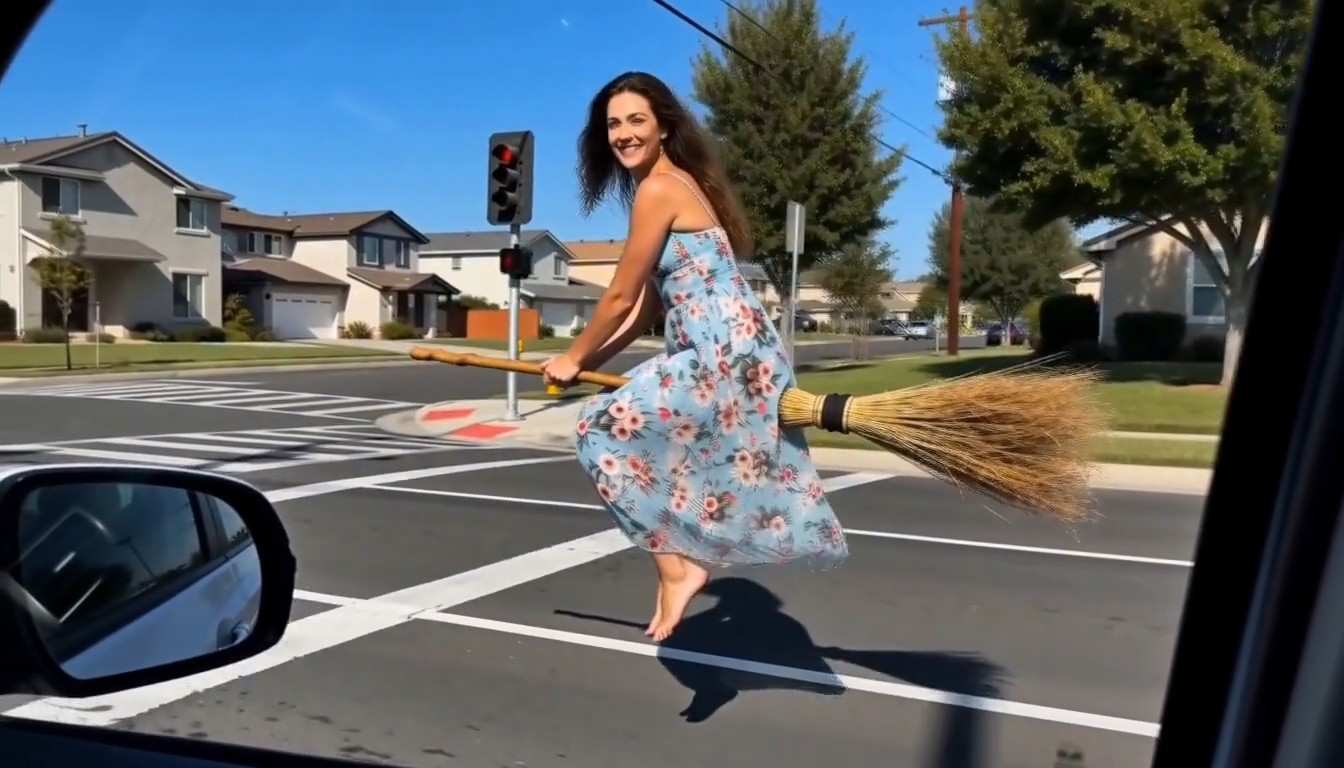




How To Create A Deep Sea Viral Video
Follow four short steps to turn one portrait into a Deep Sea Viral Video with a prepared underwater direction.

Upload A Clear Portrait
Choose a sharp photo of one person with visible eyes, both hands, and a simple outfit. Leave space around the head and shoulders so water and fabric have room to move. Use only a photo you have the right to animate.

Use The Prepared Direction
The effect already includes an underwater scene, a slow upward float, and one gentle camera move. You do not need to write a prompt. Keep the setup as it is for a clean first result.

Generate Your Clip
Start the generation and let the portrait drift into deep blue water. Hair, sleeves, and tiny particles are directed to follow one current, so the motion reads as calm instead of chaotic.

Review Before You Post
Watch the whole clip. Check the face, hands, and clothing from the first frame to the last. If one detail looks off, try again with a cleaner photo, then add music and captions in your own editor.
What Makes A Deep Sea Viral Video Work
These four ideas explain what the prepared effect is built around. Results vary, so review each clip before you share it.
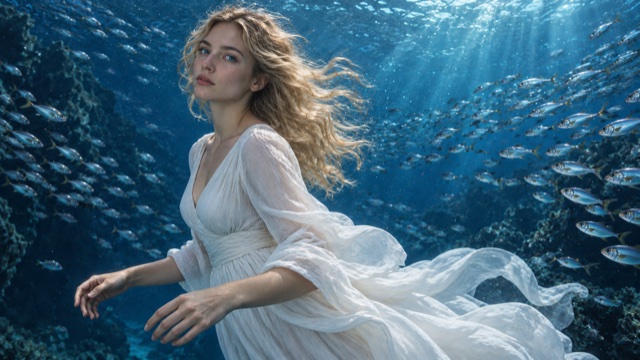
Readable Underwater Buoyancy
Hair, sleeves, and tiny particles should drift in the same direction at a similar speed. In a Deep Sea Viral Video, conflicting motion quickly makes the scene look pasted together. When you review a clip, check whether every loose element moves with the same slow drag. A calm, consistent current is what makes the illusion believable.
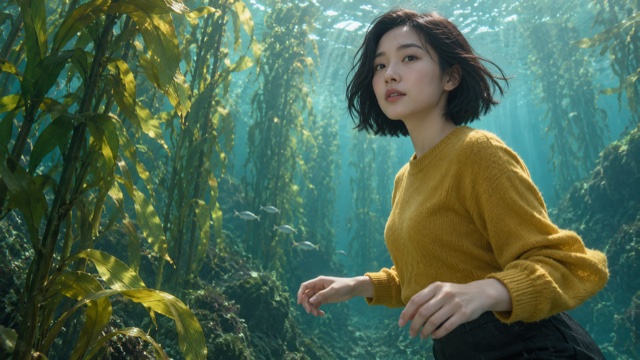
A Recognizable Everyday Subject
Simple clothing and an evenly lit face give the clip its hook. The contrast between an ordinary outfit and an impossible deep blue setting is what viewers notice first. Compare the eyes, hands, and silhouette between the first and last frame to confirm the person still looks like themselves.
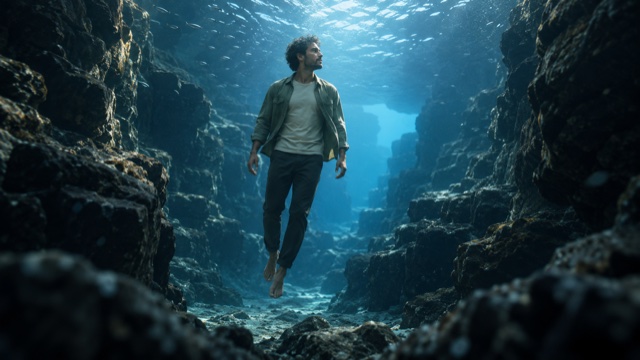
One Controlled Camera Move
A single slow forward move is easier to read than several movements combined. A steady path helps viewers follow the gentle body motion and the sense of depth. If the background edges warp or the scale changes suddenly, try again with a simpler source photo.
Calm Mystery Without Shock
Open water, soft fish movement, and cold light imply depth without any danger. The mood stays contemplative rather than frightening. Before posting, confirm that the clip still makes sense with the sound off and that it does not look like real documentary footage.
Best AI Video Tools for Creative Projects
Explore creative tools for video, learn tips and tricks, and see how AI can be your assistant in turning concepts into finished projects.























Where A Deep Sea Viral Video Fits
Use the effect for short posts, music visuals, portrait art, or story shots. Match the clip to your photo and keep the ending simple.

Short-Form Social Clips
A Deep Sea Viral Video gives a short post a strong first second. The floating pose is easy to recognize before the clip ends. Add your own caption and licensed audio afterward, and avoid promising how the clip will perform.

Music Visual Loops
A slow underwater drift suits ambient tracks and late-night playlists. Trim the strongest few seconds in your editor and leave room for text or lyrics.

Surreal Portrait Art
Build a personal art piece around clothing, gesture, and water movement. Use a portrait you may lawfully animate, and do not present the result as real dive footage.

Story Sequence Shots
Generate separate takes for arrival, a suspended moment, and a descent, then edit only the most stable ones. Keep notes about outfit, hair, and light so the clips cut together.
Creative Reactions To The Underwater Look
Creators describe what matters when they make a Deep Sea Viral Video: clear faces, slow motion, and a quiet mood.
I like that a Deep Sea Viral Video keeps the outfit ordinary. The calm blue water does the surprising part, and the slow hand raise gives the clip a clear moment.
A single camera move makes the clip easier to cut. I check the face and fingers first, then add my own music in the edit.
A well-lit portrait makes the biggest difference for me. When the eyes and hands are clear, the floating motion looks calm instead of messy.
The cold light works well with slow ambient tracks. I trim the best few seconds and keep the rest of the edit simple.
I treat a Deep Sea Viral Video as a small art piece. Hair and sleeves drifting together is the detail I look for before I keep a take.
Short separate takes are easier for me to match than one long clip. I keep notes about the outfit and light so the shots feel connected.


Deep Sea Viral Video Questions Answered
Find practical answers about photos, the prepared direction, and checking your clip before you share it.
It is a surreal short video idea that places an ordinary portrait underwater, often with floating clothing, slow gestures, and light from above. This page offers a prepared direction for your own photo rather than a copy of any specific creator's clip. Results are generated, so review each clip before sharing.
Use a sharp portrait of one person with the face, both hands, and clothing outline visible. Leave space around the head and shoulders. Avoid group photos, heavy filters, and covered eyes. Only upload photos you have permission to animate.
No. The effect includes a prepared underwater direction, so you only upload your photo and generate. The Deep Sea Viral Video setup uses one slow camera move and a calm floating pose, which keeps the result easy to review.
Start with a clear portrait and keep the direction simple. Hair, clothing, and particles should drift in the same direction at a similar speed. If objects seem to move on their own or the body scale changes, try again with a cleaner photo.
Generated results vary and are not an exact copy of any existing video. Copying another creator's footage, character, or soundtrack may require permission. Use the general idea of quiet buoyancy, blue depth, and a simple gesture to make your own version.
Confirm that the person is consistent from start to finish, that you have permission to use the photo, and that you have the rights for any music you add. Label the clip as generated or fictional when viewers could mistake it for a real dive.
Create Your Own Deep Sea Viral Video
Upload a clear portrait and let the prepared underwater direction do the rest. Review the motion, keep the best take, and add your own music and captions.
