


















More AI Video Generators
Explore our collection of specialized AI video generators designed for different creative needs and styles



How To Create A Drama Series With AI Drama Generator
Build your drama series step by step on the infinite canvas. Start with a story idea or existing materials, create and connect different nodes, then generate images and videos for each scene. The AI drama generator keeps prompts, characters, visual references, and video clips inside one connected workflow, making it easier to develop a coherent multi-scene story.
Develop Your Story And Create A Node
Create Or Upload Materials
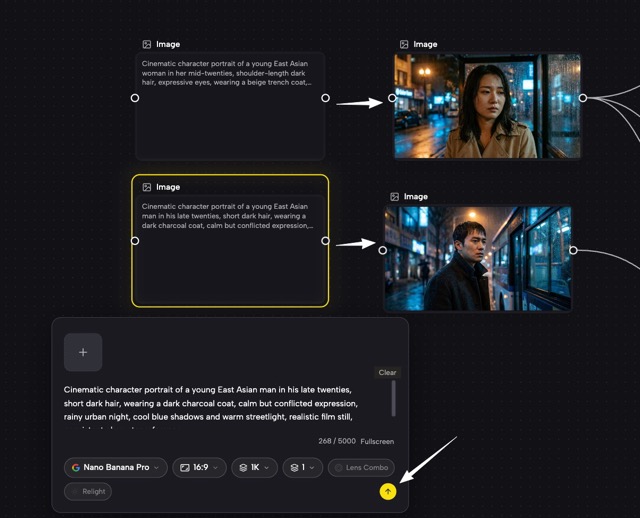
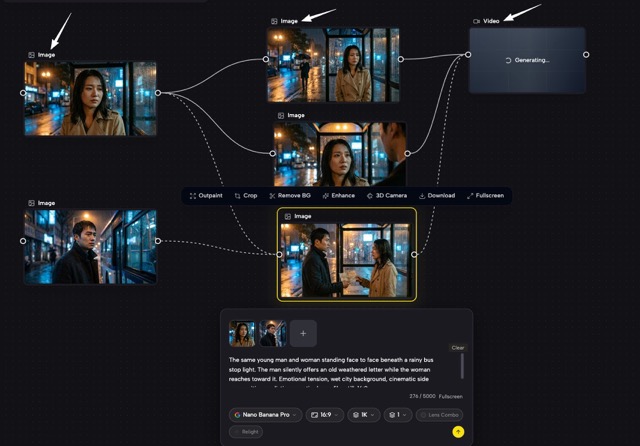
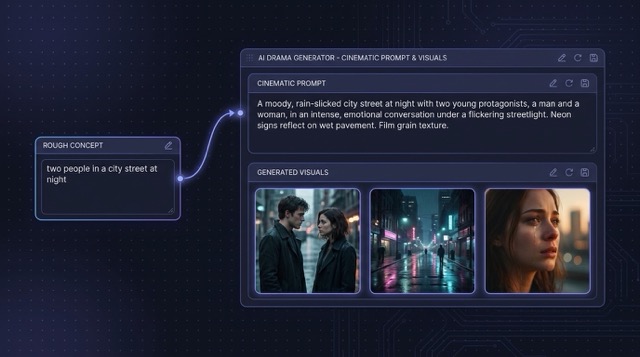
Begin by planning your characters, setting, conflict, and basic drama storyline. Double-click anywhere on the infinite canvas to open the Create Node menu. Select Upload when you already have character images, storyboards, videos, or other reference materials. You can also select Image or Video to generate new visual content. When you only have a simple idea, add a Text node and briefly describe your story concept. The AI drama generator can expand that idea into detailed prompts that you can use throughout the workflow.
Create A Complete Visual Story With AI Drama Generator
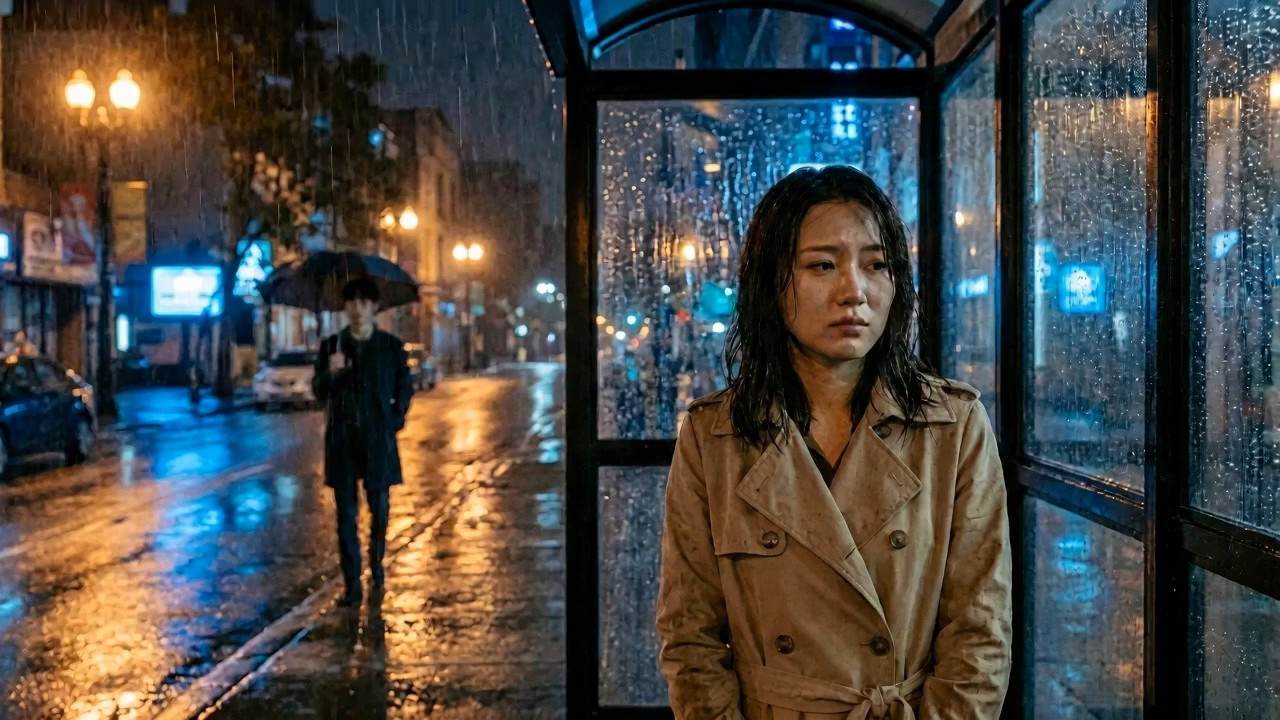
SuperMaker AI drama generator combines story planning, image generation, video generation, visual references, and connected iteration in one workspace. Instead of opening separate tools for every stage, creators can build a reusable production map where each node has a clear role. The AI drama generator supports fast experiments while keeping the overall series organized.
Design Characters And Keep Visual References Connected
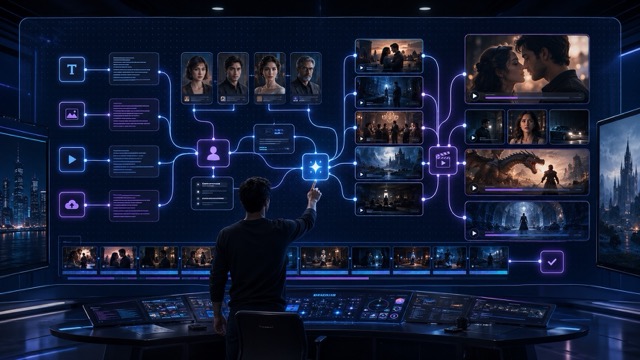
Create character portraits, full-body designs, expression sheets, wardrobe options, and relationship references before producing the main scenes. The AI drama generator lets you keep approved character images next to later prompts, making them easy to reuse as visual inputs. Connect the strongest reference to new image nodes for different poses, locations, lighting setups, or emotional moments. This AI drama generator workflow is useful for recurring protagonists, ensemble casts, fantasy creatures, historical roles, and branded mascots. You can test several models, compare interpretations, and select the visual direction that best supports the story before moving into video.
Turn Storyboards Into Connected Video Scenes
Use generated images as storyboards, first frames, visual targets, or scene references for video creation. With the AI drama generator, you can connect a wide shot to a close-up, continue from one emotional beat to the next, or build several versions of the same scene with different camera movement. Add prompts for gestures, facial reactions, walking, fighting, dancing, environmental motion, or cinematic pacing. The AI drama generator keeps image and video stages on the same canvas, so you can trace each final shot back to its original prompt and reference. This makes scene revision clearer and helps teams compare alternatives without losing earlier work.
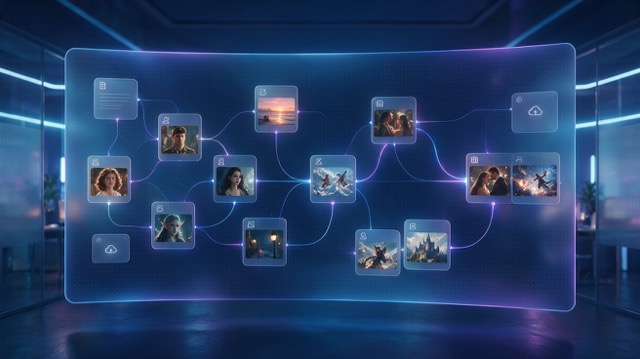
Build Multiple Episodes On One Infinite Canvas
Expand a successful concept into a pilot, short series, chapter-based story, or recurring social drama. The AI drama generator lets you group character references, episode outlines, scene branches, and final video outputs across a zoomable workspace. Duplicate useful node structures for a new episode, replace selected prompts, and preserve the parts that should remain consistent. The AI drama generator also supports creative branching, so one plot point can lead to alternate endings, different character choices, or several promotional cuts. Keep the whole series visible, return to earlier generations, and develop new episodes without rebuilding the workflow from the beginning.
Best AI Video Tools for Creative Projects
Explore creative tools for video, learn tips and tricks, and see how AI can be your assistant in turning concepts into finished projects.

























Popular AI Drama Generator Use Cases
Use the AI drama generator for serial storytelling, campaign concepts, short-form entertainment, previsualization, and rapid visual development. The connected canvas helps individuals and teams organize complex stories while image and video nodes turn ideas into scenes.

Short Drama Series
Create romance, revenge, suspense, workplace, family, fantasy, or comedy episodes for vertical and horizontal platforms. The AI drama generator helps map recurring characters, cliffhangers, scene order, and visual continuity across a complete short drama series.

Anime And Fantasy Stories
Develop original heroes, magical settings, creatures, powers, battles, and emotional story arcs. Use the AI drama generator to compare image styles, animate key illustrations, and connect each fantasy scene to the next part of the adventure.

Brand Story Campaigns
Turn a product, mascot, customer problem, or campaign idea into a scene-based branded story. The AI drama generator can organize product references, story prompts, commercial shots, character reactions, and several ad variations in one production workflow.
Film And Video Previsualization
Test casting ideas, locations, shot composition, camera direction, mood, and scene transitions before full production. The AI drama generator gives filmmakers and creative teams a fast way to visualize scripts and compare possible approaches.
What Creators Say About AI Drama Generator
Writers, directors, creators, marketers, and designers use the AI drama generator to organize story development and turn connected ideas into visual scenes. The infinite canvas makes the process easier to review, expand, and reuse.
The AI drama generator helped me build a six-part romance concept without losing the character references between scenes. I could see every prompt, image, and video branch on the canvas, then continue the strongest version into the next episode.
I use the AI drama generator for previsualization before pitching a project. Connecting character images to video nodes makes the scene logic clear, and testing another model does not require rebuilding the full workflow.
Our team needed a better way to organize episodic social content. The AI drama generator keeps approved product visuals, plot ideas, and alternate scene versions together, so reviews are faster and the campaign stays consistent.
The infinite canvas is the reason I keep using this AI drama generator. I can create a character sheet, connect it to several environments, animate the best frames, and still return to every earlier experiment.
For anime story concepts, the AI drama generator gives me room to explore costumes, powers, expressions, and scene branches. The node layout turns many separate generations into one understandable story production map.
I can move from a written premise to image references and animated shots inside the same AI drama generator. It is especially useful when a client asks for several directions because each option can remain connected and easy to compare.




AI Drama Generator FAQ
Learn how the AI drama generator uses an infinite canvas, connected nodes, image models, and video models to help creators build characters, scenes, and connected drama series.
An AI drama generator is a visual creation tool for developing characters, settings, scenes, and episodic video content with AI. In SuperMaker Studio, creators can place text, upload, image, and video nodes on an infinite canvas, then connect one output to the next step of the workflow. The AI drama generator can support a single cinematic scene, a short drama concept, or a connected multi-episode series.
Start by adding a text, image, video, or upload node to the infinite canvas. A Text node can turn a simple story concept into detailed prompts, while Image and Video nodes generate visual content with selected AI models. You can drag the connector on the right side of a node and choose the next action, such as Image to Image, Image to Video, or Image to Text. The AI drama generator keeps every connected step visible, making the workflow easier to understand, revise, and extend without coding.
Yes. The AI drama generator supports a multi-model workflow for different creative tasks. You can choose an image model based on the desired character style, realism, editing capability, or scene quality, then select a video model based on motion, camera movement, pacing, or visual direction. Available models may change, so check the model options inside each Image or Video node before generating.
The AI drama generator can help you create and organize the visual building blocks of a drama series, including character references, locations, storyboards, key frames, animated shots, scene variations, and episode branches. Multiple connected nodes can form a continuous sequence of scenes across one infinite canvas. Completing a polished drama may still require dialogue, voiceovers, sound effects, music, scene selection, and final video editing.
Start with clear character reference images and keep approved outputs on the infinite canvas. Connect those references to later Image or Video nodes, repeat important details in your prompts, and avoid changing too many visual elements at once. This workflow can help improve consistency in faces, clothing, proportions, and important props, although every generated result should still be reviewed before continuing to the next scene.
You can use the AI drama generator for romance, mystery, thriller, comedy, fantasy, science fiction, historical drama, family stories, workplace plots, anime episodes, educational narratives, branded stories, and social media series. The infinite canvas can support short vertical episodes, cinematic widescreen scenes, alternate story branches, and multiple connected chapters.
Create Your Series With AI Drama Generator
Start with a premise, connect your prompts and references, choose image and video models, and build each scene on the infinite canvas. Use the AI drama generator to explore characters, animate key moments, organize alternate versions, and extend one strong idea into a complete visual drama series.
