


















More AI Video Generators
Explore our collection of specialized AI video generators designed for different creative needs and styles



AI Face Swap Video Generator
Replace the person. Reimagine the performance.
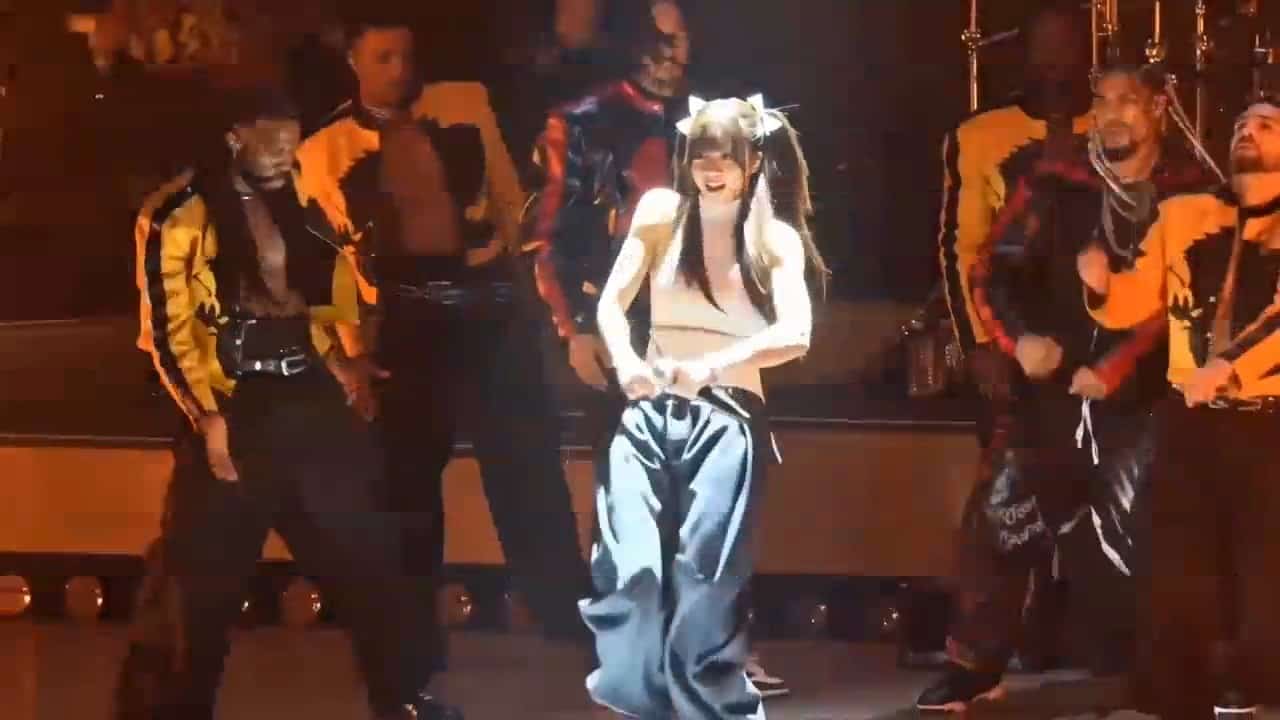
Use the AI face swap video generator to combine a reference video with a character photo. Motion Control reinterprets the performance with your chosen person, creating a video face swap concept you can review, refine, and download.

How the AI face swap video generator Works
The AI face swap video generator separates the performance you like from the person you want to show. Choose a source clip, supply a character image, and review the generated interpretation. This video face swap workflow helps you replace a person in a video without building an animation rig or painting every frame.

1. Choose a Clear Reference Video
Start the AI face swap video generator with a short, continuous performance where one person is easy to follow. Prefer readable gestures, steady framing, and limited obstruction. A clear reference gives the AI face swap video generator useful information about posture and timing. For your first video face swap, avoid rapid cuts, crowded scenes, or hands covering the face.

2. Add the Replacement Character
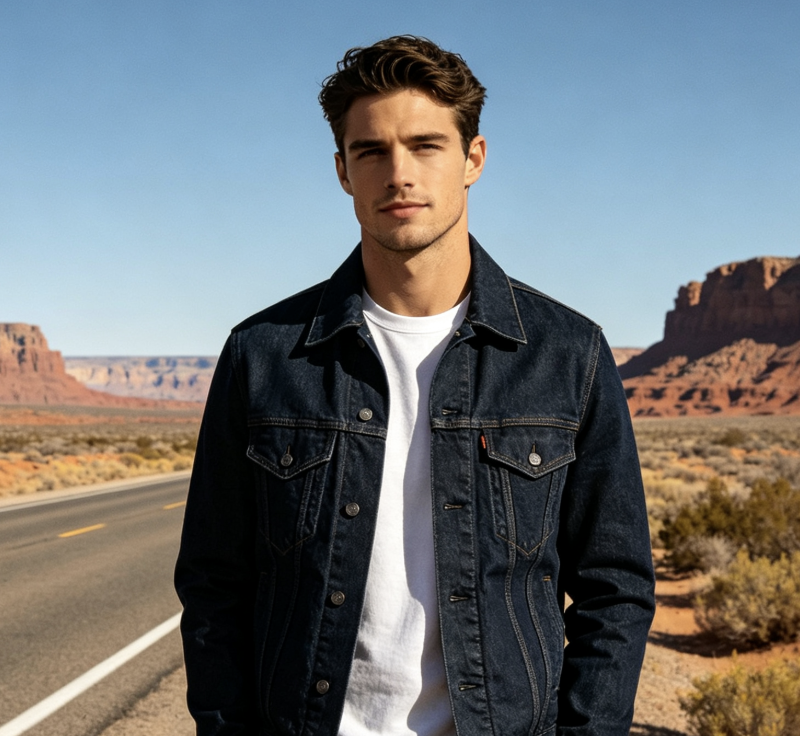
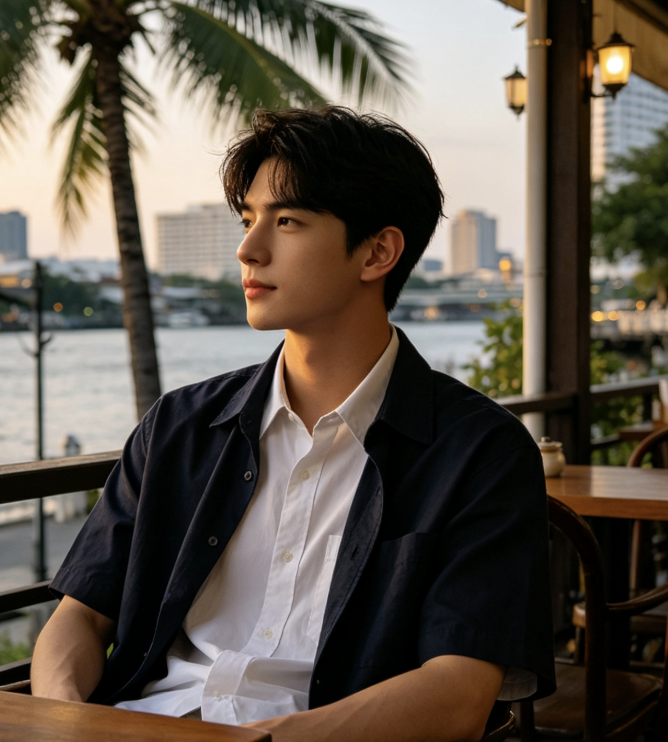
Upload a clear image of the person or character you want the AI face swap video generator to animate. Include enough of the body to match the reference performance and keep facial details visible. To create a face swap video from a photo, think about clothing, silhouette, and pose as well as identity. The AI face swap video generator uses the character reference to guide appearance, while the video supplies the performance. Your video face swap starts with these two complementary inputs.

3. Generate and Review the Clip
Run the AI face swap video generator, then watch the result from beginning to end. Check the recognizable face, hand shapes, body proportions, and transitions through turns. Compare the video face swap with both inputs before deciding what to keep. If a movement looks unstable, try a clearer source or better matched character image. The AI face swap video generator is most useful when each new attempt tests a specific improvement.
Best AI Video Tools for Creative Projects
Explore creative tools for video, learn tips and tricks, and see how AI can be your assistant in turning concepts into finished projects.
























Explore Character Replacement with the AI face swap video generator
The AI face swap video generator brings identity and motion into one creative workflow. Use these practical checks to plan a video face swap, choose compatible inputs, and assess the generated performance. The aim is a readable character replacement that fits your idea, with clear decisions at every stage.

AI Face Swap Video Generator: Give an Existing Performance a New Character
The AI face swap video generator lets you begin with an action that already communicates your idea: a wave, a dance phrase, a walk, or a presentation gesture. You can then explore how that action feels with another character. This approach to AI character replacement in video makes the reference performance a practical creative guide. The AI face swap video generator generates a new interpretation of the person and movement, so inspect the scene as well as the face. A useful video face swap should read clearly as a complete performance. Use the AI face swap video generator to compare casting ideas before committing to a larger edit, keeping your reference material consistent so the differences are easy to judge.

AI Face Swap Video Generator: Build the Identity from a Character Photo
A face swap video from a photo works best when the picture provides usable visual information. Choose a sharp face, visible hair, and a body crop that suits the action. The AI face swap video generator has less information to interpret when a portrait hides the shoulders or cuts off important clothing. A balanced reference helps the AI face swap video generator connect identity with posture. For a video face swap involving full-body motion, a matching full-body character image is a sensible starting point. Use the AI face swap video generator to test the reference, then replace the image if the resulting person drifts too far from the intended look.

AI Face Swap Video Generator: Use the Video to Guide Timing and Gestures
Motion Control gives the AI face swap video generator a concrete performance reference. Rather than describing every movement in words, choose a clip that shows the pace and gesture sequence you need. The AI face swap video generator can then reinterpret that motion with your character image. When you replace a person in a video, look for compatible framing between the image and the moving subject. A video face swap with strong perspective changes may need several attempts. Keep the first test simple: one subject, one continuous action, and a clearly visible face. The AI face swap video generator becomes easier to evaluate when the source makes the intended movement obvious.

AI Face Swap Video Generator: Compare Character Directions with One Reference
Use the AI face swap video generator to explore several character directions against the same reference performance. Changing only the character image helps you compare clothing, silhouette, and expression without also changing the action you are evaluating. AI character replacement in video can support a storyboard discussion or a creative casting exercise. The AI face swap video generator provides a visual draft that collaborators can respond to more concretely than a written description. Save your source choices alongside each video face swap result so you can trace which pairing worked. Bring the strongest direction back into the AI face swap video generator when you are ready to try a related performance or a more demanding movement.
What You Can Make with the AI face swap video generator
The AI face swap video generator supports creative experiments built around a chosen person and a reference performance. These video face swap ideas offer starting points for personal projects, collaborative concepts, and character studies.

AI Face Swap Video Generator: Social Video Creators
Use the AI face swap video generator to test a character-led hook built around a readable gesture or dance. Keep the source action short enough to understand without extra explanation. A video face swap can help you explore a new persona for a concept reel. The AI face swap video generator gives you a draft to assess before adding captions, music, or surrounding footage. When you replace a person in a video, make sure the new character supports the intended joke or story.

AI Face Swap Video Generator: Character Artists and Storyboard Teams
Bring a character concept into a performance study with the AI face swap video generator. AI character replacement in video helps a team discuss how posture and movement relate to a design. Choose a reference with a clear silhouette, then use the AI face swap video generator to explore how the character reads in motion. Treat the video face swap as a creative study and check visual consistency before using it as a reference for further production.

AI Face Swap Video Generator: Campaign Concept Designers
The AI face swap video generator can support early campaign exploration when a team needs to compare character directions. Use an approved reference performance and a suitable character image, then review the tone of each result. A video face swap provides something concrete to discuss during a concept meeting. Keep audience and context in mind as you use the AI face swap video generator; a playful performance may suit a social idea while a calmer gesture better serves an explanatory message.

AI Face Swap Video Generator: Personal Greetings and Creative Messages
Create a face swap video from a photo for a greeting, a playful introduction, or a fictional character message. Start the AI face swap video generator with a simple action that suits the occasion. A wave or light dance can communicate more clearly than a complicated sequence. Review the video face swap for a recognizable face and comfortable movement. Use the AI face swap video generator to adjust the reference pairing until the character feels appropriate for the people receiving the message.
Creator Scenarios for the AI face swap video generator
Illustrative scenarios with fictional names and roles; these are not verified customer reviews.
I would use the AI face swap video generator to compare a few character directions against one short dance reference. Keeping the performance consistent would make each video face swap easier to judge. The AI face swap video generator would help me decide which version deserves a complete social edit.
For a character study, the AI face swap video generator would let me explore whether a design reads clearly through a simple gesture. AI character replacement in video would give our storyboard discussion a moving reference. I would review the AI face swap video generator result carefully around turns and hand movement.
I would start the AI face swap video generator with a calm presentation gesture and a character image selected for our concept. A video face swap would give the team a practical visual draft. The AI face swap video generator would support discussion about personality and tone before planning the full campaign.
For a greeting concept, I would use the AI face swap video generator with a friendly wave and a character photo. A face swap video from a photo would make the message more playful. I would check the complete AI face swap video generator result before choosing the final clip.


AI face swap video generator FAQ
Find practical answers about inputs, character replacement, and reviewing a video face swap before choosing your final clip.
The AI face swap video generator combines a source performance video with a character image to generate a person-replacement interpretation. This Motion Control workflow guides the new character with reference movement. Review the whole video face swap, since generation can affect appearance and scene details.
This AI face swap video generator uses a character replacement workflow that can reinterpret the person beyond facial features. It is useful when the identity and performance need to work together. A video face swap here should be assessed as a newly generated character performance.
Yes, use a character image together with a reference video in the AI face swap video generator. Choose framing that supports the action and keeps the face visible. Results depend on both inputs, so review each attempt before using the generated clip.
Choose a clear photo with a readable face and enough body detail for the reference movement. The AI face swap video generator benefits from compatible poses and framing. Start with simple gestures before testing crowded scenes, fast turns, or heavily obstructed performances.
Watch the entire AI face swap video generator result and inspect the face, hands, clothing, and background through motion. Pause around turns and fast gestures when needed. For a stronger video face swap, improve one source input at a time and compare the next result.
No exact preservation of every frame or scene detail is promised. The AI face swap video generator produces a generated interpretation, and appearance may change during movement. Compare the output with your intended character and reference performance before deciding whether it fits the project.
Check the current generator and account information for supported uploads, required credits, and available output options. The AI face swap video generator page does not promise unlimited use or a particular watermark policy. Review the displayed requirements before starting a generation.
Create Your Next Character with the AI face swap video generator
Bring a clear character image and a reference performance to the AI face swap video generator. Start with one simple movement, compare the result with your creative brief, and refine the pairing when needed. Your next video face swap can begin with an existing gesture and a new character direction.
