

More AI Image Generators
Explore our collection of specialized AI image generators designed for different creative needs and styles





Ugly Filter For Funny Face Transformations
Ugly Face Filter For Your Selfies
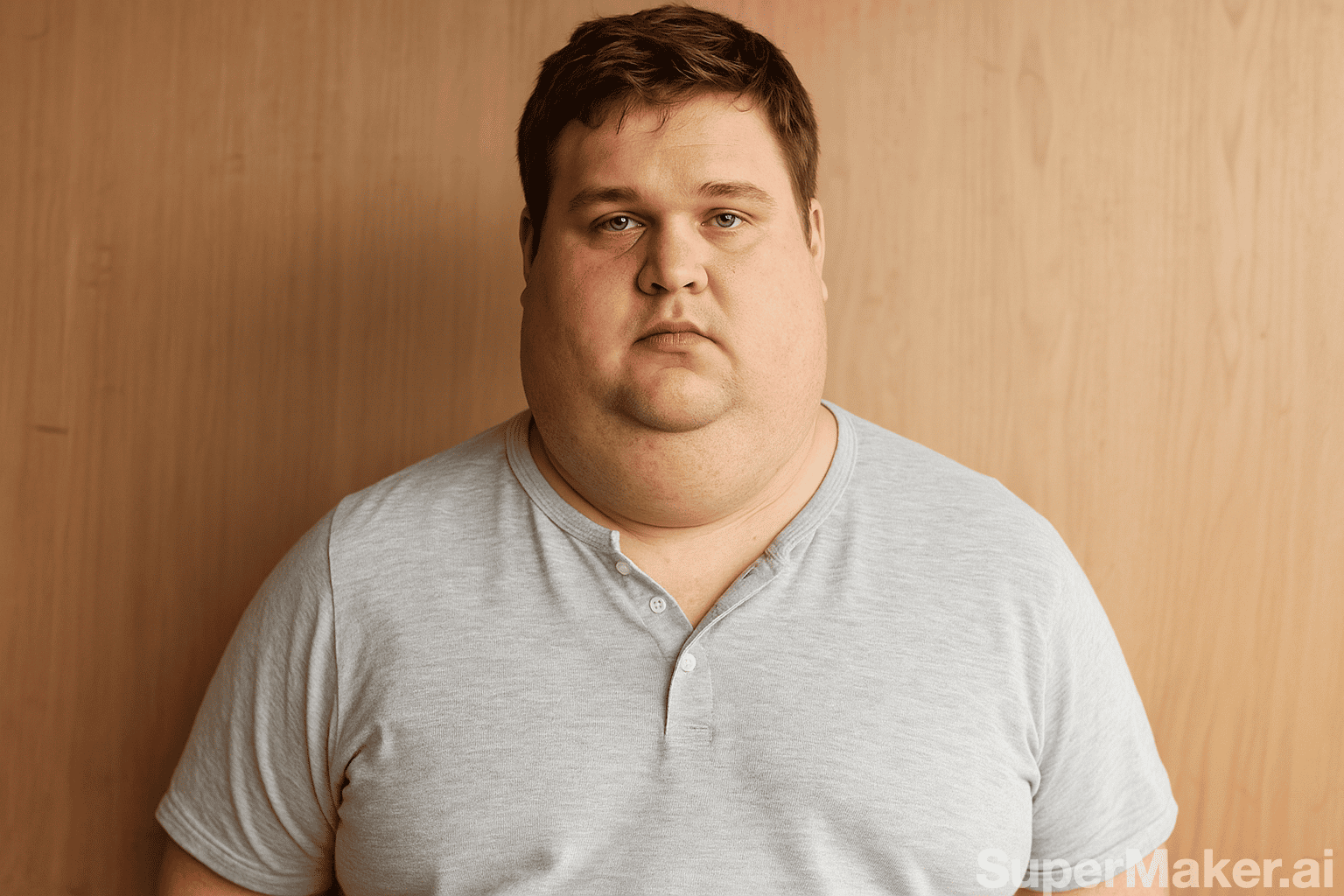
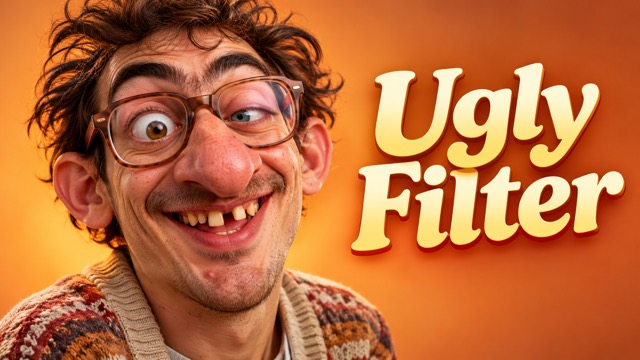
Turn a familiar portrait into a playful surprise. Upload a photo and let the ugly filter create a comically exaggerated version with the ugly face filter. Oversized features and an awkward expression can give an everyday selfie a lighthearted new personality, ready to inspire a reaction image, meme, or playful profile picture.
How To Use The Ugly Filter
Create an ugly filter portrait from a photo in a few steps. Choose a clear image and see what the ugly face filter makes of it.

Choose An Ugly Filter Photo
Start with a well-lit portrait where the face is visible. A clear source gives the ugly face filter details to work with.

Upload Your Ugly Filter Portrait
Add one image to the ugly filter. The ugly face filter uses your photo as the starting point for the transformation.

Generate An Ugly Filter Image
Start generation and let the ugly filter create an exaggerated portrait. The ugly face filter is designed for a playful, recognizable result.

Review Your Ugly Filter Result
Compare the edited image with the original. If you want another take, try the ugly face filter with a different portrait.
Best AI Image Tools for Creative Projects
Explore creative tools for image, learn tips and tricks, and see how AI can be your assistant in turning concepts into finished projects.

















Explore The Ugly Filter Effect
The ugly filter gives a portrait a comic twist. Explore how an ugly face filter can turn an everyday selfie into a playful image. See how facial proportions, expressions, and familiar details can combine to create a surprising take on a photo you already have.
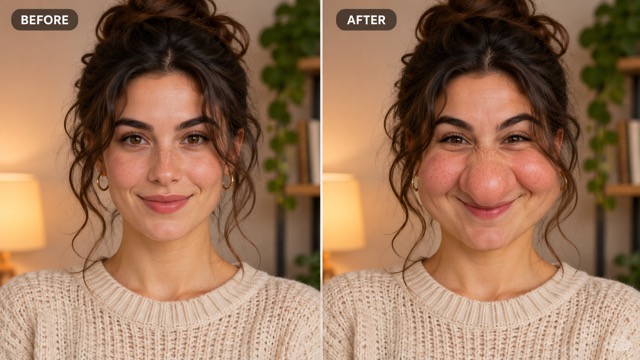
Ugly Filter For Exaggerated Features
The ugly filter reimagines a portrait with comically enlarged or uneven features. The effect is prompted to keep the person recognizable while giving the face an unexpected twist. A larger nose, rounded cheeks, or an offbeat expression can make the change easy to spot while leaving familiar details in place. The exact mix depends on the portrait you choose.
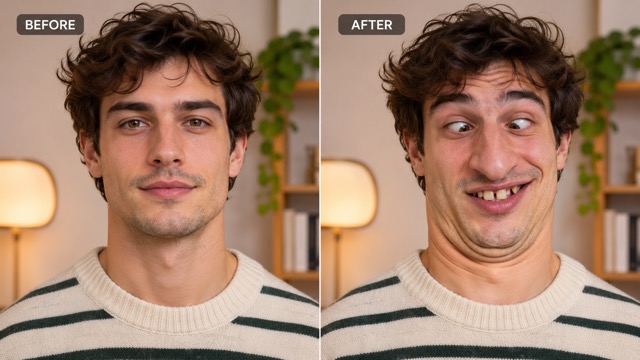
Ugly Filter For Funny Expressions
Give a familiar selfie a playful new mood. The effect can turn a straightforward portrait into an expressive reaction image, with the original photo guiding the result. Try a portrait with a clear expression as your starting point, then compare the edited face with the original. The contrast can give a simple message or creative project a visual punchline.
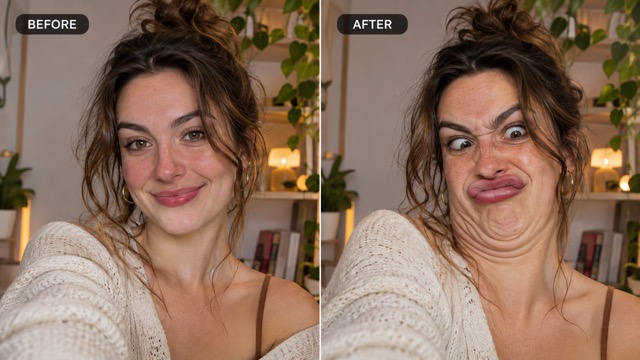
Ugly Filter With A Photographic Look
The ugly filter is designed to create a photo-style edit rather than a drawn caricature. The effect uses the source image as its starting point, including the pose and surroundings. Lighting, clothing, and background help connect the new image to your source photo. Because each image is generated from its own starting point, details and the strength of the transformation can vary.
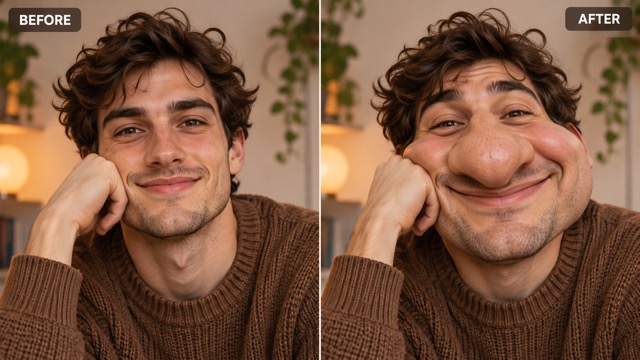
Ugly Filter For One-Photo Edits
Upload a single portrait to begin. The effect applies a built-in creative direction, so you can explore the effect without writing a detailed editing prompt. A visible face gives the edit a clear subject to work from. After generation, review how the new proportions interact with the pose and expression in your original image.
Ugly Filter For Recognizable Portraits
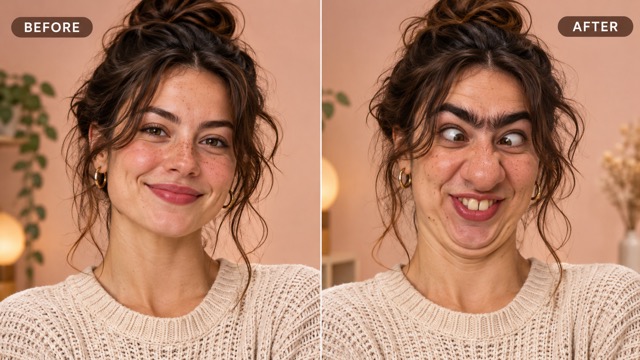
The ugly filter aims to keep the subject recognizable even as facial proportions change. Compare your ugly face filter result with the original to see which details carry through. Familiar details such as hairstyle, pose, and surroundings provide context for the exaggerated face. A clear original makes it easier to compare the result and choose a version you like.
Ugly Filter For Fresh Takes
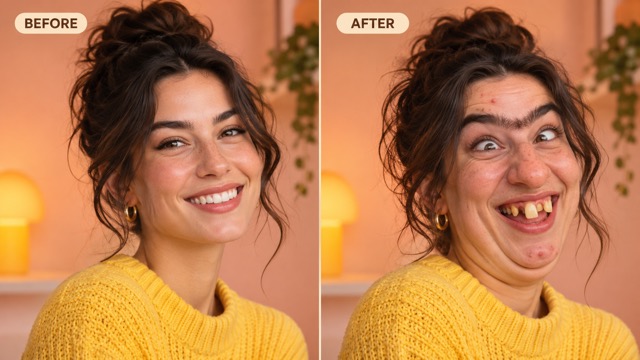
Different source photos give the ugly filter different starting points. Try the effect with another angle or expression when you want a new version. A straight-on selfie and a portrait taken at an angle can create different comic moments. Experiment with photos that already have distinct expressions to explore a range of results.
Ugly Filter Ideas For Your Photos
From reaction images to character ideas, the ugly filter gives your portrait a different role. Try the ugly face filter with a photo that fits your idea. A familiar face can become a starting point for a joke, a visual comparison, or a character concept, depending on how you use the result.

Ugly Filter For Reaction Images
Turn a selfie into a playful response for a group chat. An ugly face filter image can add a visual punchline to a conversation. Choose a photo with a clear expression and pair the result with a short message that fits the moment. It can make an ordinary reply feel more personal.
Ugly Filter For Memes
Start with a portrait and pair the edited result with your own caption. The ugly face filter gives a familiar face a surprising expression for a personal meme. A close-up portrait makes the altered expression easy to see alongside your words. Experiment with different captions to give the same image a new context.

Ugly Filter For Profile Pictures
Try an edited portrait as a temporary avatar or playful profile image. The ugly face filter works from a photo you choose. A recognizable source photo can make the unexpected look more amusing to people who know you. Compare the edit with your usual picture before deciding where to use it.
Ugly Filter For Creative Challenges
Invite friends to try the effect on their own portraits and compare the results. Each ugly face filter edit begins with a different source image. Everyone can start with a portrait of their own and share a favorite result. Comparing expressions, angles, and transformations can turn the activity into a casual creative game.

Ugly Filter For Before And After Posts
Place your original portrait beside the edited version to highlight the transformation. An ugly face filter result can make the contrast the focus of the post. The side-by-side arrangement lets viewers see how the face and expression have changed. Pick a clear original and give both images enough space to be easy to compare.

Ugly Filter For Character Ideas
Use an edited portrait as a starting point for a comic character. The ugly face filter can suggest a look you might develop further in your own project. Look at the new expression and proportions for ideas about the character's mood or personality. You can use the image as visual inspiration for a story, sketch, or personal project.
Ugly Filter Questions
Learn how the ugly filter works and choose a portrait for your ugly face filter edit. Find practical tips for selecting an image, reviewing the transformation, and using the finished portrait in a creative project.
An ugly filter is a playful photo effect that exaggerates facial features. This ugly face filter starts from an uploaded portrait and creates a new image. The goal is a comic transformation, with features and expressions pushed beyond an ordinary portrait while retaining a connection to the source image.
Upload a clear portrait, start generation, and review the result. The ugly face filter uses a built-in direction to guide the edit.
Choose a well-lit image with a visible face. The ugly face filter result can vary with the photo's angle, expression, and detail. Faces that are clearly visible give the edit more detail to work with. Try another angle or expression if you want to explore a different starting point.
The ugly filter is prompted to preserve a recognizable likeness while exaggerating facial features. Results vary, so compare your ugly face filter image with the original. Hair, pose, and surroundings can help connect the result to your source photo. The amount of change depends on the image and the generated result.
This ugly filter uses an uploaded still image to create an edited picture. Choose a portrait first, then review the generated result. It works with a photo you select rather than showing the effect as you move in front of a camera. You can compare the finished image with your source afterward.
You can use your ugly filter result as a starting image for a personal meme or reaction. The ugly face filter creates an edited version of your uploaded photo. Add your own caption or place the image in a conversation to fit the joke you have in mind. A visible expression helps the visual idea come across.
Yes. Start the ugly filter with another portrait or generate another version. A new source gives the ugly face filter a different starting point. Changing the source photo can change the angle, expression, and details available to the edit. Compare different versions and keep the one that fits your idea.
The ugly filter creates an edited result from the image you upload. Keep your original photo if you want to compare it with the ugly face filter result. Keeping the source file also makes it easier to try a different version later. Compare the two images side by side to see the changes in expression and proportion.
Try The Ugly Filter On Your Selfie
Choose a portrait and create a playful new version. Use the ugly face filter to give your photo an exaggerated expression. Start with a clear face, explore the transformation, and choose a result that suits your next meme, reaction, or creative idea.