

















More AI Video Generators
Explore our collection of specialized AI video generators designed for different creative needs and styles



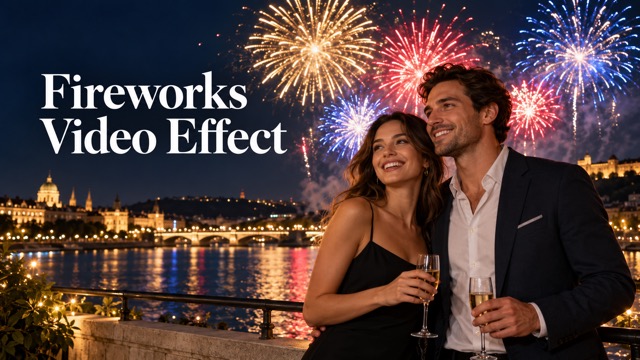
Fireworks Video Effect From Your Photo
Give Your Celebration A Sky Full Of Color
Turn a favorite photo into a celebration scene with glowing trails, colorful bursts, and sparks fading into the night. The fireworks video effect gives portraits and outdoor memories a festive direction without asking you to assemble animation layers. Upload one image, generate with the prepared effect, and review your clip before sharing. Start with a clear subject and room above the scene so the fireworks have space to shine. The result can become the opening or closing moment of a greeting you finish with your own words and music.
How To Create A Fireworks Video Effect
Choose the moment you want to celebrate, upload a clear photo, and let the prepared effect guide the animation. Review the finished sequence before downloading a version you want to share.

Upload Your Photo
Choose one clear photo with a recognizable subject and some space around them. An outdoor portrait or an open skyline gives the effect a useful starting point. Avoid tightly cropped faces, heavy blur, and crowded backgrounds that leave little room for fireworks.

Click Generate
Check the available generation settings and displayed credit requirement, then click Generate. The built-in direction asks for fireworks behind your subject, with rising trails and fading sparks. You do not need to write a prompt or arrange separate visual effects on a timeline.

Download Your Video
Play the result through and check the subject, background, and firework sequence. When you are happy with the clip, download it for your greeting or social edit. Add any dates, captions, or music in your usual editor after choosing the version you prefer.
Best AI Video Tools for Creative Projects
Explore creative tools for video, learn tips and tricks, and see how AI can be your assistant in turning concepts into finished projects.

























Make The Celebration Part Of The Scene
A strong fireworks video effect needs more than bright particles. The creative direction brings together a recognizable subject, space for the display, and a sequence that builds before fading, giving your photo a clear celebratory mood.
A Familiar Face Under A Festive Sky
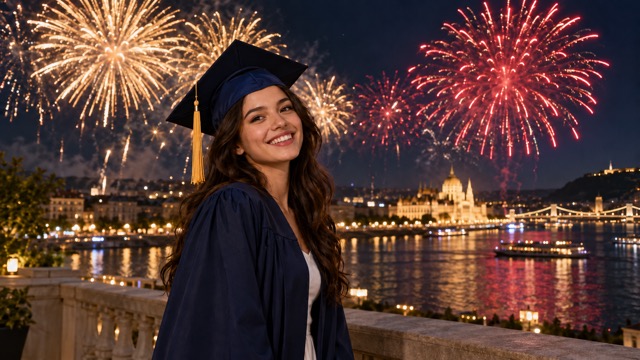
Your uploaded photo gives the video its personal starting point. The prepared direction asks the model to retain the main subject, clothing, and framing while placing fireworks in the background. That makes a graduation portrait or a favorite evening photo feel connected to the person you are celebrating. Choose an image where the face is easy to see, and check the generated result for facial detail before sharing it.
Rising Trails And Expanding Bursts
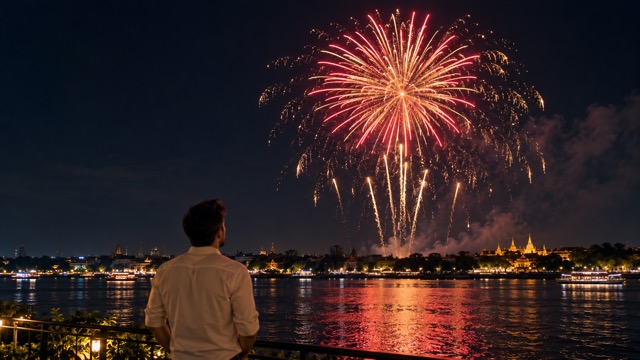
Fireworks feel more convincing when they unfold through time. The effect prompt describes trails rising into the sky, opening into colored bursts, and fading into smaller sparks. This gives the animation a beginning and a finish instead of treating the sky as a static decoration. The exact timing and shapes can vary between generations, so watch the entire clip and choose the sequence that best fits your intended greeting.
Light That Supports Your Main Subject
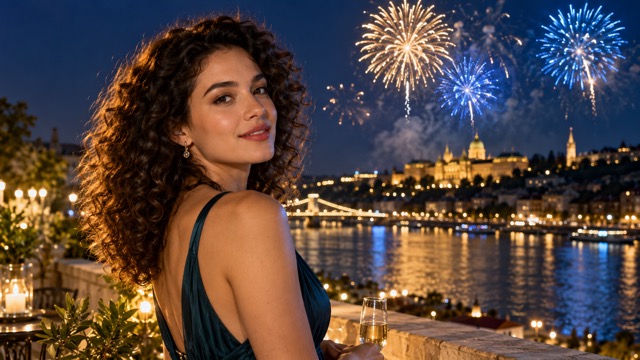
Gold and colored fireworks can add atmosphere without becoming the only thing viewers notice. The built-in direction keeps the bursts behind the main subject and asks for restrained light changes across the scene. Start with a readable silhouette and balanced exposure to give the animation a stronger visual foundation. A simple composition helps the person remain the emotional focus while the sky provides the sense of occasion around them.
A Prepared Effect Without Prompt Writing
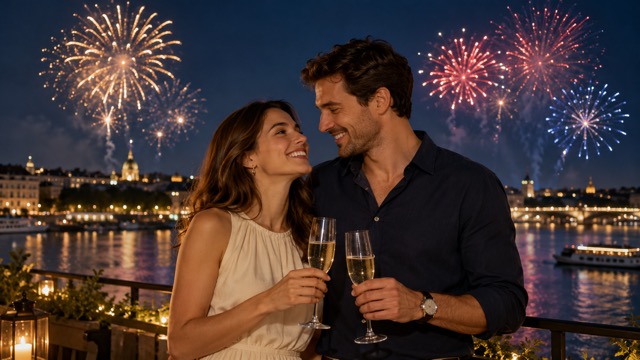
You can begin with a photo instead of a blank prompt box. This page uses a focused fireworks direction, so the creative starting point is already set when you upload. Spend your attention on choosing a meaningful image and reviewing the generated motion. For a different mood, try another source photo with more open sky, a different outfit, or a quieter background while keeping the same celebratory theme.
Give Everyday Milestones A Bigger Finish
Use the fireworks video effect when a still photo needs a celebratory ending. These ideas start with a meaningful image and leave room for your own message, date, or soundtrack in the final edit.

New Year Greetings
Create a seasonal greeting from a favorite portrait or an evening photo with friends. The fireworks bring a countdown atmosphere to the scene, while the familiar faces make the message personal. Download the clip and add your New Year wish in an editor, then share it with the people you want to celebrate with.

Birthday Video Messages
For friends and family making a birthday surprise, start with a flattering photo of the person you are celebrating. A burst of color gives the greeting a more animated finish than a static card. Combine the downloaded video with a personal voice message or a short caption to make the finished greeting feel specific to them.

Graduation And Achievement Posts
Students, parents, and community organizers can turn a milestone portrait into a celebration clip. Use a clear photo in graduation clothing or from a meaningful achievement, then let fireworks set the mood behind the subject. Add the actual milestone details separately so names, dates, and messages stay readable and accurate in your final post.

Anniversary And Couple Keepsakes
Couples and memory editors can use an outdoor portrait as the starting point for an anniversary message. Fireworks add a festive backdrop to a familiar moment without needing to organize a new shoot. Keep both faces clearly visible in the source photo, review their appearance in the result, and pair the clip with your own dedication.
Creative Perspectives On Celebration Videos
These illustrative, fictional evaluations show what different creators might value in a personal fireworks clip. They describe creative priorities and possible uses rather than verified customer experiences.
A familiar photo gives a celebration video its meaning. I like the idea of keeping the person central and letting the fireworks provide the excitement around the moment instead of covering it.
For a birthday message, a short burst of movement feels more personal than another generic card. There is still room to add my own words after choosing the clip I like.
A graduation photo already carries the story. A festive sky makes it feel like a closing scene, especially when I keep the final caption simple and let the portrait remain visible.
I value a clear starting point when making a celebration post. Beginning with one photo and a prepared effect leaves more attention for the message and the people it is about.
The most appealing version would keep our expressions recognizable and the fireworks in the background. That balance makes a shared memory feel celebratory while keeping the original photo at the heart of it.
An effect works best for me when it has a clear visual finish. Rising trails and fading sparks offer a useful ending for a short greeting without needing a complicated story.




Fireworks Video Effect Questions
Find practical answers about the input, prepared effect, and review process before you generate. A clear source photo and a careful playback check help you choose a clip that suits the occasion.
It is a photo-to-video effect that uses AI to create a celebration scene with animated fireworks. This page starts from one uploaded image and applies a prepared creative direction. It is useful for making personal greetings and milestone clips, with the exact visual result shaped by your source photo and generation.
Choose a clear image with an easily recognizable subject, balanced lighting, and some space above or around the person. Outdoor photos and open backgrounds provide a useful starting point. Avoid heavy blur, tiny faces, or very tight crops. Review generated faces and details before deciding that a clip is ready to share.
No. This page is configured with a built-in fireworks prompt and does not require extra text. Upload your photo, review the available settings and credit requirement, then generate. The prepared direction requests background fireworks, a recognizable main subject, and a sequence of rising trails, colorful bursts, and fading sparks.
This effect is configured for one photo as its input. Start with a still image rather than uploading an existing clip. If your favorite moment is in a video, you can first export a clear frame using your own editor, then use that image as the starting point for this effect.
The prompt asks the model to retain the subject and clothing, but AI animation can change facial details, objects, or background elements. Check the whole clip, especially faces and hands. If the result is not suitable, try a clearer source image with a simpler composition before generating another version.
Download the version you prefer after checking its motion and subject details. You can then add captions, dates, music, or a personal message in your usual video editor. Check the destination platform's framing requirements and keep important faces away from the crop edges when preparing a social post or greeting.
Turn Your Photo Into A Fireworks Celebration
Choose a moment worth celebrating and give it a sky full of movement. Upload a clear photo, create your fireworks video effect, and review the result. Bring your own message to the finished clip for a birthday, milestone, or greeting that feels personal.
