














More AI Video Generators
Explore our collection of specialized AI video generators designed for different creative needs and styles



Halloween Dance Video Generator from Photo
Original Costumes, Playful Moves, Festive Scenes
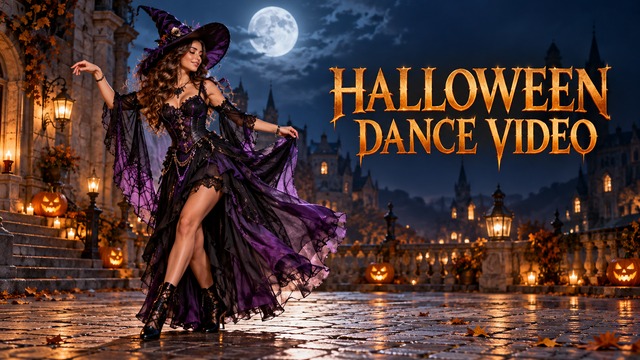
Turn your photo into a fun Halloween dance video with AI. Create an original witch, vampire, skeleton-inspired, ghost-party, or pumpkin dance clip with expressive moves and a festive atmosphere. Start your AI Halloween dance video with one authorized adult photo, then guide the costume, setting, and simple movements. Review the performance before sharing. The artwork below illustrates creative directions; it is not a verified generator output.
How To Make A Halloween Dance Video
Move from a photo to Halloween dance video creation with one performer and a focused idea. Choose a costume direction, generate a short continuous performance, and review the result before downloading.
Upload Your Photo
Choose one authorized adult photo with a clear face, even lighting, and the whole body visible. Leave space around both arms and feet. A Halloween dance video is easier to direct when the source shows a natural standing pose and uncluttered background.
Generate Your Halloween Dance
Choose a Halloween dance style and add optional movement or scene details. Generate your AI Halloween dance video with Kling 2.5. Keep the sequence simple: two side steps, a small arm swing, a shoulder bounce, then a clear final pose in one shot.
Download Your Video
Preview the Halloween dance video from beginning to end. Check the face, costume, hands, foot contact, and background before downloading. If movement looks unstable, reduce the action and try another version. Add your own authorized audio in an editor before social sharing.
Best AI Video Tools for Creative Projects
Explore creative tools for video, learn tips and tricks, and see how AI can be your assistant in turning concepts into finished projects.

























Halloween Dance Video Features
Explore five original directions for an AI Halloween dance video. Each scene keeps one performer, a readable movement idea, and a distinct seasonal atmosphere so you can compare costume, lighting, and background choices before creating a shareable clip.
A Moonlit Halloween Dance Video
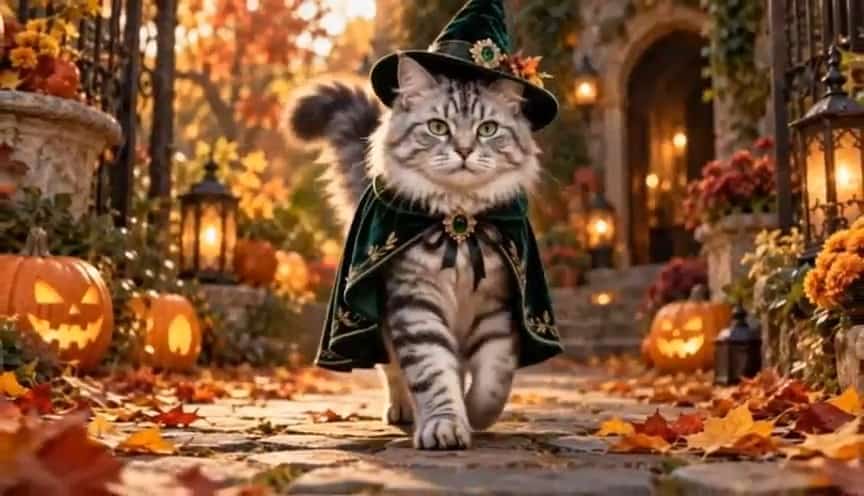
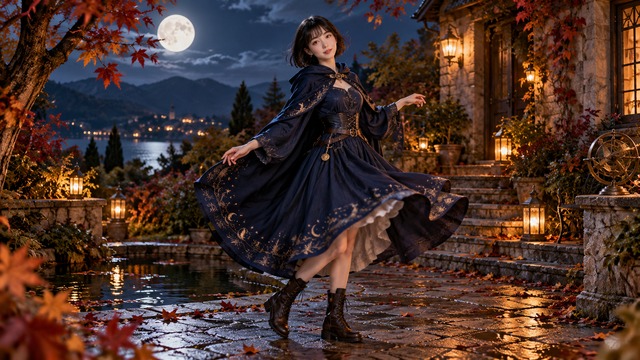
Give your AI Halloween dance video an original witch costume, a flowing cape, and a moonlit courtyard. Two side steps and a gentle shoulder bounce let the fabric move without hiding the face. Describe practical boots, restrained fog, and glowing pumpkins for a readable full-body composition. This Halloween dance video direction suits a playful seasonal greeting with a confident final pose. For a separate outfit-reveal concept, explore AI Halloween Costume Transformation.
Elegant Moves With A Recognizable Face
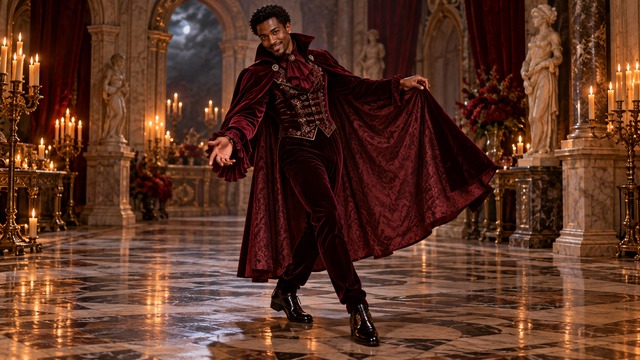
Create an AI Halloween dance video with an original burgundy velvet cape, an elegant collar, and warm gothic lighting. A short forward step, two controlled arm gestures, and a gentle sway give the character a graceful rhythm. A friendly mysterious smile can finish the performance without aggressive movement. Review your Halloween dance video for cape continuity and coherent shadows, especially when the arms cross the torso.
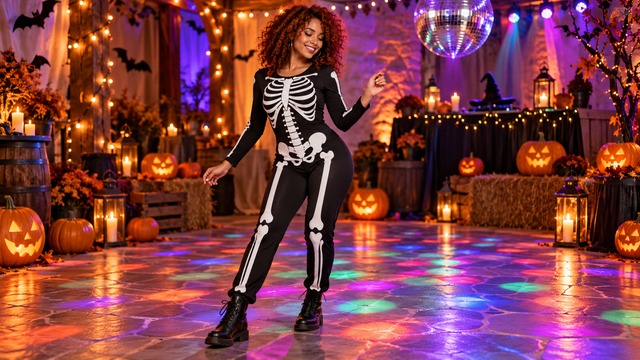
Playful Patterns In A Halloween Dance Video
Build an AI Halloween dance video around a fully clothed performer wearing original skeleton-inspired fabric patterns. The costume remains clothing, with no exposed anatomy or graphic transformation. For a cheerful Halloween dance video, choose a steady full-body shot and a relaxed final pose. Inspect the printed bone shapes for flickering before selecting the version you want to share.
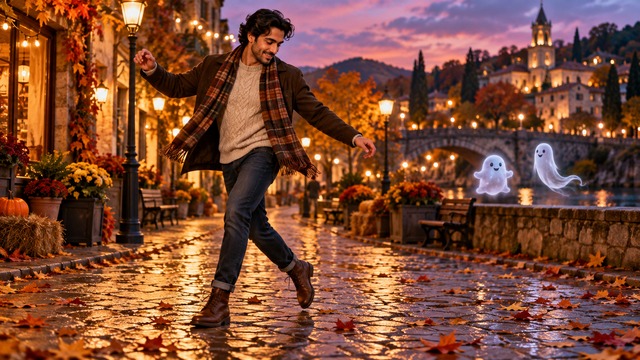
One Performer And Friendly Background Ghosts
Set your AI Halloween dance video on an autumn street at twilight, with two small original ghosts floating in the distant background. Ask for distinct shapes, gentle motion, and clear separation from the main dancer. Side-to-side steps, a brief wave, and a playful head tilt keep the scene approachable. The ghosts should never cover the face or merge with moving arms. Review this Halloween dance video for stable spacing and background depth.
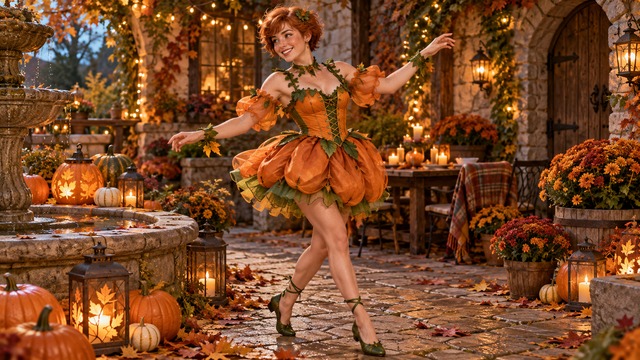
Warm Autumn Color And A Happy Final Pose
Give your AI Halloween dance video an orange-and-green fabric costume, warm fairy lights, and a garden path lined with pumpkins. Keep the performer’s human head and recognizable face visible. Two cheerful side steps, one simple arm gesture, and a subtle turn create a clear movement sequence without crowding a short clip. End the Halloween dance video with a happy pose that leaves room for a caption added later. For broader photo-animation ideas, visit Image To Video.
Halloween Dance Video Ideas For Your Audience
Choose a scenario that matches your audience, platform, and seasonal goal. These practical starting points explain who the clip is for, what to show, and how to turn the generated movement into a useful social or event asset.
Halloween Party Clips
Party hosts can turn an authorized portrait into an AI Halloween dance video invitation for guests. Choose soft lanterns, a friendly gesture, and a clear final pose, then add the date, venue, and RSVP details later in an editor so the generated scene stays visually clean.
TikTok Halloween Video
Short-form creators can frame an AI Halloween dance video around one clear action and a final pose. Prepare a portrait-oriented source with room around the feet, review the opening hook and crop, and keep captions or platform stickers away from important costume and face details.
Instagram Reels
Lifestyle creators can add a Halloween dance video to an existing visual style by matching the lighting and palette of their feed. Review facial consistency, choose a readable first gesture, and add the caption or branded treatment afterward so the seasonal clip remains flexible.
YouTube Shorts
Video editors can use a Halloween dance video as the opening beat of a short seasonal story. Check the final frame for a smooth edit point, then add narration, licensed sound, or your own recorded audio after generation rather than assuming the model supplies music.
Illustrative Creator Reactions
Fictional names, roles, and reactions illustrate possible creator perspectives. These examples are not verified customer endorsements or accounts of actual product use; replace them with authorized customer feedback when available.
The witch direction gave our holiday concept a clear visual starting point. I could compare the costume silhouette, moonlit setting, and final pose before choosing a clip for our event announcement.
I liked having five distinct scene ideas in one workflow. The simple movement guidance made it easier to judge framing and keep the face readable when reviewing clips for vertical social formats.
The pumpkin concept helped me plan a warm seasonal Reel without relying on a copied character or soundtrack. The clear final pose also gave me a useful edit point for my own caption and audio.
The friendly ghost scene felt appropriate for a neighborhood invitation because the background characters stayed separate from the performer. I could explain the mood to our team before making any final edit.
The vampire and skeleton directions were useful references for comparing fabric, lighting, and movement. They helped me decide which original costume idea deserved a longer creative treatment.
The workflow made the review step clear: check identity, hands, feet, costume continuity, and the final crop before sharing. That checklist made the seasonal video concept easier to evaluate responsibly.




Halloween Dance Video FAQ
Practical answers about source photos, movement direction, output framing, credits, and responsible sharing. Review the controls available for your selected model before you generate.
A Halloween dance video animates a person in a festive costume and setting. Upload one authorized adult photo, choose a style, add optional direction, and generate with Kling 2.5. Your AI Halloween dance video can use witch, vampire, skeleton-pattern, friendly-ghost, or pumpkin ideas. Preview the whole clip, refine unclear movement, and download the version you prefer.
Use a clear, evenly lit full-body photo of one adult, with hands and feet visible. An AI Halloween dance video can aim to preserve identity, but facial and anatomical consistency are not guaranteed. Half-body selfies provide less information for full-body movement, so results may be less stable. Request natural foot contact, consistent proportions, and one continuous shot; simplify the action if hands or costume details distort.
Describe small steps, arm swings, a shoulder bounce, or a gentle turn in your Halloween dance video prompt. The selected Kling 2.5 image workflow accepts a photo and text direction; this page does not provide motion-reference video upload or exact choreography transfer. Guide your AI Halloween dance video with one short, readable sequence.
Kling 2.5 offers 5-second and 10-second duration choices in this workflow. Image input determines framing, so prepare a 9:16 source for a portrait-oriented Halloween dance video and inspect the actual result before sharing. Your AI Halloween dance video should keep the whole performer inside that crop. This page does not promise a selectable output resolution or a fixed quality level beyond the available generator controls.
Check the displayed credit cost and your account balance before generating a Halloween dance video. Free or unlimited access is not promised. The selected workflow does not offer a native music control, so do not rely on an automatic soundtrack or exact beat synchronization. After downloading your AI Halloween dance video, you can add audio you own or are authorized to use in a separate editor.
Preview and download your Halloween dance video, then review the crop and details before posting to TikTok, Reels, or Shorts. Commercial use depends on applicable terms and rights to the photo, likeness, costume design, and added audio; generation alone does not grant third-party permissions. Make your AI Halloween dance video with original choreography and authorized adults. This page is not affiliated with any movie or music franchise. Avoid official characters, copied costumes, logos, and unlicensed songs in your final edit.
Create Your Halloween Dance Video
Upload a photo and bring an original Halloween character to life with playful dance movements, festive costumes, and cinematic seasonal settings. Choose your direction, generate a Halloween dance video, and preview every detail before downloading your next original seasonal clip.
