



More AI Image Generators
Explore our collection of specialized AI image generators designed for different creative needs and styles






Text To GIF: Turn Written Ideas Into Motion
Describe A Scene And Shape A Short Animation From Scratch
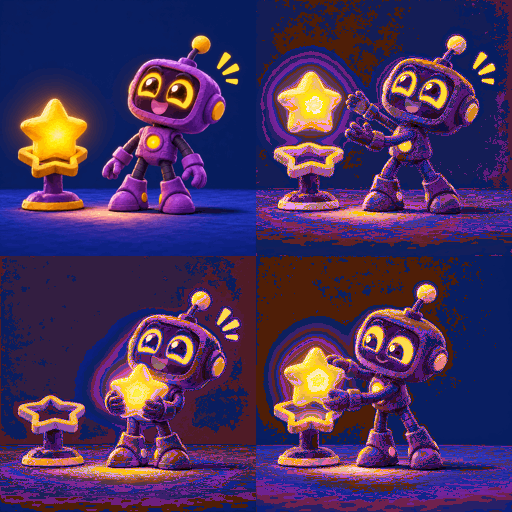
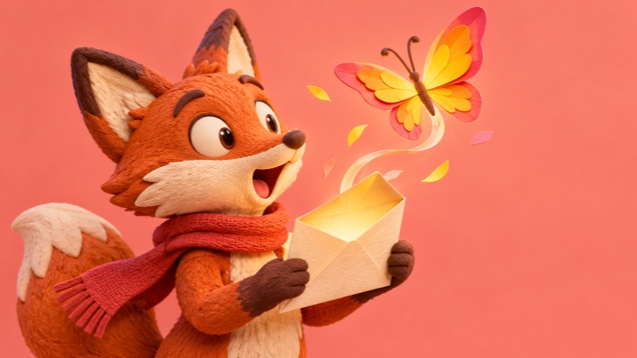
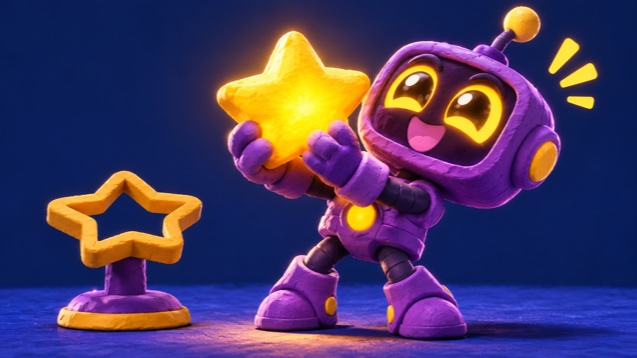
Text to GIF starts with an idea you can put into words: a surprised robot catching a star, a fox opening a letter, or a paper bird delivering a ribbon. Give this text to gif generator the subject, the action, and the look you want. This text to gif generator uses your written direction to create a short animated scene, so you can begin without a photograph, recorded footage, or a frame-by-frame drawing plan. Use text to GIF for social media concepts, playful reactions, or a visual idea that needs movement to make sense. This text to gif maker gives you a place to test that idea before developing a larger creative project. To create animated GIFs from text, begin with one readable action and build from there. Choose GIF as the output format to generate an animated image directly. Review the motion and loop before downloading the result for your intended destination.
Build A Clearer Scene With Your Words
This text to gif generator puts the creative brief at the center of the process. Tell this text to gif generator what happens, how the subject reacts, and what the image should feel like. This text to gif maker is useful when you want to explore an original scene instead of animate a familiar photograph. The animation begins with those choices; the strongest prompts connect them into a single readable moment.
Describe An Original Scene
A useful text to GIF idea does not need an existing picture. Start with a character, an object, or a small situation, then describe what changes within the shot. This text to gif generator lets the written scene provide the starting point instead of asking you to preserve a subject from an uploaded image. For example, a fox opening an envelope gives the animation an action, a focal point, and a clear moment of discovery.
When you create animated GIFs from text, select details that a viewer can recognize quickly: a bold silhouette, an uncluttered setting, and one meaningful gesture. Your text to gif maker can interpret those details together, while your prompt supplies the creative direction. Treat text to gif AI as a way to explore a new scene, then judge the result on the idea you intended. Revise an unclear action before adding more decorative details or unrelated background activity.
Give A Reaction Its Own Story
Reaction concepts work best when the feeling is visible in the action. A tiny robot catching a falling star can communicate relief; a surprised character opening an empty box can suggest disbelief. Use this text to gif generator to describe that event in plain language, including the expression at the turning point and the pose that follows. You are directing an imagined moment rather than choosing a stock reaction that almost fits.
To make reaction GIFs from text, keep the camera framing simple and give the subject enough space to complete the gesture. This text to gif maker responds to the scene you describe, but you should still review the expression, anatomy, and timing. Animation works as an iterative creative process: change one instruction when the first result misses the emotion. For GIFs from text prompts, a clear beginning and a readable outcome are more useful than several competing events.

Shape The Look With Your Prompt
Your written style direction can change how the same small story feels. Try a tactile clay character for a playful reaction, layered paper shapes for a greeting, or restrained cinematic lighting for a dramatic concept. This text to gif generator takes those descriptive choices as part of the prompt. Style names are writing directions, so explain the materials, palette, and atmosphere that matter rather than relying on a label alone.
Use text to GIF for social media ideas that need a consistent mood across the subject and setting. This text to gif maker gives you room to describe that relationship without uploading a reference. For GIFs from text prompts, keep the action constant while changing the visual treatment so you can compare the results meaningfully. A clear prompt can help you explore a direction, but review each version for coherence before choosing it for a post, presentation, or broader creative brief.
Best AI Image Tools for Creative Projects
Explore creative tools for image, learn tips and tricks, and see how AI can be your assistant in turning concepts into finished projects.









Creative Perspectives On Prompt-Based Animation
Illustrative names and reactions describe possible creative uses; these are not verified customer endorsements.
For a community reaction, I want the emotion to read before anyone notices the background. A written scene is an appealing starting point for that brief. A text to gif generator makes the written gesture central to the concept.
I like a brief that describes what happens, not just a list of style words. This workflow fits that way of thinking. A text to gif maker gives an original scene a concrete direction to explore.
The useful part of this workflow is starting with an idea I do not already have a photo for. I would use text to gif AI to make reaction GIFs from text and explore the action, then review the result before building the post around it.
A short scene is easier to discuss when its action has a beginning and an outcome. This text to gif generator is a useful concept for visual briefs. I would use this text to gif maker to compare one change at a time.