
More AI Video Generators
Explore our collection of specialized AI video generators designed for different creative needs and styles










LTX 2.5 Video AI: Create Faster, Cleaner AI Video
Generate Controlled Multi-Shot Video With LTX-2.5
Create with LTX 2.5 video AI on SuperMaker AI and turn prompts or reference images into polished AI video with stronger continuity, cleaner motion, and more precise creative control. The model is built for creators who want complex actions, connected shots, and professional-looking output without a complicated production workflow. Use the LTX-2.5 video generator free experience to test ideas, explore visual directions, and move from concept to generated footage faster. The LTX-2.5 video generator free workflow gives you a simple online starting point for experimenting with the latest LTX generation capabilities.
How To Use LTX 2.5 Video AI On SuperMaker AI
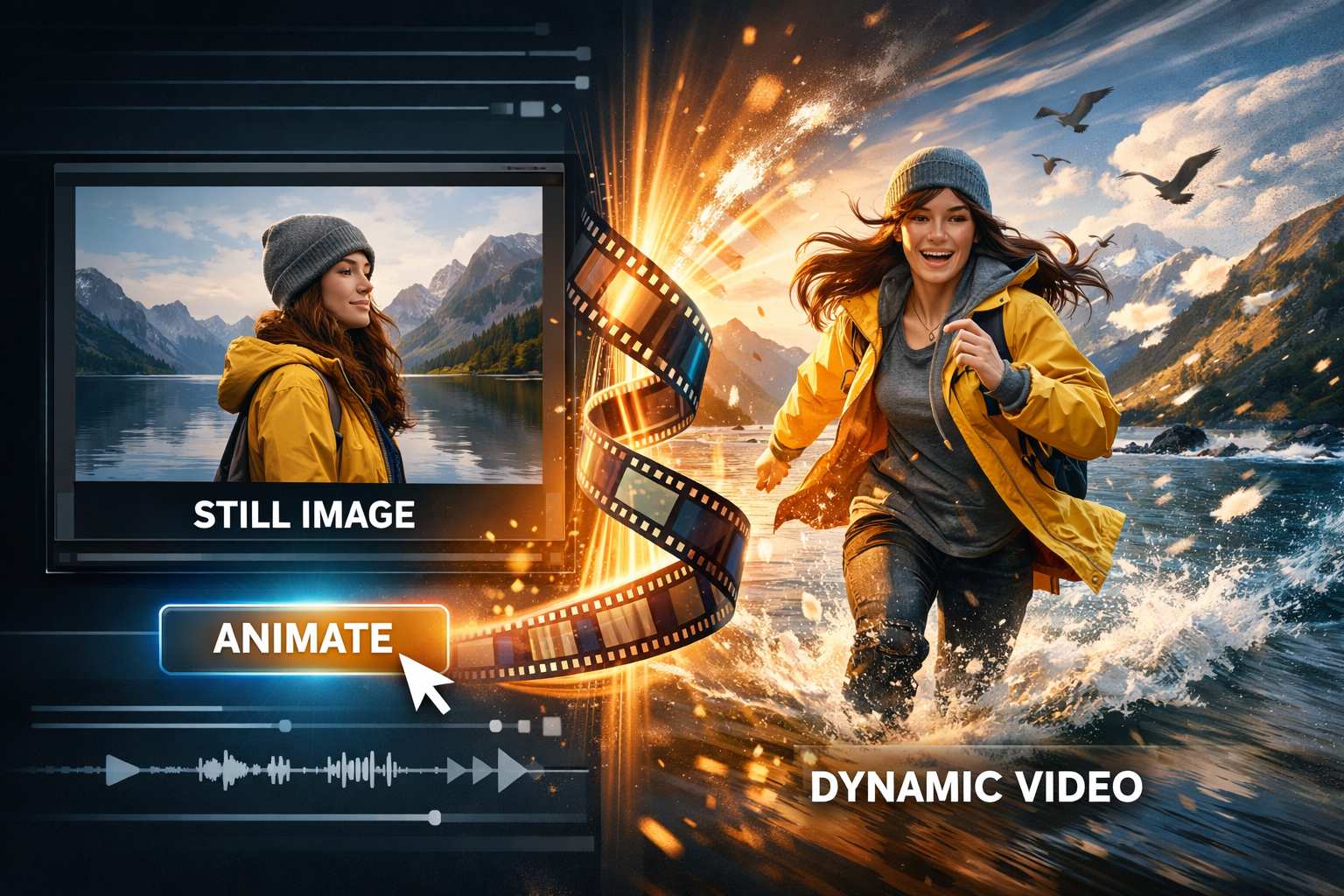
The LTX 2.5 video AI workflow is designed to keep creation direct: choose your input, describe the scene, and generate. With the LTX-2.5 video generator free experience, you can test cinematic ideas without building a local inference stack. The model can interpret detailed creative direction while reducing the need for excessive prompt engineering, making the LTX-2.5 video generator free workflow useful for fast iteration.

Add Your Prompt Or Reference
Start LTX 2.5 video AI with a clear text prompt or a reference image when the selected workflow supports it. Describe the subject, environment, action, camera behavior, lighting, style, and important continuity details. The LTX-2.5 video generator free experience is a practical way to test how the model translates your creative intent into motion before refining the next generation.

Describe Motion And Shot Progression
Tell LTX 2.5 video AI what should happen over time, including movement, camera changes, scene transitions, and multiple connected shots. The model is designed for stronger prompt adherence and native multishot continuity, so prompts can focus on the story instead of excessive technical wording. Use the LTX-2.5 video generator free workflow to test different pacing, actions, and shot structures quickly.

Generate And Refine
Generate your LTX 2.5 video AI result, review motion quality, continuity, framing, and timing, then adjust the prompt if needed. The LTX-2.5 video generator free experience makes it easier to compare creative variations before choosing a final direction. The model is built to deliver more usable results with fewer retries, helping creators move from testing to production-ready concepts faster.
Best AI Video Tools for Creative Projects
Explore creative tools for video, learn tips and tricks, and see how AI can be your assistant in turning concepts into finished projects.
























Why Create With LTX 2.5 Video AI
LTX 2.5 video AI advances the LTX foundation with a new diffusion video decoder, native multishot generation, stronger prompt understanding, automatic duration prediction, and professional HDR and RAW capabilities. For creators, the LTX-2.5 video generator free workflow offers a convenient way to explore these improvements online. The model is especially useful when a project needs smoother motion, stronger continuity, and more dependable instruction following.

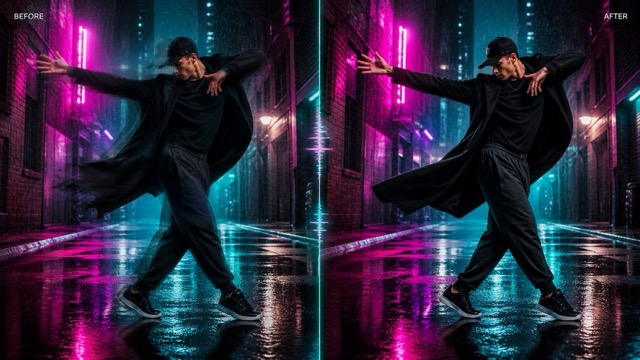
Cleaner Motion With Diffusion Fidelity Rendering
LTX 2.5 video AI introduces Diffusion Fidelity Rendering, a generation approach designed to allocate rendering compute according to scene complexity. The goal is cleaner frame-level detail with fewer visible motion artifacts and more natural movement. For action, fashion, product, lifestyle, and cinematic scenes, LTX 2.5 video AI can produce motion that feels less smeared or unstable. Try the LTX-2.5 video generator free workflow to compare motion-heavy prompts and explore how the model handles fast movement, camera travel, and changing scene detail.
Create Connected Multi-Shot Video
Native multishot is one of the defining upgrades in LTX 2.5 video AI. Instead of treating every shot as an isolated generation, the model is designed to create connected shots while holding character, environment, lighting, and voice continuity. This gives storytellers more room to build short sequences, campaign concepts, dialogue moments, and visual narratives. Use the LTX-2.5 video generator free experience to test scene progression, then refine your prompt until the shots feel like parts of one continuous idea.
Follow Complex Prompts More Reliably
LTX 2.5 video AI improves prompt understanding with a Gemma 4 12B text encoder and a custom prompt enhancer. This helps LTX 2.5 video AI follow complex creative instructions from shorter and simpler prompts, including subject relationships, camera behavior, action, timing, and style. The LTX-2.5 video generator free workflow is useful for testing prompt variations without turning every idea into a long technical specification. Give the model a clear scene objective and refine only the details that matter.

Let Auto Duration Match The Action
LTX 2.5 video AI adds automatic duration prediction, allowing the model to determine a suitable clip length for the action requested in the prompt. Instead of forcing every idea into the same timing structure, LTX 2.5 video AI can adapt duration to the requested event. Use the LTX-2.5 video generator free experience for scenes such as reveals, gestures, character actions, or camera moves, and see how the model balances action completion with pacing.
Popular LTX 2.5 Video AI Use Cases
Use LTX 2.5 video AI when your idea depends on controlled motion, connected shots, prompt fidelity, or cinematic visual development. The LTX-2.5 video generator free experience can support fast exploration across advertising, storytelling, social video, product concepts, and previsualization. The model gives both creators and teams a flexible way to turn written direction into moving visual concepts.

Cinematic Story Sequences
Use LTX 2.5 video AI for short cinematic sequences that move across connected shots while preserving key scene elements. The LTX-2.5 video generator free workflow can help filmmakers and storytellers test blocking, camera direction, pacing, lighting, and character continuity before committing to a final concept.

Advertising And Product Concepts
Create product reveals, fashion clips, lifestyle ads, and visual campaign concepts with LTX 2.5 video AI. The LTX-2.5 video generator free experience lets marketers test motion, framing, and creative direction quickly, while the model provides stronger prompt control for more intentional brand visuals.

Social Video Experiments
Use LTX 2.5 video AI to explore attention-grabbing scenes for Reels, Shorts, TikTok-style edits, and creator content. The LTX-2.5 video generator free workflow makes rapid concept testing easier, while LTX 2.5 video AI helps keep motion and requested camera behavior aligned with the prompt.

Previsualization And Creative Planning
Turn scripts, shot ideas, and visual references into moving previsualization with LTX 2.5 video AI. The LTX-2.5 video generator free experience can help creative teams compare directions before production, and LTX 2.5 video AI makes it easier to explore multishot structure, pacing, and scene continuity.
What Creators Say About LTX 2.5 Video AI
Creators use LTX 2.5 video AI to explore story structure, motion, advertising concepts, and visual direction with less friction. The LTX-2.5 video generator free experience makes early experimentation more accessible, while the model gives teams more control when a prompt includes multiple actions or connected shots.
I tested LTX 2.5 video AI for a three-shot campaign concept and the continuity felt much easier to work with. The LTX-2.5 video generator free workflow helped me compare several directions before choosing the version I wanted to develop.
For story previsualization, LTX 2.5 video AI gives me a useful balance between speed and control. I can describe the action and camera idea clearly, then use the LTX-2.5 video generator free experience to see which scene structure communicates the concept best.
I like using LTX 2.5 video AI for motion-heavy product ideas because I spend less time trying to rescue awkward movement. The LTX-2.5 video generator free workflow is especially useful when I need to test several hooks for a campaign.
LTX 2.5 video AI follows layered prompts better than I expected when I combine subject action, camera movement, and lighting direction. The LTX-2.5 video generator free experience gives me a quick way to validate a visual idea before I spend time polishing it.
For social concepts, LTX 2.5 video AI lets me move from a rough idea to a watchable clip quickly. I use the LTX-2.5 video generator free workflow to test pacing and opening shots, then rewrite only the parts of the prompt that need more control.
The multishot direction is what makes LTX 2.5 video AI interesting for narrative work. With the LTX-2.5 video generator free experience, I can explore connected scenes and check whether character, lighting, and environment remain coherent across the sequence.






LTX 2.5 Video AI FAQ
Learn what LTX 2.5 video AI adds to the LTX family and how to approach the LTX-2.5 video generator free workflow on SuperMaker AI.
LTX 2.5 video AI is the latest LTX open-weights foundation model for video generation. It focuses on cleaner motion, stronger continuity, better prompt understanding, native multishot generation, automatic duration prediction, and more efficient generation. On SuperMaker AI, the LTX-2.5 video generator free experience gives creators a simple online way to explore LTX 2.5 video AI without setting up the model locally.
LTX 2.5 video AI adds a new diffusion video decoder, cleaner motion, native multishot scenes, stronger prompt adherence, automatic clip duration, native 4K HDR, RAW workflow support, and an improved distilled model. The LTX-2.5 video generator free workflow helps you test these creative improvements through a browser-based generation experience.
Yes. Native multishot is a core LTX 2.5 video AI capability. It is designed to create connected shots while maintaining character, environment, lighting, and voice continuity. Use the LTX-2.5 video generator free experience to test story sequences and see how LTX 2.5 video AI handles transitions between related shots.
The LTX-2.5 video generator free experience on SuperMaker AI can be used to start testing the model according to the credits or access available on the platform. Availability can vary by account or plan. The main advantage is that you can explore LTX 2.5 video AI online instead of building and running the open-weights model on your own hardware.
For LTX 2.5 video AI, describe the subject, environment, action, camera movement, lighting, visual style, and any continuity requirements that matter across shots. You do not need to make every prompt extremely long. Stronger prompt adherence is designed to help LTX 2.5 video AI follow complex creative direction from simpler instructions. Use the LTX-2.5 video generator free workflow to test variants and refine only the details that change the result.
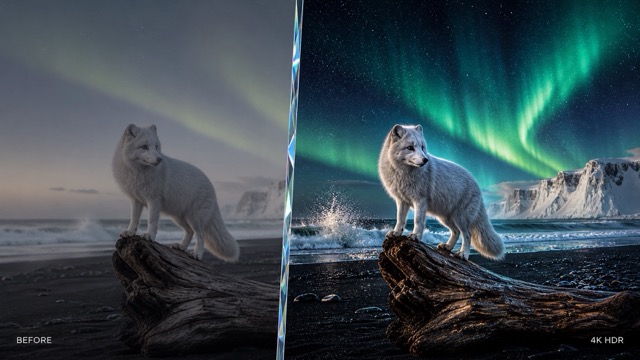
The LTX 2.5 video AI foundation supports native 4K HDR and native RAW workflows, which are aimed at professional finishing and color pipelines. Actual output options on SuperMaker AI may depend on the selected generation settings or plan. The LTX-2.5 video generator free experience is a practical place to evaluate motion, prompt response, and visual direction before moving into higher-end production use.
Create With LTX 2.5 Video AI Now
Turn your next idea into moving visuals with LTX 2.5 video AI. Test prompts, explore connected shots, compare motion, and refine creative direction with the LTX-2.5 video generator free experience on SuperMaker AI. LTX 2.5 video AI gives you a faster path from written concept to generated video, with stronger continuity, cleaner motion, and more precise prompt control.
