




More AI Video Generators
Explore our collection of specialized AI video generators designed for different creative needs and styles
Self Hug Sketch AI: Bring Your Pencil Embrace To Life
One Photo Becomes A Gentle Hug From Your Sketched Self
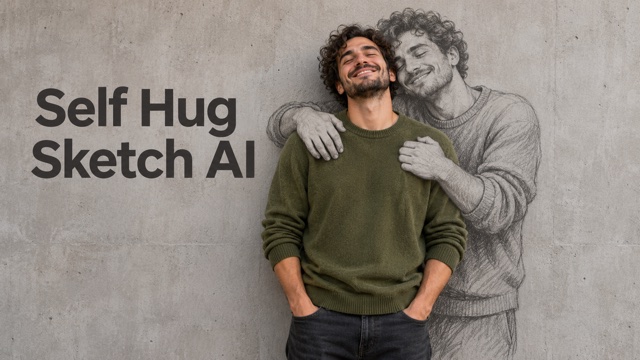
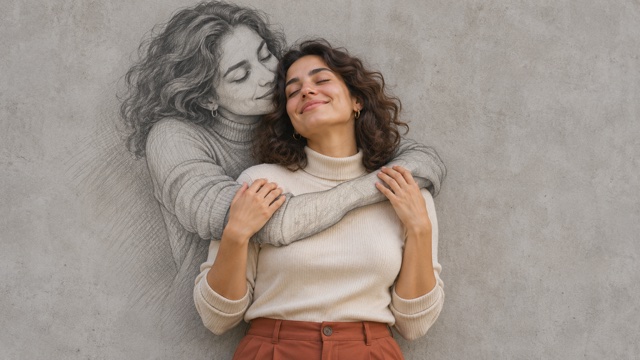
Self Hug Sketch AI turns a portrait into a tender moving scene: you in photographic color, with a larger pencil sketch of yourself embracing you from the wall behind. Create a Self Hug Sketch Video without filming the action, drawing the figure, or writing a detailed instruction. Use Self Hug Sketch AI Generator to explore the Embrace of my own self look with one clear source image. Self Hug Sketch AI is designed around your current appearance, so you do not need a childhood picture or a second person's photo. The scene begins with you against a bare wall, then your matching pencil double gradually appears, embraces you, and receives your hug in return. Make a self hug video from one photo, then review the face and drawn hands throughout playback before downloading your favorite result.
How To Use Self Hug Sketch AI
Create your Self Hug Sketch Video in four simple steps. Self Hug Sketch AI Generator supplies the scene and motion direction for you.

Choose Your Portrait
Pick one clear photo with your face and shoulders visible. A waist-up or full-body picture gives the embrace more room.

Upload One Photo
Add your picture to the upload area. Keep just one person in the source image.

Generate Your Sketch Hug
Press Generate to create the clip. The scene instructions are already included; you do not need to write a prompt.

Review And Download
Play the video and check your face, the drawn arms, and any lettering. Download the result you want to keep.
Best AI Video Tools for Creative Projects
Explore creative tools for video, learn tips and tricks, and see how AI can be your assistant in turning concepts into finished projects.















What Self Hug Sketch AI Creates
Self Hug Sketch AI combines a familiar face with an expressive drawing in motion. Self Hug Sketch AI Generator uses your photograph for identity and prepared scene instructions to guide the embrace.
A Pencil Sketch Of Yourself, Beside The Real You
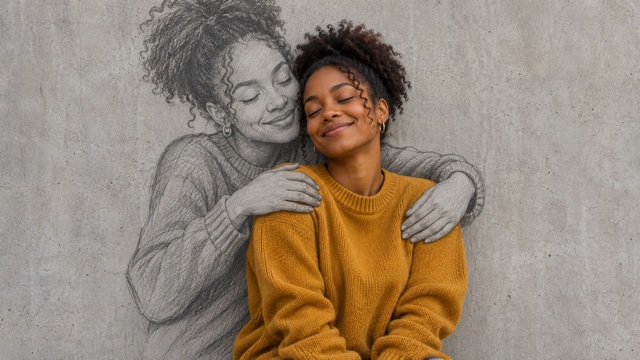
Self Hug Sketch AI places a photographic subject in front of a larger graphite double. The pencil sketch of yourself echoes the face and hair in your source photo, while visible shading and loose lines distinguish the drawing from the person. This contrast gives your Self Hug Sketch Video its central idea: the comfort comes from another version of you.
Self Hug Sketch AI Generator handles the mixed-media scene and its movement, so there is no need to film both roles or trace an outline. Choose a clear portrait with an unobstructed upper body to give the scene a useful foundation. Self Hug Sketch AI aims to keep recognizable features and visible clothing as the person settles into the embrace. During playback, inspect both faces and the drawn hands. Fine accessories may simplify, and details can change between frames, so judge the complete sequence as well as the opening view.
A Gentle Embrace That Unfolds In Motion
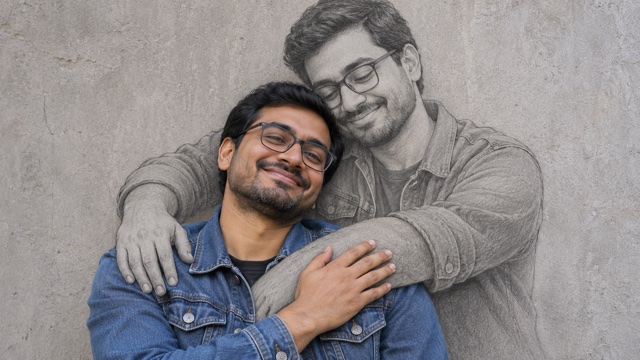
Self Hug Sketch AI gives the wall portrait a small, expressive sequence. The person leans against the wall, their matching sketch gradually appears and embraces them, and they return the hug with a relaxed smile. Your Self Hug Sketch Video uses movement to develop the feeling of self acceptance while keeping the pencil double visibly drawn against the wall.
With Self Hug Sketch AI Generator, the scene instructions guide the framing and gradual drawing sequence. Your photo supplies the person to recreate in both visual forms. Self Hug Sketch AI follows the Embrace of my own self theme with soft light, graphite texture, and a short handwritten line beside the figures. Watch for a continuous likeness and natural arm contact. A gentle scene works best when the person and the drawing remain easy to distinguish, with neither turning into a different character during the hug. Check the lettering before sharing.
A Personal Clip For A Moment You Want To Share
Self Hug Sketch AI gives a familiar photograph a moving emotional setting without requiring you to perform the action. Your Self Hug Sketch Video can become a birthday reflection, a journal entry, or a thoughtful update for your feed. The drawing represents you as you are now, with your source portrait guiding the face, hair, and visible outfit.
Use Self Hug Sketch AI Generator when you want a self hug video from one photo rather than a multi-image reunion. Self Hug Sketch AI builds a short scene from your portrait and prepared scene instructions, keeping the workflow focused on one upload. To prepare a self hug sketch for social posts, preview the clip in your intended layout before adding a caption. Keep both faces and the drawn arms inside the crop. Play the ending too, so your post finishes on the gesture you want people to remember.
Ways To Use Self Hug Sketch AI
A Self Hug Sketch Video can carry a personal message through a small, expressive gesture. These ideas use the same Self Hug Sketch AI Generator workflow, with the portrait and the meaning chosen by you.

A Quiet Self-Love Post
Use Self Hug Sketch AI to create a self hug sketch for social posts about being kinder to yourself. Pair your Self Hug Sketch Video with a caption about something you are learning to accept.
Self Hug Sketch AI Generator gives you the moving scene; you decide how much of the story to share. Self Hug Sketch AI can provide the short clip for a story or reel, accompanied by your own reflection.
A Birthday Or Personal Milestone
Mark a birthday, a new chapter, or the end of a demanding project with Self Hug Sketch AI. The Embrace of my own self theme works as a visual acknowledgement of your own effort. Choose a recent source portrait for your Self Hug Sketch Video.
Self Hug Sketch AI Generator keeps the creation process focused on one image. Self Hug Sketch AI aims to retain visible clothing cues as it builds the moving wall portrait.

An Image For Your Journal
Add Self Hug Sketch AI to a private journal or a page about your current goals. A pencil sketch of yourself can turn an abstract intention, such as showing yourself more patience, into an image you can return to. Keep your Self Hug Sketch Video with your notes as a moving visual entry.
Self Hug Sketch AI Generator starts from your portrait, so you do not need to draw or record a performance. Self Hug Sketch AI gives the entry a recognizable visual anchor. Revisit the clip as part of a creative self-portrait exercise; the interpretation belongs to you.

A Mixed-Media Portrait Study
Explore the contrast between photography and drawing with Self Hug Sketch AI. A Self Hug Sketch Video can offer a starting point for studying how a monochrome figure interacts with a color subject without making the entire scene look sketched.
Self Hug Sketch AI Generator arranges the core embrace, while your source photograph supplies a different person, hairstyle, and outfit. Self Hug Sketch AI keeps the wall-embrace concept as the focus across those changes. If you make a self hug sketch for social posts about your creative process, show the source portrait alongside the finished clip.
Portrait Ideas And Creative Reactions
Illustrative names and reactions describe possible creative responses; these are not verified customer reviews.
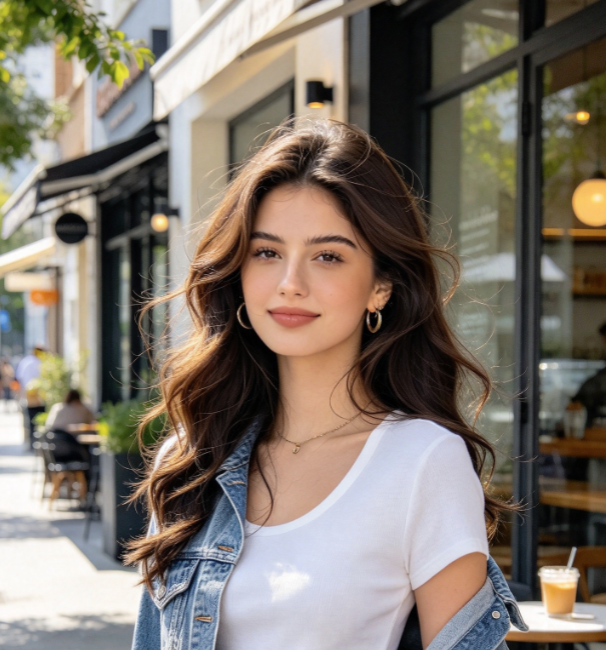
Self Hug Sketch AI makes the idea of supporting yourself easy to picture. I like the quiet wall and the way a Self Hug Sketch Video brings the real person and the drawing together in a gentle scene.
The appeal of Self Hug Sketch AI Generator is the focused idea: one portrait and a drawn embrace in motion. Self Hug Sketch AI feels suited to a personal caption without needing to film a second person.
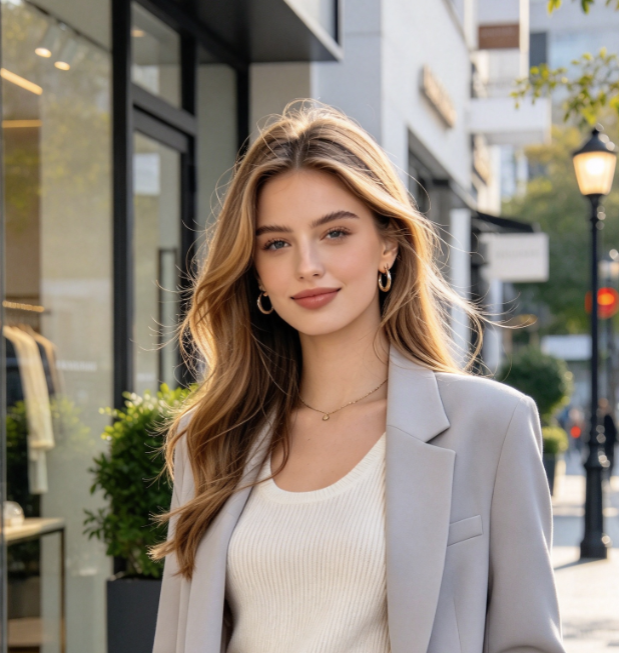
I enjoy the difference between graphite lines and photographic color in a Self Hug Sketch Video. Self Hug Sketch AI gives the drawing a clear role, so it feels like part of the story rather than decoration.
Self Hug Sketch AI Generator offers a clear starting point for an expressive portrait. The best part of Self Hug Sketch AI is how a familiar face can carry the message with just one simple gesture.
Self Hug Sketch AI Questions
Understand the portrait, choose a useful source photo, and know what to check in your Self Hug Sketch Video before you share it.
Self Hug Sketch AI is a video effect that combines a person in photographic color with a larger graphite drawing of the same person, hugging them from behind. Self Hug Sketch AI Generator builds the scene using your portrait for identity and prepared instructions for the gradual reveal and mutual embrace. Your Self Hug Sketch Video expresses self acceptance. The visual is associated with Embrace of my own self, the short handwritten message beside the figures. Review the finished movement as well as the likeness before sharing.
Yes. Self Hug Sketch AI uses one uploaded portrait as the identity reference for both representations. To make a self hug video from one photo, choose an image with a clear face and enough upper-body detail for the drawn arms to fit around the shoulders. Self Hug Sketch AI Generator supplies the scene instructions, so you do not need to upload a video or write a prompt. Your Self Hug Sketch Video depends on clear source details.
Start Self Hug Sketch AI with a well-lit portrait of one person. Waist-up or full-body framing is useful because the embrace needs space around the shoulders and arms. Choose a source with the outfit and hairstyle you want the picture to reference. Self Hug Sketch AI Generator aims to carry those visible details into the new setting, but it may simplify accessories or change small elements. Before keeping your Self Hug Sketch Video, play it through and compare the face, glasses, and outfit with the source. Self Hug Sketch AI does not require a grey wall in your original photo; the wall belongs to the generated scene.
Self Hug Sketch AI focuses on your current appearance in two visual forms: one photographed person and one pencil sketch of yourself. This page follows the wall-sketch embrace, so a childhood picture is unnecessary. Self Hug Sketch AI Generator uses your single source for the real subject and the drawing. Your Self Hug Sketch Video can still celebrate growth. Self Hug Sketch AI is a useful choice when you want the self-love gesture without building a past-and-present reunion.
Self Hug Sketch AI Generator uses prepared instructions to guide the scene, framing, and gentle embrace. Your uploaded photo provides the appearance for the real person and the matching drawn double. Your Self Hug Sketch Video is generated from your photo and those instructions; you do not have to record yourself acting out the hug. When preparing a self hug sketch for social posts, review the complete sequence and its ending before adding a caption. Self Hug Sketch AI focuses on a small, readable gesture rather than a complicated performance.
Play the entire clip, looking at likeness and the embrace. Self Hug Sketch AI should read as one real person with one drawn double, with clear arms and hands rather than fused fingers or a second colored body. Inspect the wall lettering too: generated text may contain spelling errors. Self Hug Sketch AI Generator can produce different details on another run, so review each new result independently. Throughout your Self Hug Sketch Video, the drawing should remain visibly graphite while the foreground person stays photographic. Self Hug Sketch AI is most convincing when the gesture feels natural and the face still feels familiar to you.
Create Your Self Hug Sketch AI Portrait
Choose a photo that feels like you and let Self Hug Sketch AI build a moving scene around a simple act of kindness. The real person, the grey wall, and the embracing pencil double give your Self Hug Sketch Video a clear visual story. There is no second performance to film and no drawing to prepare.
Start with Self Hug Sketch AI Generator, play the result through, and keep the clip that expresses what you want to say. Self Hug Sketch AI can give a familiar portrait a thoughtful new context for your journal, a personal milestone, or a message to friends.